
Ancel IR101 Thermal Camera Review
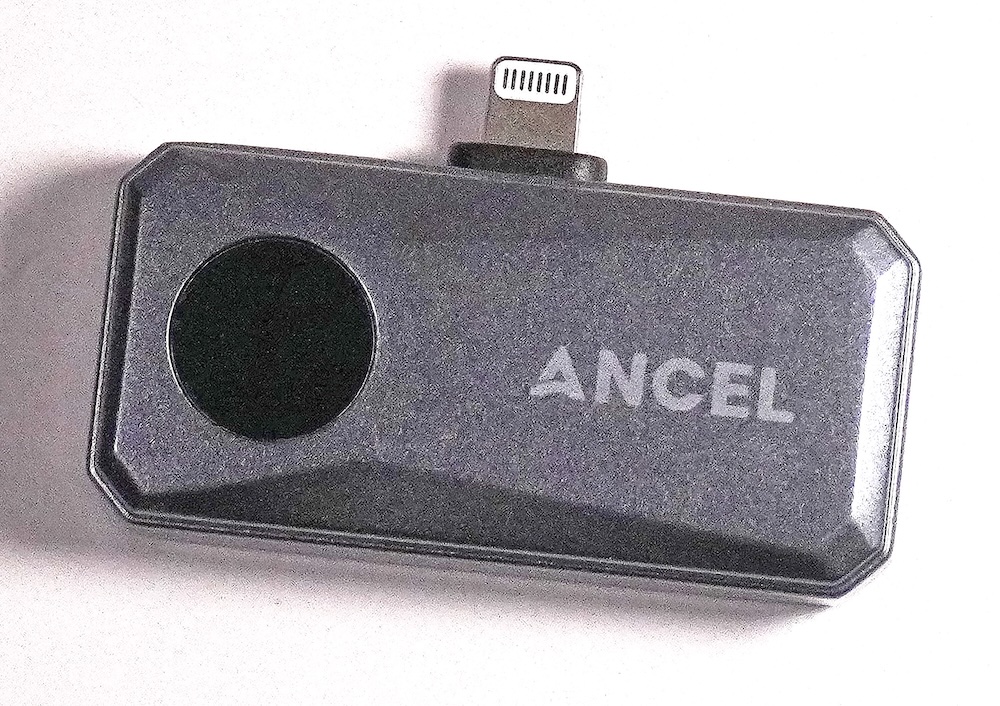
Having a Tech Blog almost certainly involves having some fancy tech tools. One of the coolest (pun intended) tools I’ve stumbled across is the Ancel IR101 Thermal Camera.
Thermal cameras are awesome for identifying heat related issues as well as a whole bunch of other uses.
And for full disclosure, as always, Ancel provided me this IR101 to review. I’m not being paid to post this, and I’m not an affiliate of theirs, and there is no pressure, nor payout for a good review.
The device pictured has an Apple Lightning connector and is for older iPhones and iPad’s with that connector. The Ancel IR101 is also available in a USB-C form factor for newer iPhones or Android phones. And there is a cable which can convert the lightning connector on the camera to a USB-C male connector. And in fact, I bought this cable, with my own money.
There are a lot of choices for smart phone thermal cameras and the strength really lays in the application or software used. So far, I am really loving the app (Ancel IR in the Apple App Store) and working my way through all the of software options. And there are a lot!
What’s In The Box?
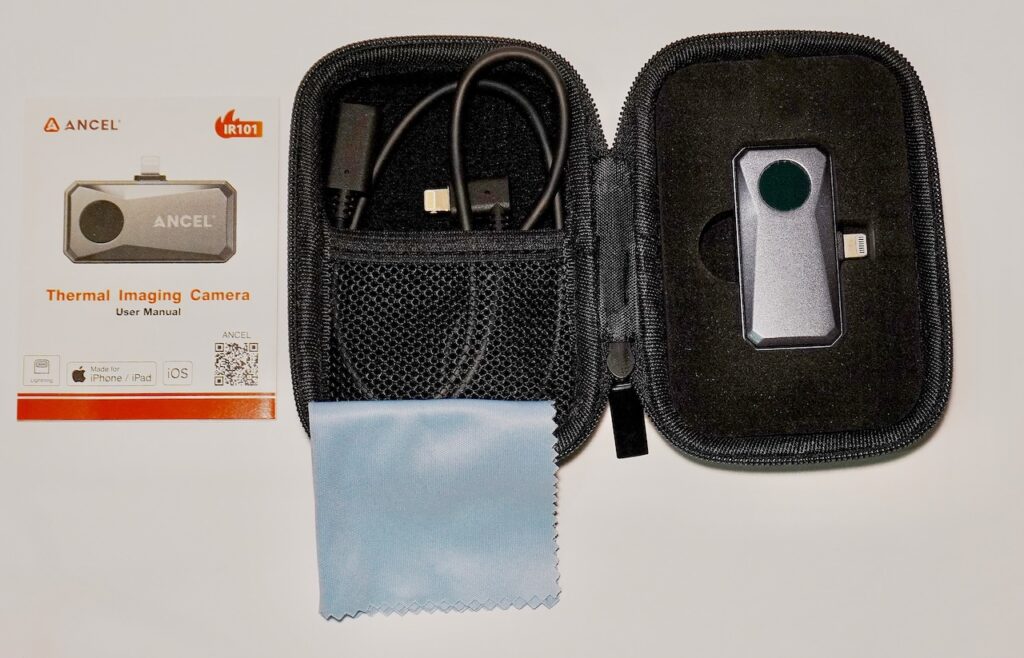
They kept it pretty simple:
- IR 101 Camera Module
- Lightning Male to Lightning Female Cable
- Manual
- Hardcase – I love it when people send their items in a good storage case.
- Optical Cleaning Cloth
Specifications
Just a few specs that I think are noteworthy.
- 512 x 384 resolution – My other thermal cam resolution is 256 x 192
- 25 Hz Frame Rate
- Thermal Imager pulls only 0.24 watts
- Advanced Modes (Fusion, PiP, 2D/3D Imaging Control)
- Testing Range From -4 ℉ to 1022 ℉
- Accuracy of +/- 2%
What is most important to know is that these are similar specs to much more expensive IR cams. You’re getting a good “bang for your buck” ratio here.
Who Is This For?
Ancel seems to market towards the automotive testing industry, however, a thermal camera can be used for a myriad of items. Here’s the very first thing I did with mine: I have a mini-rack server full of Raspberry Pi’s. The confined space, while open somewhat gets pretty hot. Putting two really hot computer boards next to each other is not ideal. I can layout my server rack from maximum heat dissipation simply by testing the operating temperatures of each board.
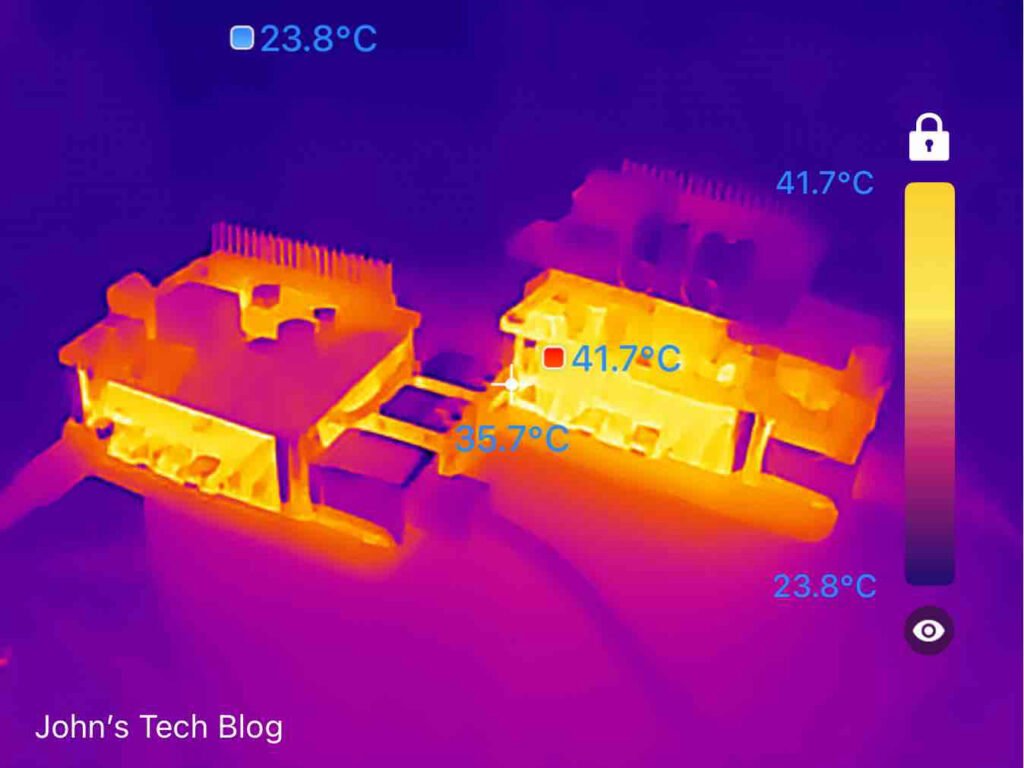
The Pi on the right is substantially warmer. It has a Power Over Ethernet adapter which also has an NVME M.2 slot for an SSD. The Pi on the left has a different board and an NVME drive which runs a lot cooler. This allows me to plan for what hardware configurations I want to use in my server deployment.
And I want to point out that HOT is white. The default fonts are white. It was a piece of cake to change the Font color in the ANCEL IR IOS application. And down in the lower left it allowed me to add a watermark. Super Cool!
More Examples
When troubleshooting electronics sometimes it is easiest to look for thermal failures. This is perfect for that application. You can use this in the dark to see obstacles and also see people and pets. Here is a good one. A common Delta value of your HVAC is usually around 20 ℉. For heating you can easily record the temperature from the register. My heat putting out 26.6 is spot on. This thermal camera makes it so easy to confirm these measurements.

Ancel IR App
Essential Settings For Ancel App
There are a couple things you might want to change right out of the gate. This video will show what I did with mine.
So many settings and possible configurations in the app. Let’s take a deeper glance at what the app can do. There are a couple of settings or configurable items that are GREAT.
Final Thoughts
Twice the resolution with a 25 Hz refresh rate at the same price as lower resolution thermal cameras? Yes please.
I have used a few thermal cams in my days and what really sets them apart is the bells and whistles in the application. As you may have heard from watching my video above that there are some cool tricks in this Ancel IR app. Picture in Picture is so freaking cool and so useful for troubleshooting it isn’t funny. If I were still working for the government on an Aircraft Visual Landing Aids Field Service Team I’d make double sure that these IR101’s were in our toolkit. We used to frequently bounce troubleshooting steps amongst our team members. A video with Picture in Picture and configurable points for heat measurement……..yes please.
JOHN’S TECH BLOG THINKS THE PRICE VS. FEATURES OF THE IR101 MAKES IT A STEAL! GET ONE!