
Zimaboard 2 – Intel N150 Single Board Computer
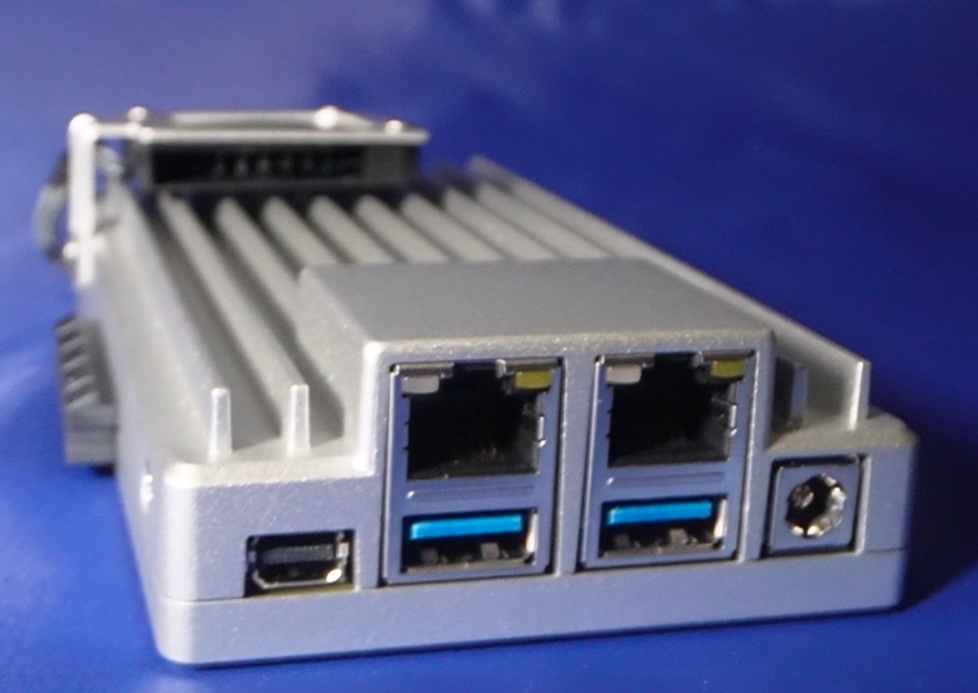
I’ve been eyeballing this Zimaboard 2, Intel N150 based single board computer since it hit the scene.
Suffice to say though I am a Raspberry Pi Geek, through and through. I have a server rack with 8 of them. Then I have a mini rack with 3 more of them.
Additionally, I have a couple of those N150 GMKtec mini computers. I need another single board computer like I need another hole in my head. Which of course means that I broke down and got the Zimaboard 2 1664 version.
“Someone finally found the middle space between a single board computer and a mini-PC. Kudos to IceWhale.”
Specifications
You can look those up yourself and if you are reading this, you probably have.
- Intel N150 chip
- 64 GB of onboard eMMC
- 16GB LPDDR5 4800MHz
- 2 – 2.5GbE Lan Ports
- 2 – USB 3.1 Ports
- PCIe 3.0 (I think this is electrically wired as PCIe 2.0
- Mini Display Port
First Impressions
My first thoughts were that it looked very cool. Both literally and figuratively. The entirety of the outer casing is a heat sink. I mean, just look at this thing. It has a very innovative look.
One thing I didn’t quite get was that in order to install the fan you have to take the bottom off to access the JST connector to plug it in. Okay, that’s a little weird but certainly not a deal breaker. Speaking of heat dissipation lets take a peek at the temps on the case by using a thermal cam.
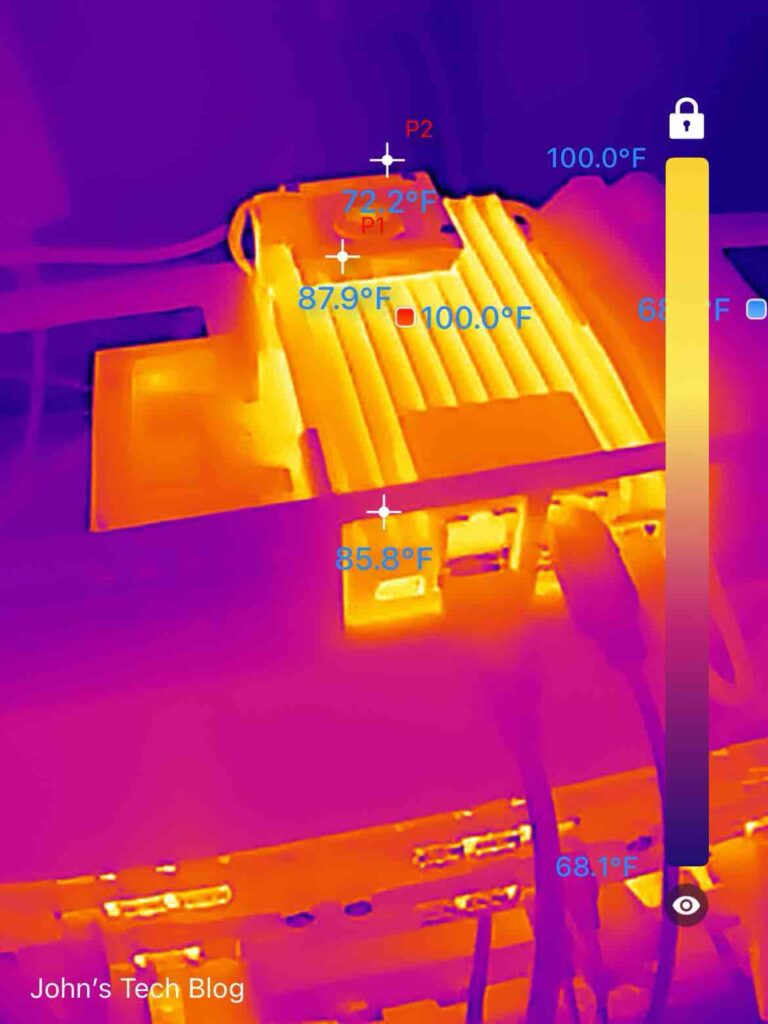
At the hottest point it is 100℉ or about 38 ℃. This pic was taken about 24 hours after deployment with a couple of virtual machines running. Those are good temps.
Ready, Set, Go
If you plug it in and hook it to ethernet it boots directly into ZimaOS. If you know how to find a device on your network you don’t need to hook up a keyboard, monitor, or mouse. Just point your browser at the IP address of the Zimaboard 2 and you’ll get the ZimaOS dashboard. I played with ZimaOS for a few minutes and made sure it was updated. It is installed on the 64 GB eMMC drive on the board.
At home I run a QNAP NAS, a NAS with TrueNAS, an UNRAID server and quite a few Raspberry Pi’s with bigger NVME drives.
ZimaOS Thoughts
If I were brand new to network storage and network servers I think ZimaOS is the perfect fit for the beginner. It’s light, zippy, and has a good looking GUI. Settings are pretty intuitive and this is the perfect fit if you are just getting started.
Also, if you are a seasoned pro, there is a lot to be said about spit, polish, and simplicity. It just works.
My Thoughts
I actually bought this device to use as a Virtualization Server and Home Lab device. I have been wanting to play around with an OS called Proxmox. Here is where I ran into my first “issue”. I probably shouldn’t call it an issue but rather an annoyance.
I had a PCIe 3.0 card and plenty of NVME drives. I added a 2TB drive which worked perfectly. To install Proxmox you are obviously going to populate one of the 2 USB-A ports on the front of the board. That leaves you one empty USB slot and the need to hook up a monitor keyboard and mouse. I tried to do it all with one of those USB multi port devices. No joy. I have a wireless keyboard and trackpad which fills the other USB slot. I still need video though.
You are left with only a mini Display port to get that video. IceWhale, the parent company will sell you a mini display port adapter but they DO NOT INCLUDE ONE IN THE BOX.
So, if you are going to use ZimaOS, you don’t need the adapter. If you want to install another OS, you are going to need that adapter. Factor this in before you buy.
Fortunately for me my local Target had an adapter and a cable which solved my issue.
Once you get up and running with Proxmox you don’t need a monitor any more as its dashboard can be accessed from any browser on your network.
IceWhale…….please toss a mini Display Port to HDMI adapter in your kit.
Second Impressions
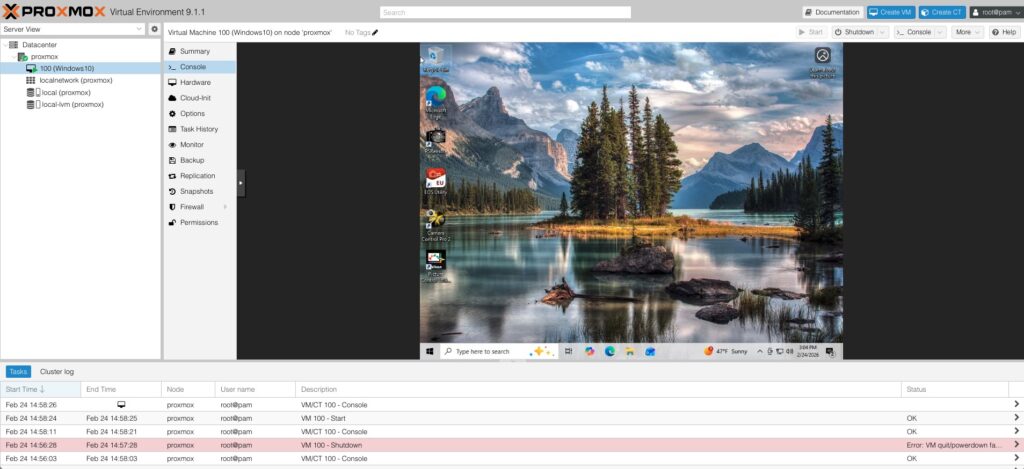
The Zimaboard 2 with Proxmox is a giant killer and a match made in Tech Heaven.
The first thing I did was to install Windows 10 in a virtual machine.
You might be wondering why I did that. Because I truly hate Windows. But I own a bunch of old digital cameras which I tether to a computer for studio shots. No one likes to take a pic and then drag it into your content and then notice all the horrible imperfections. Anyway, the old camera manufacturers stopped adding this feature to low end cameras. Then they quit supplying drivers. But Windows did this whole WHQL driver thing. Subsequently, they dropped all those old drivers when Windows 11 came out. Windows 10 was the line in the sand for all that older gear.
My network rack is right next to my “studio” so hooking a camera up to the Zimaboard is more favorable than dragging an old laptop into the equation. Just another piece of gear laying around in the way.
Other OS Virtual Machines
Right now in addition to Windows 10 I have added Kali Linux, Ubuntu, and DragonOS. The Dragon is for Ham Radio and RTL-SDR software defined radios. Toss in a Plex server and Lyrion Music Server and you are getting the makings of a very cool Home Lab.
I’m personally not using this for a file server ever though I certainly could. I already have 3 massive NAS devices on my network.
Lyrion Music Server
I could write a whole bunch of paragraphs about Lyrion Music Server. I’ve been running it since the days of The 1st Raspberry Pi. It used to be called Logitech Media Server. I’ll just call it LMS from here on out.
LMS accesses your local music library in addition to lots of Plugins, most notably Spotify, Tidal, Pandora, and TuneIn Radio. It’s awesome. Here’s the Spotify integration called “Spotty”. With this and some Raspberry Pi client devices hooked to amps all over the house I can listen to my music all over my home and property. Yep, I have speakers outside too.
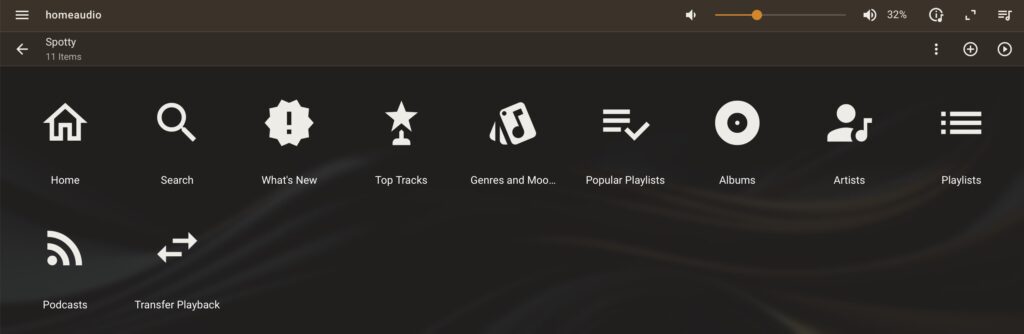
A Zimaboard with Proxmox in a container is the perfect implementation of LMS. And as a bonus I can reclaim a Raspberry Pi that was dedicated specifically to LMS which is actually kind of a light application.
My Zimaboard 2 Promox HomeLab (So Far)
Here is what I am running:
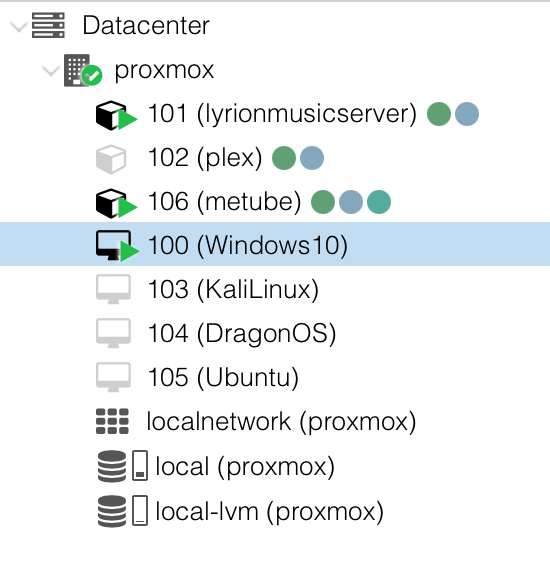
- Windows 10
- Ubuntu
- Kali Linux
- DragonOS (Lubuntu with Ham Radio Software pre-installed)
- MeTube – Download YouTube content
- Plex Media Server
- Lyrion Music Server
It all runs and I still have overhead for more. I probably would never run all those containers at once so I just run what I’m actively using.
Deployment
Zimaboard 2 Deployment (click pics to enlarge)
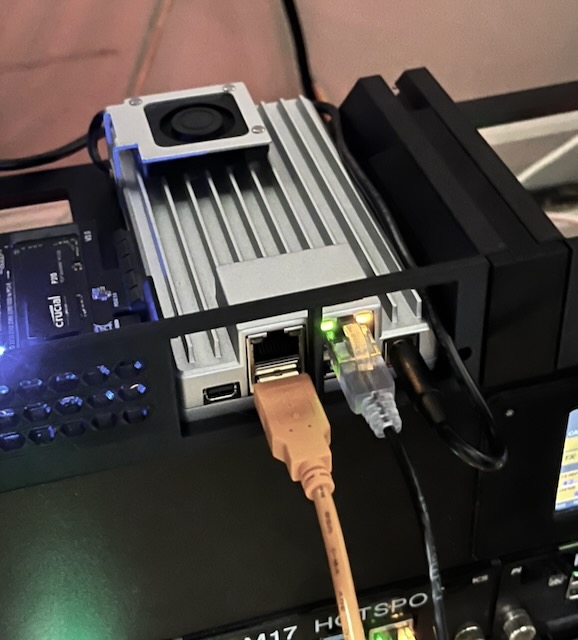
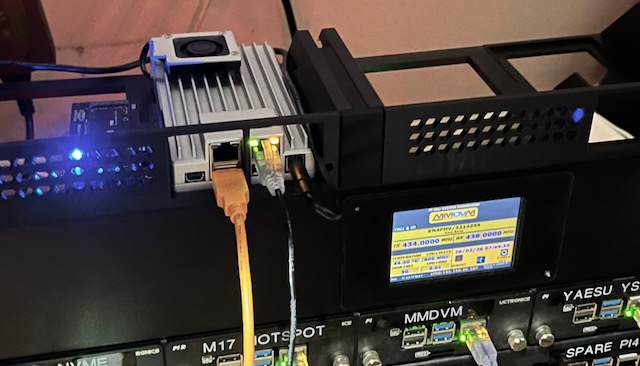
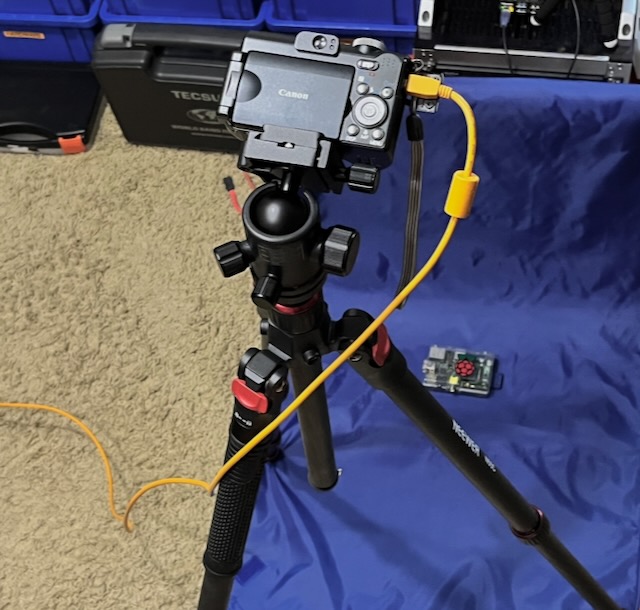
3D printed a 19″ rack mount. Note the orange cable running over to the old Powershot camera. I have WAY better cameras but I get tickled using a $300, 22 year old camera for studio shots. It’s my way of thumbing my nose at camera manufacturers who now charge me $1000 for the same capability as I had in 2004.
Any Problems?
Yes. My stupid rack mount has room for TWO Zimaboards. In the interest of keeping my OCD at bay I must now get another one. But not until there is a crazy sale or I catch one on Facebook Marketplace.
Wrap Up
If you want to run a simple home NAS get one of these and ZimaOS will take care of the rest. It’s very intuitive and polished NAS software.
My sweet spot for this device is running virtualized containers and virtual machines from Proxmox. This is the way young Skywalker.
Someone finally found the middle space between a single board computer and a mini-PC. Kudos to IceWhale.