
Best Beginner Laser – Mecpow M1 Review
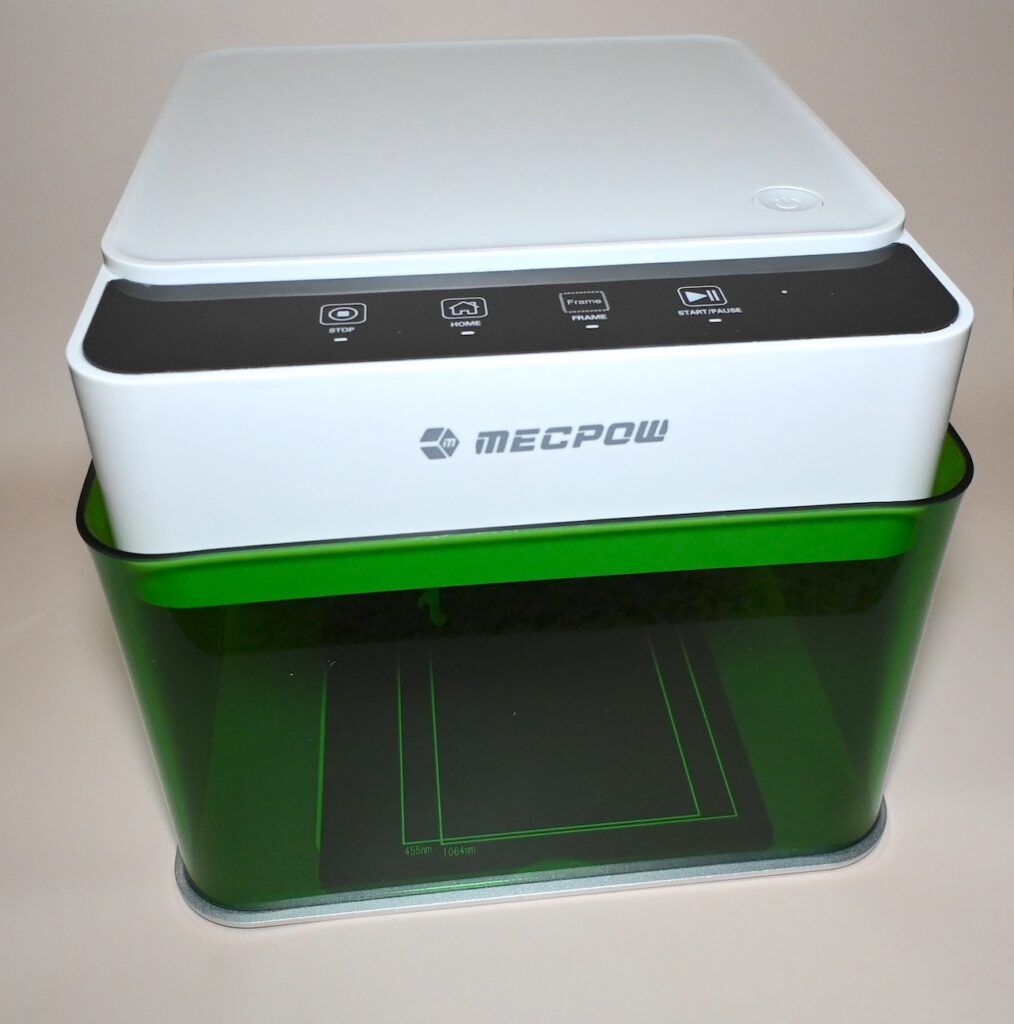
So you want to use a laser and you want to make money doing a side hustle? If you have never used a laser then you probably should start small, then hone your craft and then upgrade. In the interim I have found a great solution to getting started. The Mecpow M1 Laser Engraver.
Mecpow contacted me and asked me to review their beginner laser and I took one look and agreed.
The purchase cost is currently around $159 for a 3.5 watt and $179 for the 5 watt version. That is a steal for a laser engraver.
NOTE: My readers can get an additional 15% off by using the Code JOHNM1 at checkout.
Additionally, Mecpow will be offering a giveaway on their social media on February 26th! Be sure to check that out!
Is 5 Watts Enough?
Yes, by golly. It is. Here’s why. Sure, a powerful laser can cut thicker material but the downside to that is that the actual laser beam increases in size as power increases. High wattage diode lasers achieve those higher outputs by combining multiple 5 or 6 watt blue diodes into one beam.
A 3.5 watt or 5 watt machine is going to have one diode only and the laser spot size is going to be considerably smaller. Translation: You will achieve more intricate and detailed ENGRAVINGS (not cutting) with a lower wattage machine. I know it is hard to believe, but the finished results are better.
I bought my first laser in 2019 and to this day I can do 95% or more of the stuff I do on a 5 watt machine. And while a 5 watt machine will take longer to engrave something you probably aren’t going to take on huge orders in the beginning.
Even If You Have A High Power Laser……
Go to any laser forum. Pick one. Almost daily someone will post the following: “My laser broke and I have orders to fulfill. This is unacceptable.” My point here is that if you have a broken laser……..what is your backup plan? Having an inexpensive laser might just get you over the hump until you get your primary machine fixed.
So no matter your experience level having an inexpensive backup machine may save your side hustle.
Laser History
Commercial lasers for general consumers began hitting the scene in 2019. There was a CO² laser prior to that called the K40. The Chinese used it fairly specifically to make signature stamps which is a common way to sign official documents throughout Asia. Someone began importing them and the DIY crowd ran with it and developed hardware boards and software for U.S. consumers.
The first diode laser was pretty basic. Lasers have improved exponentially over the last few years. A new user can become overwhelmed trying to figure out where to start. There are generally two routes to take. Buy a beginner machine or go all in with some crazy 60 watt machine or a UV laser that costs several thousand dollars.
Let me just say this. And this is of course my opinion. If you cannot figure out how to operate a 2 dimensional plotter (X, Y axis) then you are going to have a heck of a time with a $4000 UV laser. I strongly recommend that you start small. Once you have a grasp then go buy the $4000 machine.
If you don’t believe me, check your local classifieds, eBay, or Facebook Marketplace. You’ll see lots of people selling basically new machines because they couldn’t figure them out.
The Mecpow is a great little laser at a great starting price.
Lightburn Setup (click pics to enlarge)
Lightburn is the de facto standard software for laser engraving. However, it is not free and costs $100. You can use it forever though. Upgrades expire after a year and cost $30 per year after that. You do not have to upgrade every year. You can catch up at you leisure. I have a friend in this area that was using a REALLY old copy of Lightburn and it worked just fine. His laser skills are exceptional. Both he and I know that you don’t always need the latest and greatest.
In the first screen shot I already have it installed. You need to hit the button that says “Find My Laser”. Then proceed to follow the remaining screenshots once it is found.
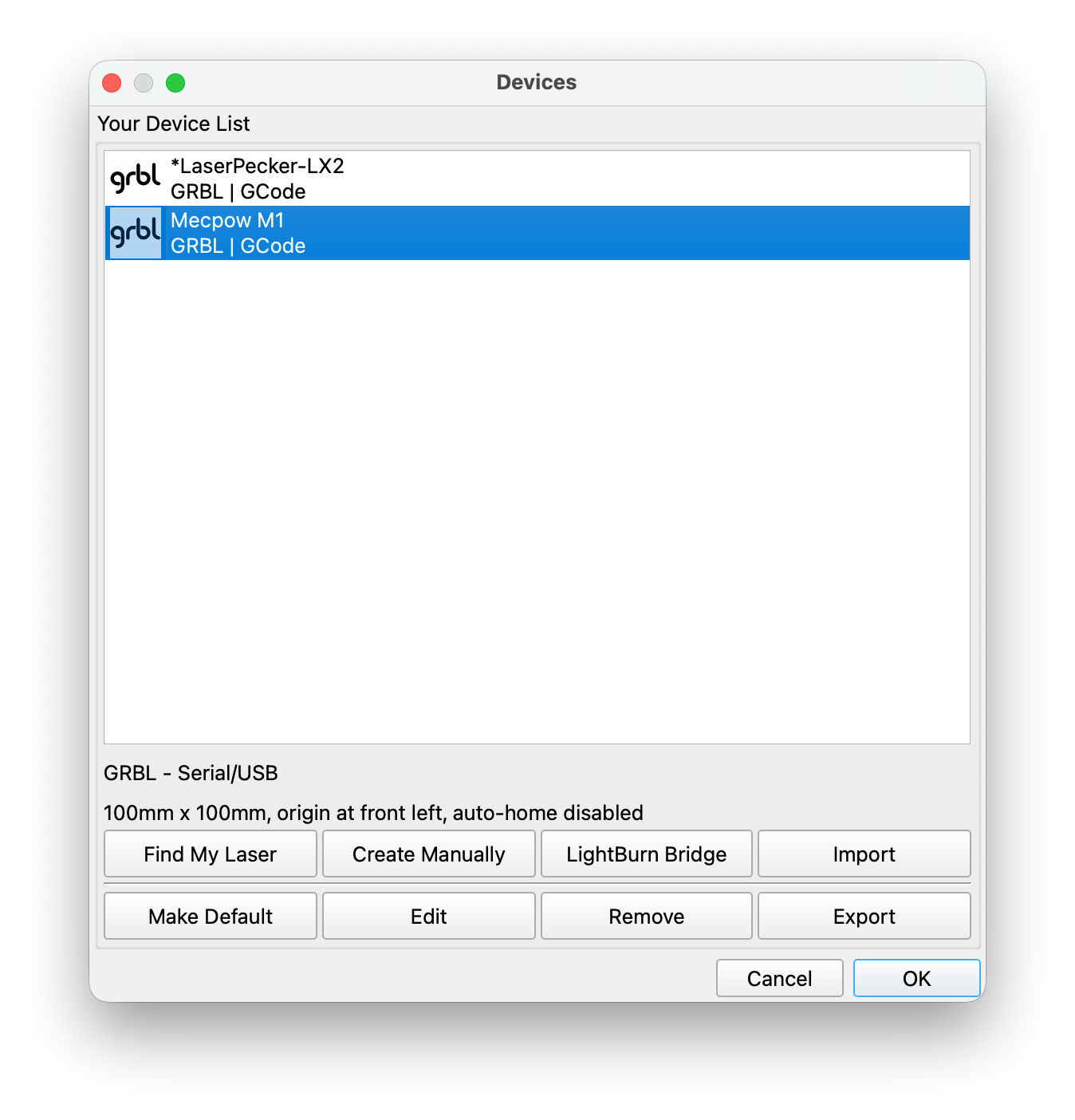
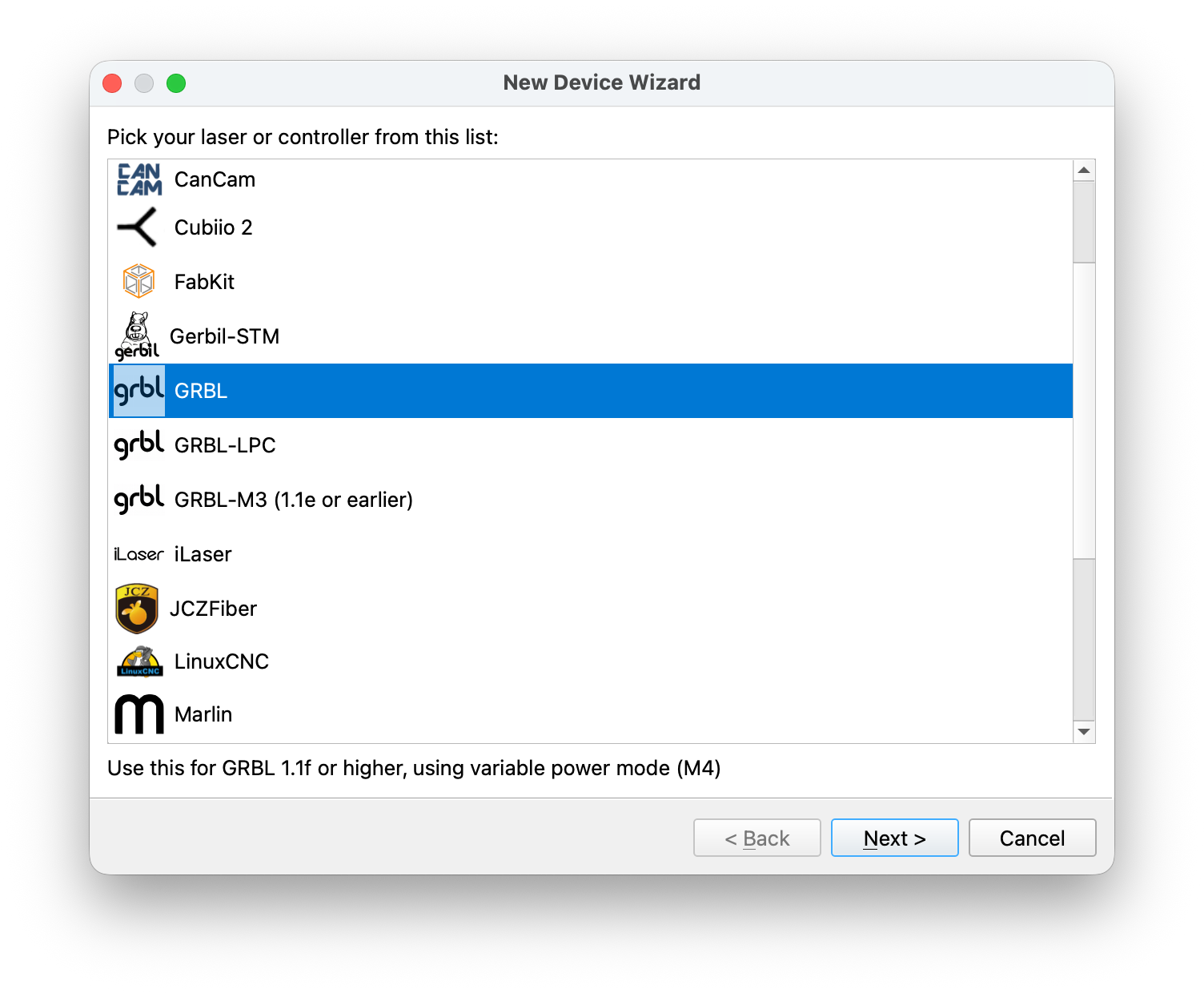
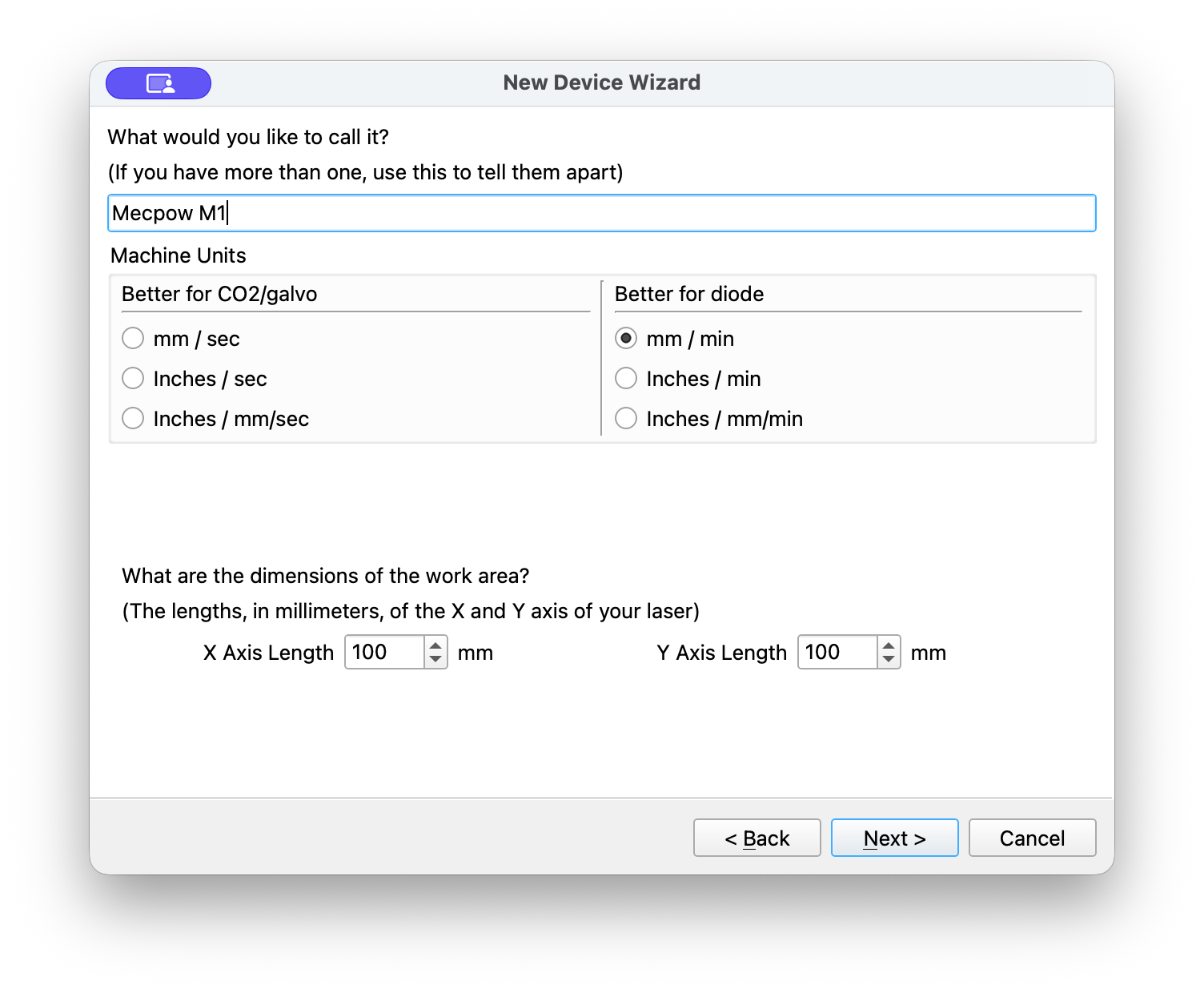
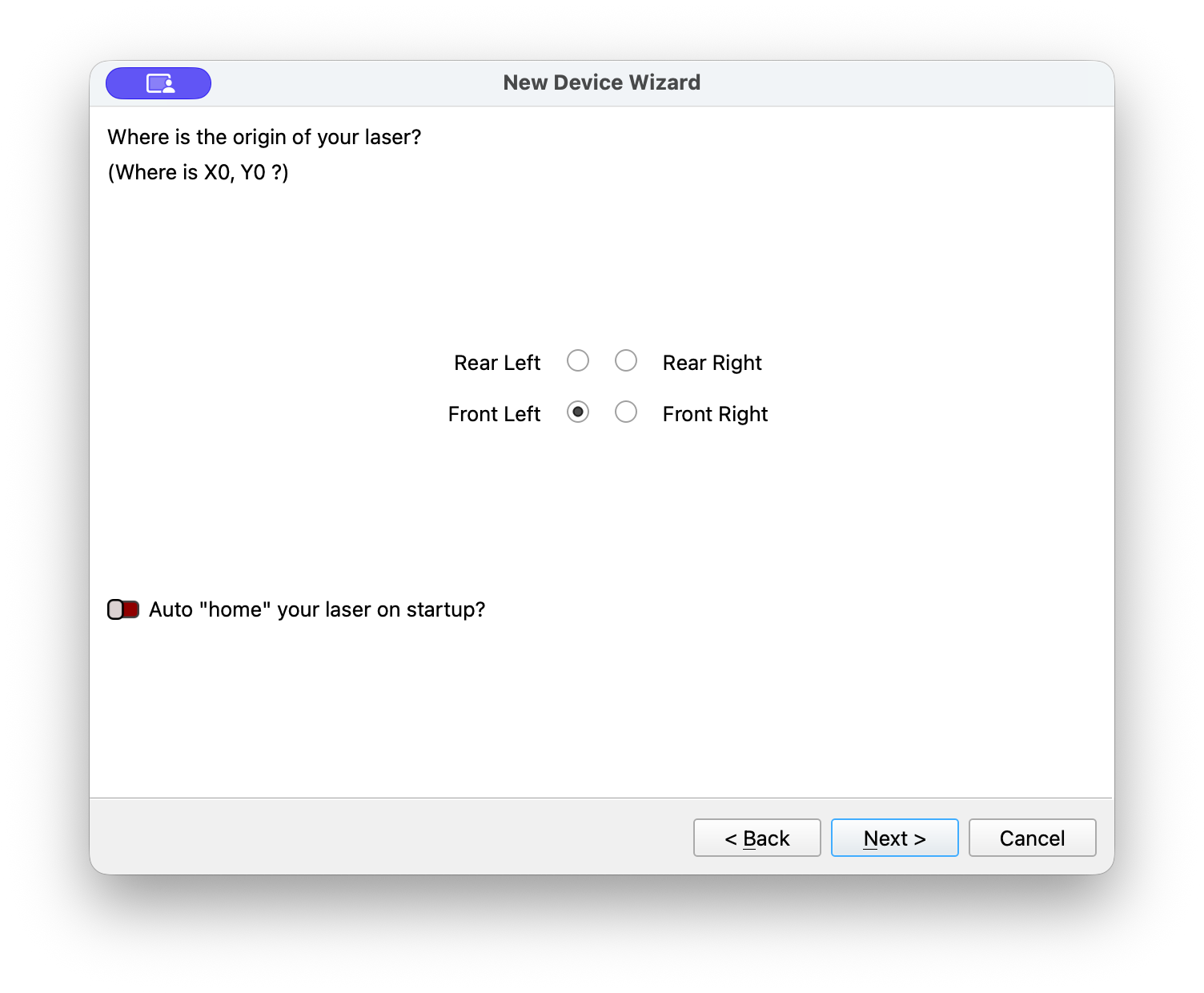
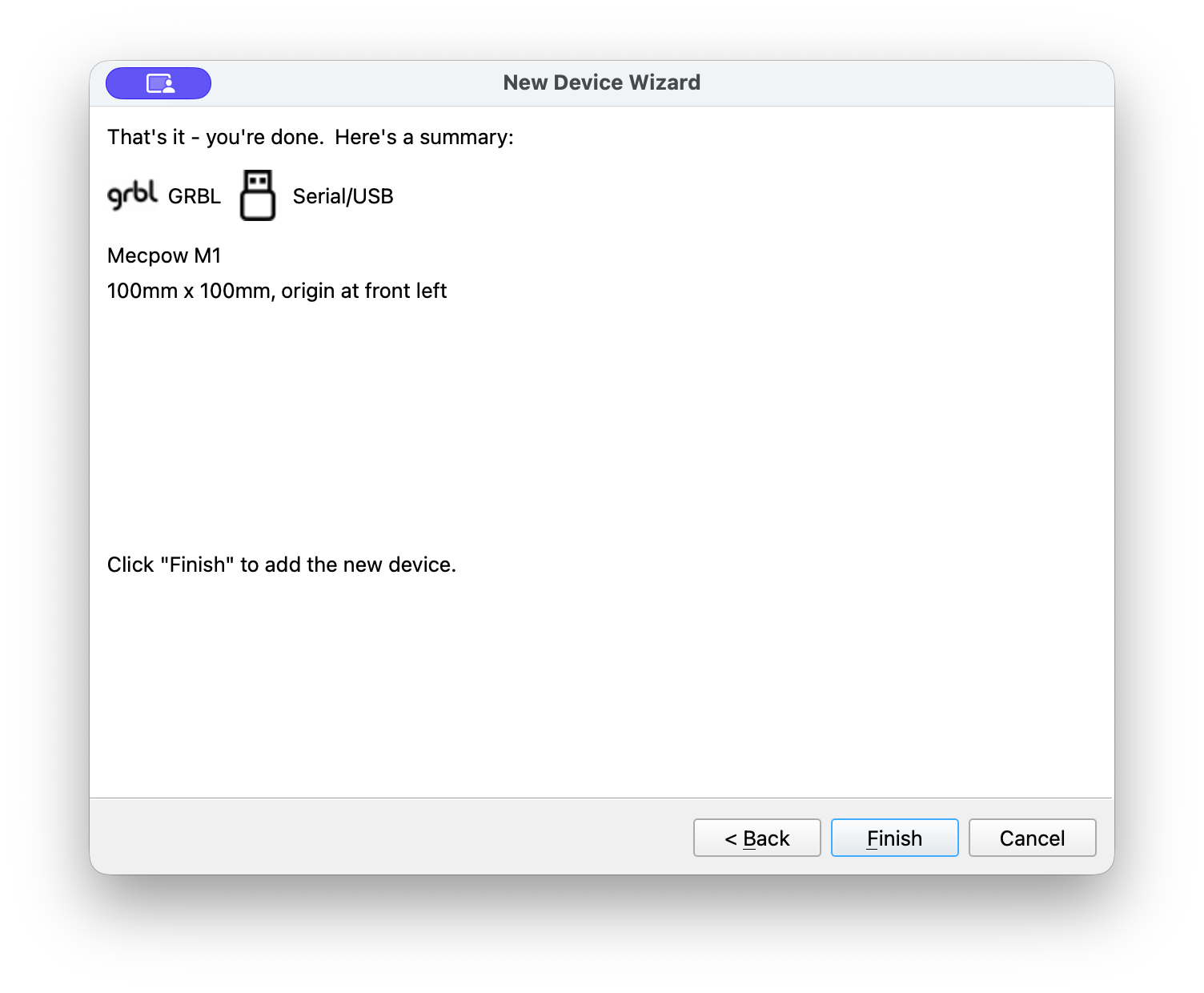
This is just a recommendation for Mecpow. Prepare a Lightburn .lbdev file and add it to the TF card that comes with the laser. Then all you would have to do is hit the “Import” button and select the included file.
UPDATE: I recommended this to Mecpow and they told me it was a great idea.
Introducing The Mecpow M1
Here’s a quick overview video and also my first test burn. I always film my first burn and if it explodes and catches fire that is what you’ll see. Conversely, if it works perfectly then that is what you will see.
That worked great. Then I decided to jump into the fire and tried to laser engrave one of those aluminum keychain bottle openers. It is a pretty small item and I had lots of trouble getting a proper framing operation completed. The protective cone around the laser protective lens sits low to the working surface and blocks you visually from getting a good view of the framing operation.
To exasperate the situation you MUST close the green protective hood or the machine will not frame. There is a micro switch that connects at a point slightly before the door fully closes.
Then it hit me. I know for a fact that the protective cone is removable as I have seen this many times before on other laser modules. I looked it over closely to see if there was a set screw and there was not. Then I just unscrewed it and lo and behold, I could see the entire top of the bottle opener and could effectively frame perfectly. The video below shows my difficulty in framing, my engraving, and then me figuring things out.
Specifications
Most people would put this on the top of the page but I wanted you to see a little action first. I hate to re-post specs that you can easily look up yourself but will make a short list of the ones that feel important to me.
- Available in 3.5 or 5 watts – Either one requires a 12.5 volt input
- Working area is 100x100mm – that’s small but you’d be amazed what you can do with it.
- Blue diode laser @ 455 + or – 5 nm (nanometers)
- Focal Length appears to be around 18 mm from bottom of protective lens to adjustment bar when deployed
- Class 1 Laser Safety Certification – the best you can get
- 10,000 mm/min speed / 166.6 mm/sec
- Engraving accuracy – 0.1mm -This is important.
Is There Anything Missing To The M1?
There are two things that I can think of. The first thing I can think of is there is no air assist. An air assist pump is important for cleaner engravings and for cutting operations. I will not say it is impossible to add one, however, it would require some case modification. It is easy enough to add a 3D printed guide to the top of the laser module but I just don’t see any real way to get an air hose inside to the engraving area without making a hole somewhere. I don’t recommend it, especially if you are brand new to the laser game.
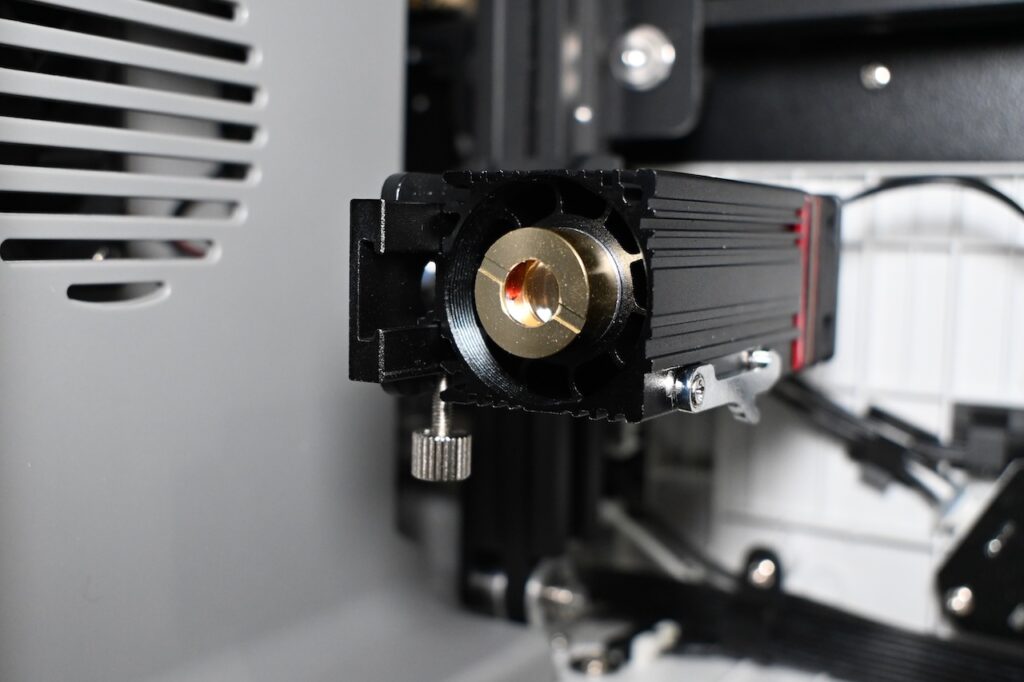
The second thing is that there is no spare PROTECTIVE lens (brass circular item). The actual lens lies below and this piece protects it from damage.
A lot of manufacturers send at least one spare. This is so important because if you do not keep this optical glass clean you will eventually cause it to fail.
Smoke and debris can build up which results in the glass heating
up which can crack that optical glass. After operations I almost always clean my lens with 91% better isopropyl alcohol. And you need to remove that cone to gain good access to this area. Also I do not see any spare lenses for sale on the Mecpow website at this time for the M1. I did see a statement on their web page that if this fails to contact support for a replacement. Almost every laser I get I try to get several of these to keep on hand.
In my working years I maintained US Navy and USMC Aircraft Visual Landing Aids such as found on Aircraft Carriers and LHD Landing Ships. You can better believe that we had lenses and a protective optical glass over the top of that. The outer lens is easy and relatively cheap to replace and the real lens costs a fortune and has to be focused just so.
When you buy the machine ask them to add an extra lens. I don’t know what the cost is, but I know what the cost ISN’T.
Neither one of those things I just mentioned are dealbreakers in any way. But you should be aware of them.
Manuals and Support Docs
When I opened the box for the Mecpow M1 Laser Engraver I went to pick up the manual and toss it to the side to get to the good stuff. I was kind of stunned at how thick it was.
When I went online to look for FAQ’s and supporting documentation I found quite a few.
I have always said that most manufacturers make decent diode lasers (provided you know what you are doing.) and the key difference comes in 3 areas.
- Supporting documentation
- After sales support
- Ability to purchase spares
Telephone Or Email Support
And don’t fall into this trap: Almost all consumer laser engravers are made in China. That is a half a day ahead of US time. And as I write this EVERY COMPANY IN CHINA is celebrating the New Years. Hey, I lived in Asia for around 16 years. New Years is a HUGE deal and they all just shut down. That is simply the way it is, so get used to it. They work HARD during the year and are expected to put in a lot of hours and produce. When New Years rolls around they relish in their nearly 2 week long vacation. That is simply their culture. Just like Christmas to New Years is ours.
Another aspect of the trap is the difference in time. Laser operators will break their machines (yep, sorry to say that is mostly what happens) and then become FURIOUS when no one answers the phone when they call at 2 PM United States Eastern Standard Time. THEY ARE ASLEEP.
Again, these things are in no way a dealbreaker of any kind but something you just need to be aware of. Plan accordingly.
You know how to mitigate this problem for your side hustle business? Simple. Buy TWO lasers. Or purchase critical spare parts. You have a business plan, right? Don’t get mad when you break your machine and can’t get instant relief. Plan for downtime and how to avoid it.
Accessories And Extra Features
The Mecpow M1 is not just a one trick pony. There are a few add on features to expand its capabilities. First your M1 exhausts out of the back of the machine. You should get some vent hose and run it out of a window or a door.
Mecpow offers a P50 fume extractor which allows you to operate indoors and saves the old lungs from contaminates.
Additionally, you can purchase a Mecpow R1, 1.2 watt 1064 nm IR laser module. The 1064 nm wavelength allow you to engrave on some metals. Mecpow provided me one to test and I’ll showcase it down below.
Finally, you can purchase a Mecpow G5 Rotary Device for engraving round objects such as cups and mugs.
Mecpow R1
Again, I’ll let my videos do my talking for me.
She’s Got Legs
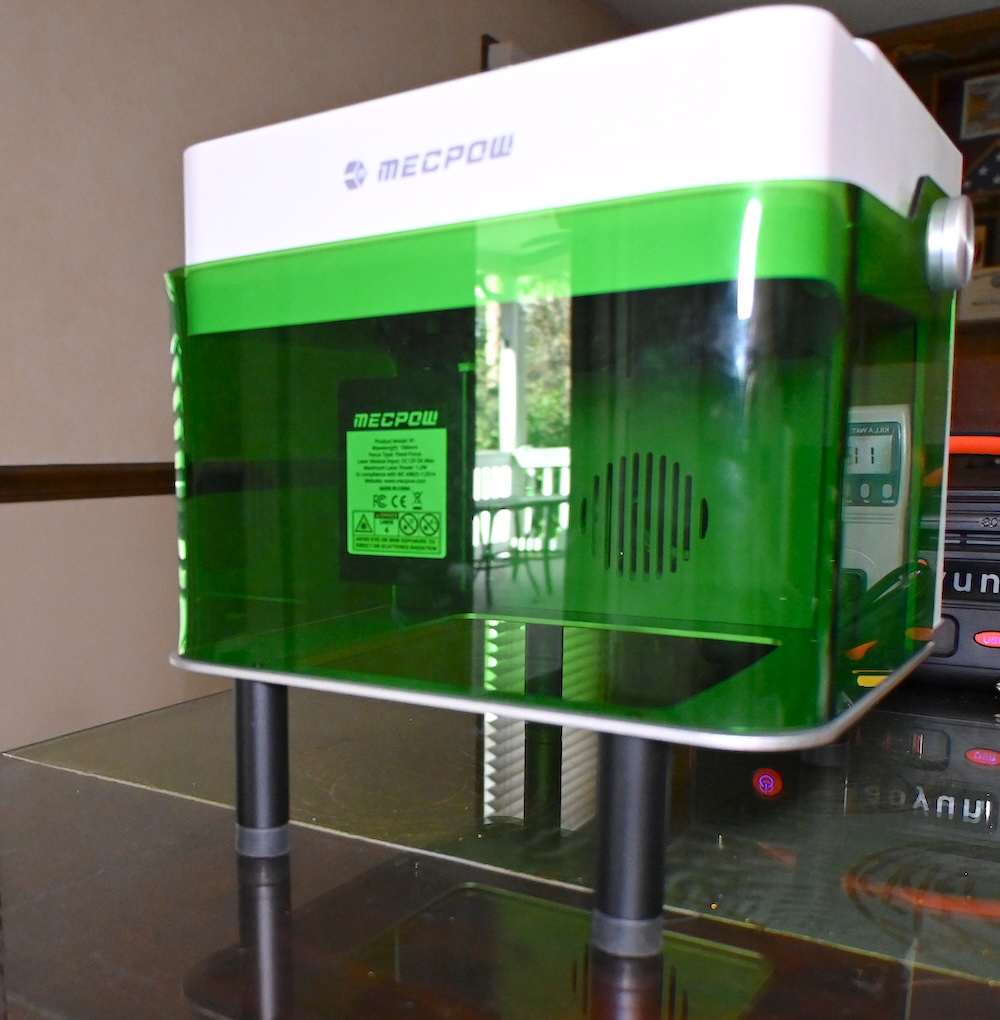
Legs to elevate the M1 enclosure to raise it high enough for rotary operations or simple to add some Z height to accommodate taller objects to be engraved. Very cool! Most places charge you extra for these. The rubber feet are also adjustable on each leg to make it level and more stable. Nice touch.
Is There Anything I Don’t Like?
Yes. One thing. The baseplate fits poorly. No matter what I do, one side always sits higher than the other.
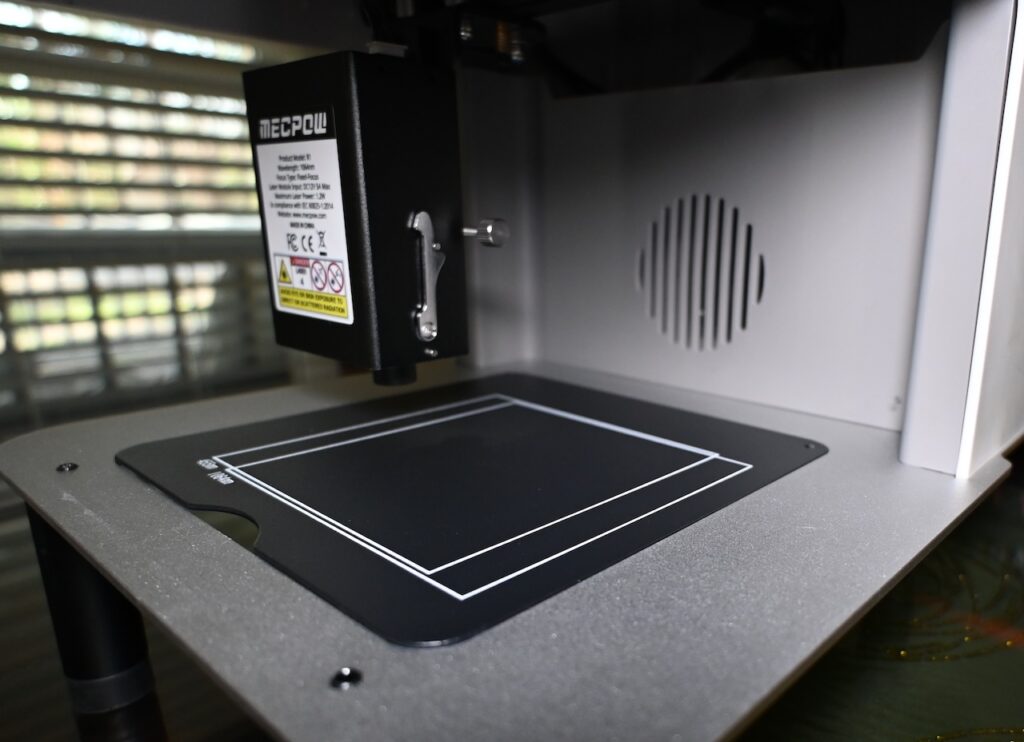
Could I trim it down? Sure. My current plan is just to remove it and slap a piece of wood over the opening. Problem solved.
Wrap Up
For the cost, the Mecpow M1 rules the beginner market. There are lots of features included with the best one being safety. The Class 1 enclosure and tilt alarm are a bonus. Any movement of 15° or plus or minus 5° will stop the laser. Lifting the hood also stops the laser.
Is it perfect? No, but it is VERY good. The M2 (if they make one) should include an air assist or the ability to add an air assist and a little more love and attention to detail should go into the fit of the removable base plate. Finally, There is no emergency stop button either.
If you have never used a laser, and have no clue where to start………..This is where to start. Get your M1 now!.
JOHN’S TECH BLOG THINKS THE MECPOW M1 AND R1 ARE THE BEST PLACE TO START LEARNING WITH LASERS