
Svbony SVGo M3 Action Camera Review
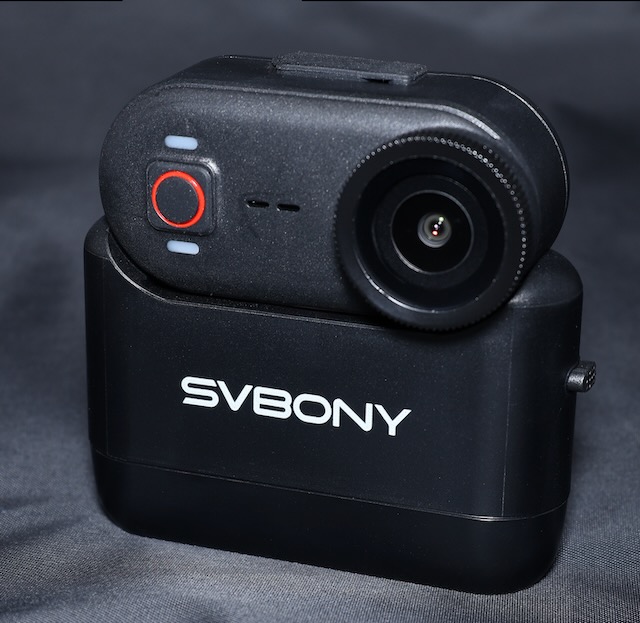
I was contacted recently by Svbony and asked to review their new line of action cameras. One of the cameras they provided me was the Svbony SVG0 M3 ($99).
If you have never heard of Svbony there can only be one reason. That you aren’t an astronomy or bird watching geek.
Svbony is a world renowned leader in telescope and spotting scope equipment.
And along those lines I imagine that with such detailed knowledge of precision optics that they probably make a pretty doggone great action camera.
Just as the astronomy fans can’t believe how great their optics are for the price point so it seems to be in the action camera realm as well. Their offerings are a heck of a lot easier on the wallet.
If you think I’m just playing fan boy because they sent me some cameras you would be 100% wrong. I spent a good portion of my working career in the (now) Department of War, Aircraft Carrier and Shorebased Visual Landing Aids program. When Maverick in Top Gun says “Roger Ball, I’ve got the ball” that’s one of the systems I supported. I mostly worked on Shore Based Trainers but the equipment was the same. What’s my point? My point is that I know a thing or three about optics and more specifically OPTICS THAT ARE IN MOTION. You’ll get my honest take here because this was my thing.
First Impressions
Cost
Let’s fact it. We care about what things cost. The major name in action cameras offerings are NOT cheap. I am not involved in extreme sports or planning to climb Mt. Everest any time soon. I mostly use an action camera while riding my bicycle. And I don’t really use it to capture action as much as getting the license plate of the car that buzzed me a little too close. Anyway, if I get run off the road and crash and burn I sure wouldn’t want to destroy a $500 camera. And I’ll say it again, I don’t NEED a $500 camera.
Pixel Peepers
I’m into regular prosumer digital cameras. One phenomenon in that world are people that scoff at something because of their published specs. They call them pixel peepers. They don’t care about your photos or videos and they’ve probably never held the camera that they are talking about. But somehow they know everything about them because of the specs.
I am NOT a Pixel Peeper.
Right this second my Svbony SVGo M3 is on my bicycle for a ride I have planned later this morning. I’ll come back and share some of that video and tell you what my initial thoughts are. The couple of test videos I have shot around the house look fairly decent.
Connectivity
My first impression here is that I thought I had to use an app to operate this camera. I HATE APPS. I hate them. But I realize I don’t speak for everyone.
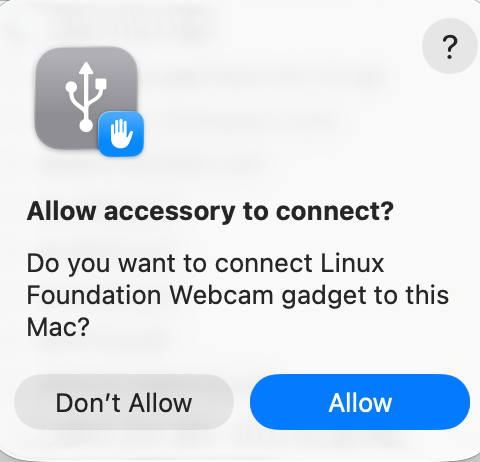
However, after reading the manual I see that it can be connected to a computer. After plugging it into my MacBookAir and turning it on I was greeted with a connection dialog.
What is cool here is that it is recognized as a “Linux Foundation Webcam”.
A company with a reputation for precision optics and Linux?
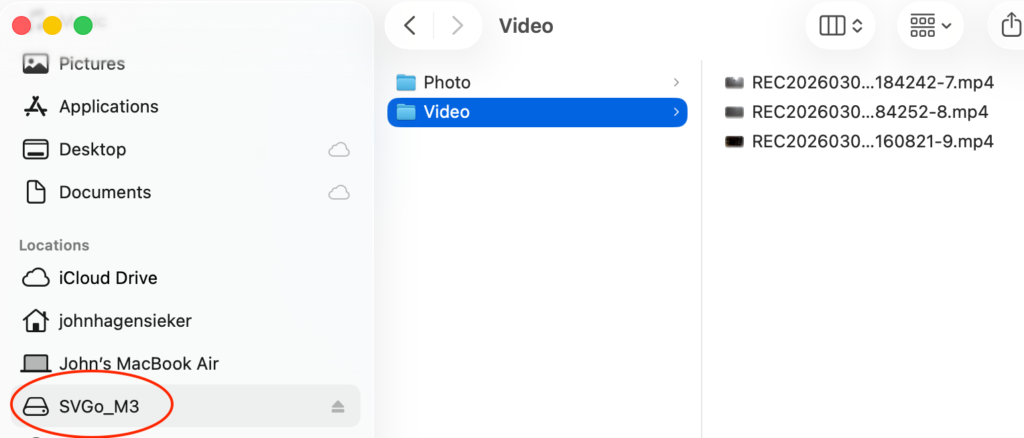
Yes. Please. More please. And sure enough here are my files.
Camera Features
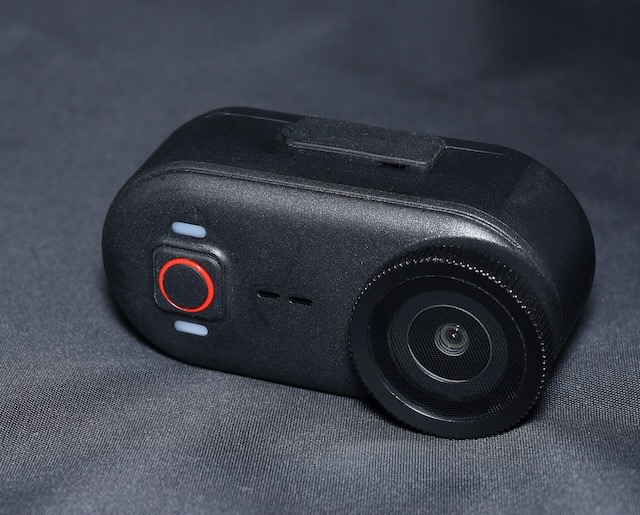
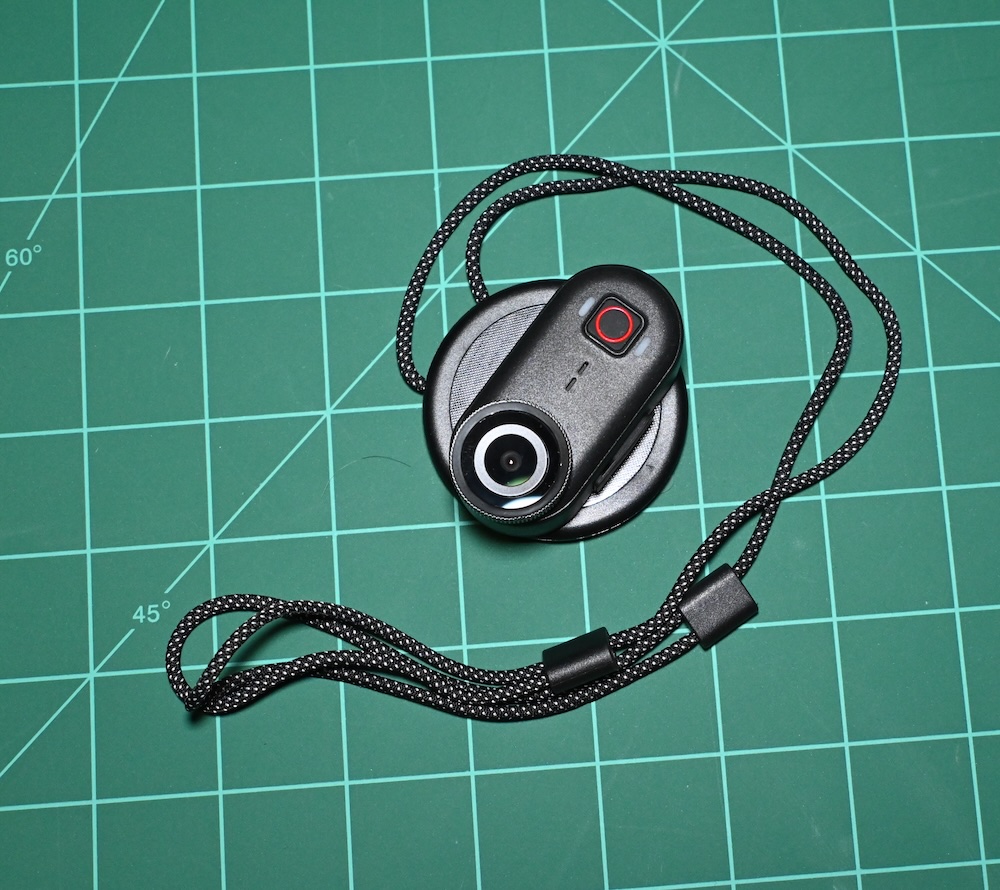
Depicted in the photo is the actual Thumb Camera removed from the charging base. The camera itself is a super simple device to operate. On top is a USB-C port under and water resistant cover. The front has a single button. There are lights above and below the button. The back has a magnetic mount.
A green light indicates the state of recording (on or off) and a blue light indicates whether the WiFi is operational.
Here is a quick trip around the cam. Very stylish, very light, and very simple to us.
We’ll talk about what it can do and what it can’t do in a minute.
Run Times
The thumb drive by itself has a run time around 100 minutes. As luck would have it my bicycle rides are just a bit longer than this. When mounted on the Charging Cradling the run time jumps to about 300 minutes.
On my first test of the SVGo I mounted the whole shebang on the bike.
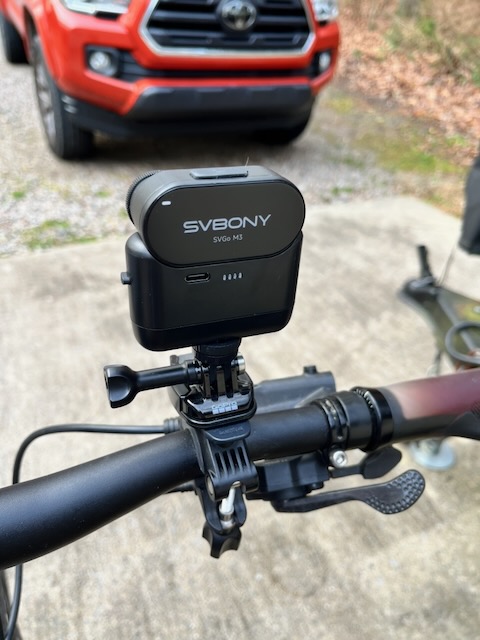
Doing this should really be limited to beach cruiser 5mph, no bumps rides. The M3 just wasn’t engineered to take a lot of shock while in the charging cradle.
Mounting JUST the Thumb Cam on the bike works great, but again, your run time is just 100 minutes. Also you can mount the SVGo M3 on the magnetic neck strap.
Here is a sample video of my ride with JUST the thumb camera mounted on my handlebars. Audio was fine however, I deleted the audio because I was listening to my favorite podcast and am pretty sure I’d get flagged for copyrighted content. Then I took a walk around my property to look around after a big storm. For that I used the Magnetic wearable mounting disk.
Looks pretty good to me.
Audio
The onboard mics on these cameras always leave a little bit to be desired. They are a camera first and a microphone second. While the audio sounds crisp there is some noise inserted if you hit a good bump. Most people take their action cam footage and edit it with some high energy sound track anyway. So I don’t really view that as too much of an issue.
Application Use
I am not a big fan of apps. But as I stated earlier you can absolutely use this camera without the application once you get it set up to your liking.
The app is called Vipulse and it is easy enough to use. But I do have a recommendation. Name the app “SVBony” something. In six months I won’t know which app is which. 😀
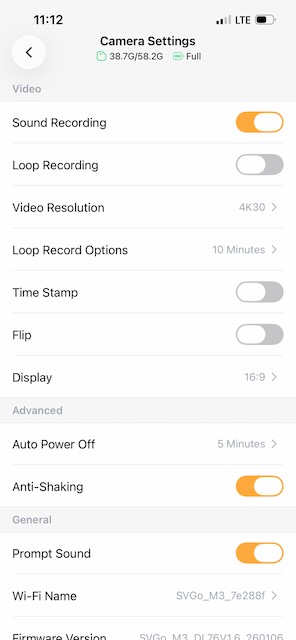
You must first put the camera is a mode to open the app. Press and hold the action button (record) for a couple of seconds until you see a green and blue light.
Once connected you will see what your camera is pointed to currently and then if you click the settings wheel in the upper right hand corner it takes you to the settings depicted to the left.
Here you can toggle the sound off if you like. Also you can enable loop recording. That allows you to keep using the camera is the memory gets filled up. I leave mine off.
Additionally, you can flip the image or add a time stamp. And mostly you can turn the Anti-Shaking on or off. I leave mine on. That might dig into the battery a little bit but I haven’t realized any issues with that at all.
Another good thing here is that you connect to the camera hotspot and not the camera connecting to your home Wi-Fi network. SVBony gets extra points here for doing that.
And finally, I think if you set this up once it is kind of “set and forget”. You might want to use the app occasionally to check for firmware updates.
Closing Thoughts
This is a good action cam for the 100 – 300 minute range. I recommend it for lower impact sports such as hiking. I rode with this camera 3 or 4 times already and while I like it I see on SVBony’s site that they have a dedicated cycling camera.
The M3 would shine in environments such as celebration dinners and things like recording your school age kids playing sports. The action CAPTURE is great. But like I said earlier it isn’t made to take big jolts.
And best of all, the price is way more affordable than the big names in action cams. If you are filming a mountain climbing documentary then you can buy a cinematic camera, however if you are videoing your grandchild playing soccer then this is money well spent!
Interesting to see a review focusing on astronomy and bird photography – I’ve been looking for a good action camera for those kinds of shots.