
IoT Security And Local Control
PSA for today. Home Automation. And this will be quick.
There are so many smart devices out there. Almost all operate with an app and many of them are from a place called Tuya. There are shelves full of this stuff at Walmart, Target, BestBuy, etc.
Tuya has an awful security record. You can easily see all manner of vulnerability reports out there on your Google searches. I recently reviewed an item and mentioned it was from Tuya and that the app required access to your cellular data among other things. The company came back and lambasted me for saying that. Reasonably sure they will never send me anything else to review.
The norm out there in the past was to buy a device with an ESP8266 or ESP32 chip. The consumer then had the ability to reflash the firmware to ensure your smart device wasn’t a network security threat. Or you could buy some smart devices pre-flashed.
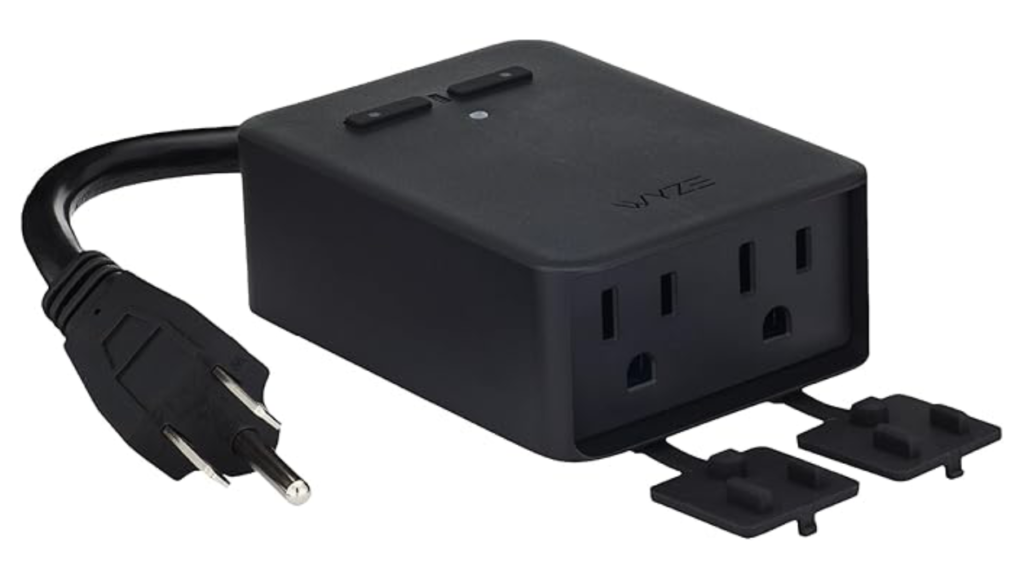
In the past week or two one of my smart devices seemed to be acting up. An outdoor outlet that controls landscape lighting here. I decided to just buy a new device and flash the firmware.
I couldn’t find one to buy. Actually it is more accurate to say that I couldn’t find the SAME ONE to buy. There is an identical looking device with the same part number but with a -1 at the end. Guess what? You can’t use it for local control. It has to have that app. They have locked you out from putting a 3rd party firmware on their device.
After looking around at other similar smart devices it sure seems like it is trending in that direction for many home automation items.
What Can You Do?
Actually, quite a lot. But that doesn’t change the fact that the trend is still running against us. If you dig hard enough you might find New Old Stock of the device you are looking for on eBay or similar sites.
You could incorporate a VLAN (Virtual LAN) on your home network and sandbox all those nasty devices that like to phone home with your information. I venture to guess that most people have no clue how to do that or how to do it easily.
There is a better solution though.
Ride The Wave
Z-Wave, that is. Z-Wave is a low power, wireless communication protocol. Because it uses radio waves instead of internet your local control is maintained.
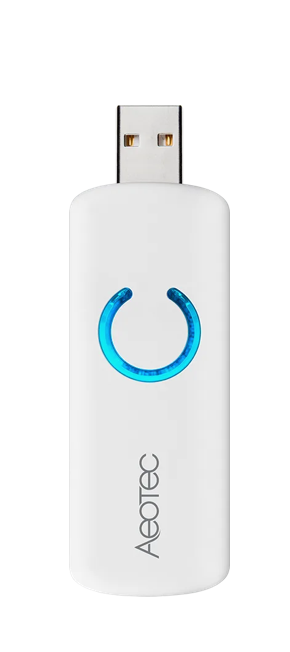
I have been using Z-Wave for years. My Z-Wave hub is a USB stick from a company called Aeotec. The device in the picture is a 5th generation Z-Wave hub.
So anyway I bought a Zooz Z-Wave outdoor plug and lo and behold it worked when I set it up but when I put it out in the yard the range from my old Aeotec hub was not sufficient to reach it. So I had to then buy an Aeotec 800 Series Z-Wave hub that cost around $60.
It is supposed to be as easy as copying the Non Volatile RAM and writing it to the new stick. However, I have read a lot of nightmare stories on Reddit. My new Aeotec stick arrives later today, and we shall see. I only have 9 devices and if it all goes bad I’ll simply add them one at a time. Sure will be nice though just to copy the NVRAM over to the new stick and have it work.
Zigbee
Zigbee is another wireless protocol for Home Automation. I’m not going to discuss it much since I don’t run any Zigbee devices here in my home. Zigbee or Z-Wave. Either way is okay. Or use both.
What’s My Point?
If your devices are not locally controlled then YOU ARE NOT REALLY IN CONTROL OF THEM. If they talk to a server somewhere else via an application on your phone, what happens if that company goes Kaput and they turn off that server.
One thing for sure is that they’ll sell all your personal information before they turn it off.
If they haven’t already.
If you care even a little bit about your privacy and your security then you should not buy smart devices that send your data to their servers. You literally can’t be sure exactly what they are harvesting and what they are doing with it.
If your devices exist INSIDE your local network and are not internet facing your security situation is much improved. Don’t think though that the black SUV with government plates sitting outside your home can’t sniff your Z-Wave packets though.
When setting up a Home Automation hub only use things that are locally controlled. Local Control. There will be a test later.