
Alpicool C20 Portable Refrigerator Freezer LCD Repair
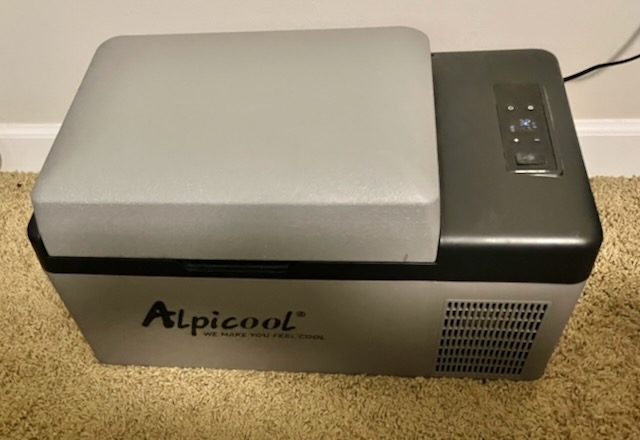
In January of 2020 I bought an Alpicool C20 refrigerator / freezer. At that time I had set up a solar array and had turned one room in my home into a 12 volt off grid space.
We live in Hurricane Alley and I had that room set up to sustain us for 3-5 days, if there were no sun to recharge the solar.
I called the room the “Life Boat”. It had lighting, radios, ham radios, a laptop with a TV dongle and of course the Alpicool C20. When I got it I reviewed it and you can find it here. Essentially since January of 2021 this fridge has been in constant use. Basically, 5 years of use.
It still works perfectly but has developed one issue. Read on to see!
The LCD display is weak and has only a couple of segments left that are even a little bit bright. I can still read it but I sure would like to send it back to its glory days. And of course if you drop a thermometer inside the fridge that tells the tale as well.
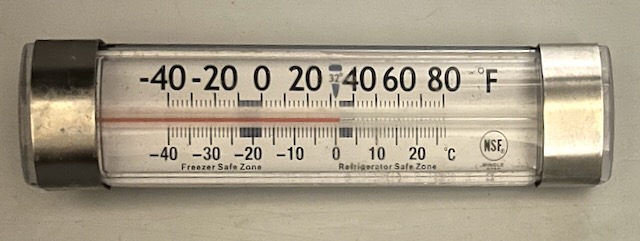
Yep it still works perfectly.
Dim LCD
Oddly enough it looks okay in the dark or near dark but you can clearly see a bright segment. In the daylight it is a LOT harder to see.
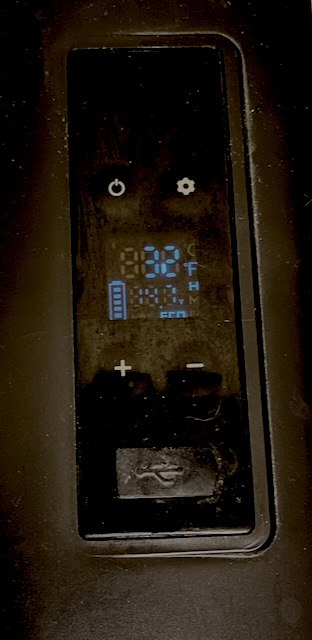
Okay, this picture ALMOST looks fine. Again I took it in a fairly dark room. The vertical segment on the 2 below center is way brighter than the rest.
What you cannot really make out is the voltage which is 14.7
There is not really anything too awful going on here but I like my things to work exactly as they are supposed to.
The refrigerator is in our guest room which is also the retreat room for the “my spouse is snoring” room for the offended party.
That is to say my wife frequently wakes up and then heads to that room. A nice cold bottle of water hits just right in the morning or in the middle of the night.
My daughter and her husband stay there sometimes and we usually stock it with their favorite drinks before they come. Today I was cleaning up the room and looking for something and looked down at the fridge and decided to see if there was anything I could finally do about that weak display.
Is This A Defect?
Nah. Not really. Liquid Crystal Displays weaken over time. So do LED’s and OLED’s. It’s not a matter of if they will degrade, it is really more “at what point will they begin to degrade”. If you factor in that I have let this run for 5 years you are talking at around 45,000 hours. And that is about par for the course for LCD degradation.
Replacement LCD
After a quick Google I saw several low cost parts available to repair the weak LCD on the Alpicool C20. I was thinking at best I could desolder the LCD and replace just that component at the board level. Turns out you can buy the whole board. Or both boards, (if you have the bluetooth version that is app controlled) that are inside with the plastic cover included. For esthetics that is what I wanted to do however, it seemed like that was a 2-3 week shipping situation. I ended up buying just the board with the LCD display. I got it on Amazon here for $39.99. And the projected shipping date was just a couple of days.
Replacing The Alpicool C20 Board
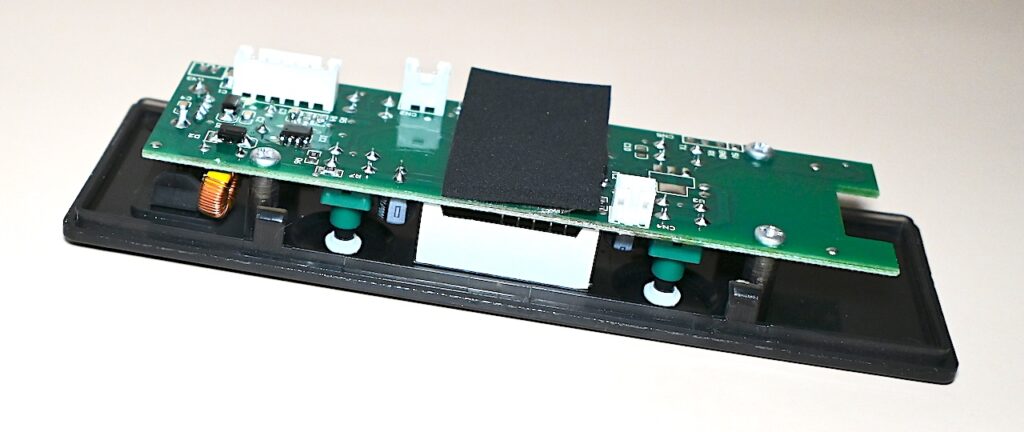
Removal of the board is easy. In the picture above you can see that the display and controls have a perimeter around them. It simply is just laying in that cut out.
There seems to be a tiny gap at the top of that control board that allows you to put a very thin putty knife or a spudger tool and pry it out gently.
WARNING: MAKE SURE THE REFRIGERATOR IS UNPLUGGED BEFORE YOU DO THIS. ALSO UNPLUG IT AND LET IT SIT FOR SOME TIME TO ALLOW THE START CAPACITOR TO DRAIN.
Once you are sure it is safe there are two JST connectors that need to be removed. Then the assembly lifts right out.
I was looking for instructions or a manual and never did find one. And that is the whole point of this blog entry. To document this process. The video below shows how to accomplish the job.
Removing The Assembly And Swapping The Board
Like I said, the video below shows how to get ‘er done.
BLUETOOTH! BONUS!
This board I bought from Amazon was not supposed to come with Bluetooth. I even asked the AI agent and it confirmed it did not have that feature.
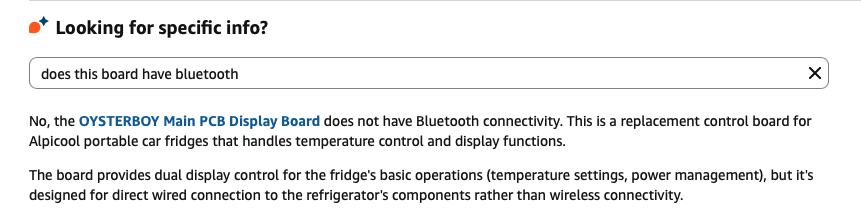
Additionally, the product photo does not show a Bluetooth module on the board.
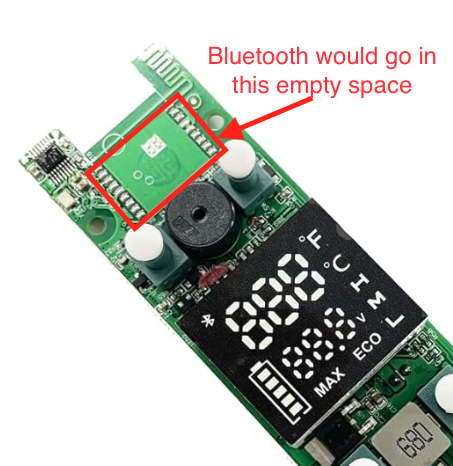
Here is my actual board:
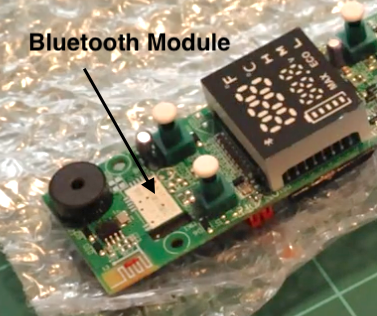
As soon as I plugged it in I saw a Bluetooth icon on the control panel. I hopped over to the Apple App Store and downloaded the Alpicool app.
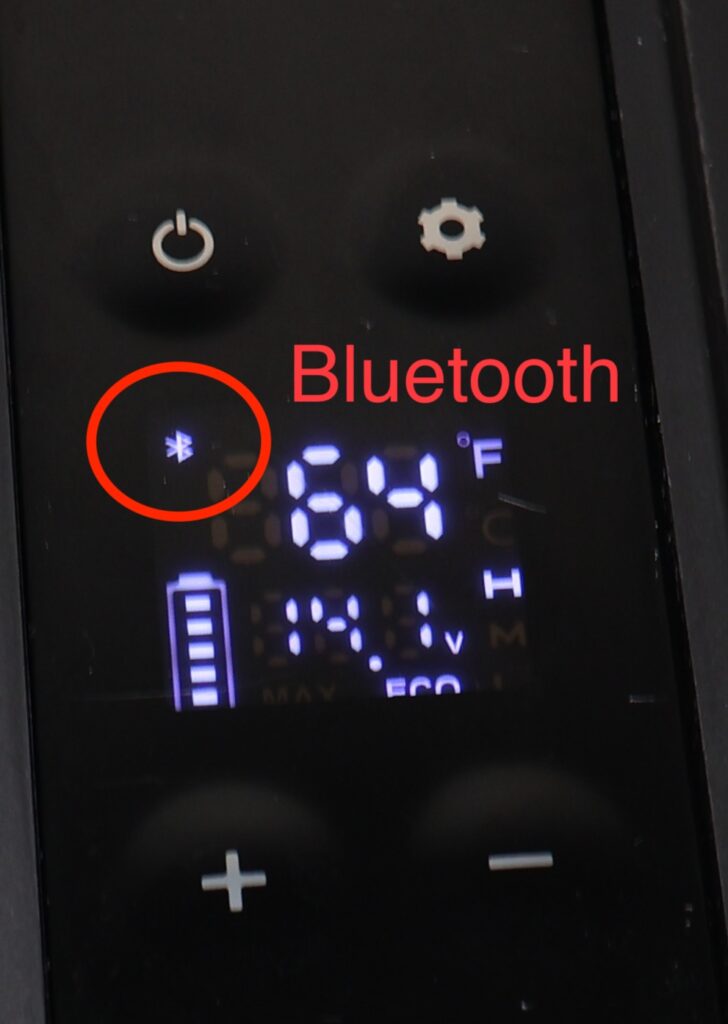
Darned if it didn’t work!
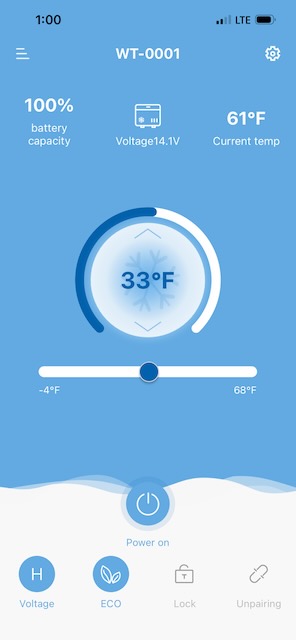
Maybe I just got lucky. But I offer up no guarantee that your replacement board would come configured the same way.
USB Testing
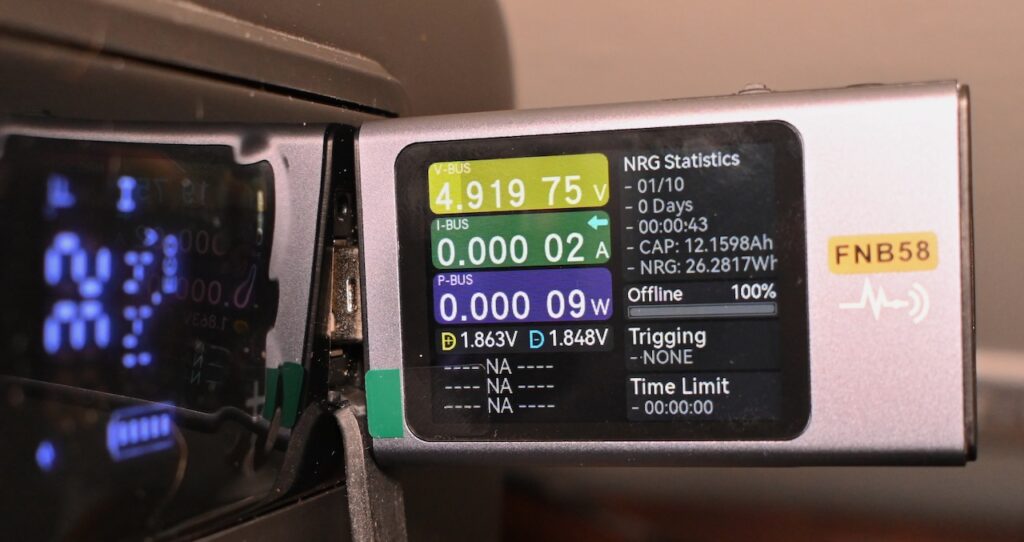
The Alpicool C20 has a USB port on top of it. Let’s see if we can put it to use for phone charging or something similar. I used my FNIRSI FNB58 USB Tester to check the voltage output. Right around 5 volts was present so, yeah, you can utilize that port for USB devices.
Epilogue
My Alpicool C20 cost me $179 several years ago. They are now a little cheaper. It still worked perfectly but the display was getting really weak.
The Alpicool C20 is a workhorse. Bringing it back to its original glory was worth it to me. Here’s hoping for another 5 years of cool!