
GL.inet MT3000 Router Update
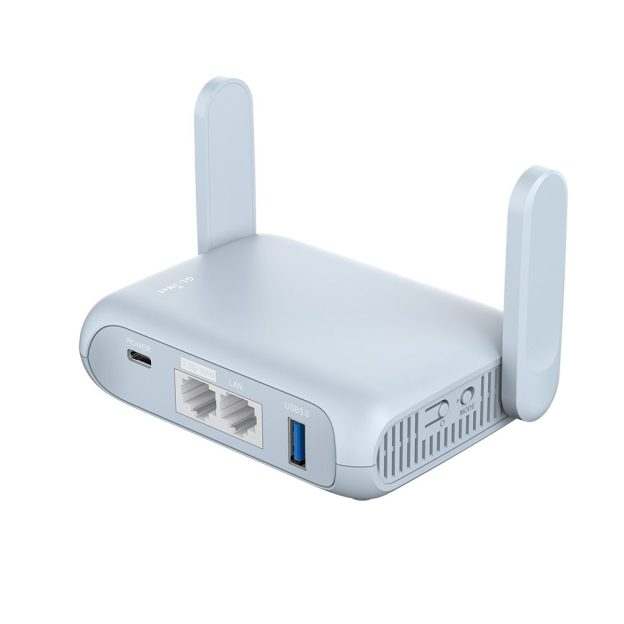
In 2003 I reviewed the GL.inet Beryl AX (MT3000) Travel Router. To be honest I didn’t use it a lot and it seemed to be fine.
But recently I hooked it up on a spare port on my firewall to create another VLAN network in my house. I was wanting to segregate some smart home items.
And then I realized that it had problems. Big problems.
The device simply will not stay on. It reboots randomly. So I ran to Google and searched and it seems like a lot of other people are reporting the same condition. Un-commanded reboots. Meh.
It might work an hour and once it worked for a day but it always reboots itself.
Firmware

This is a cut and paste of the available firmwares. And there are a lot. 4 to be exact.
And yes, I tried them all. All reboot.
Power
I ruled out power by using a brick from another GL.inet travel router I own. Then I plugged it in a portable power supply with Power Delivery (PD). It does not matter. This things still reboots and even worse the reboots are unpredictable. Not very conducive to home networking or home automation.
Heat
It isn’t heat either. I cracked open the case and the fan works after hitting a temp of 70℃. So the cooling circuit at least works.
Pulling My Recommendation
I simply cannot in good faith recommend this router. And that is not to say I’m slamming GL.inet products. I have 3 other devices of theirs that work great. All I’m saying is that at least one batch of the GL-MT3000 routers have some kind of issue.
Do not buy a GL.inet Beryl AX GL-MT3000 travel router.
Had your site bookmarked after reading your review of Tidradio couple years back. Noticed your re-review of the Gl.inet MT3000. I happen to have one in use for the exact reason you intended. My uptime is nearing six months and that’s only because I manually rebooted it.
One thing to keep in mind with all WRT based firmwares (Open, DD, Tomato, Gl.inet custom) is after major revisions, you really need to factory reset after upgrade. A pain I know, but odd things happen when you don’t – like reboots or client disconnects. I didn’t read whether you did a factory reset or not after your last firmware upgrade.
If that doesn’t fix it, I would say you have lemon hardware – issue with CPU or memory. I suppose you didn’t have any crash logs recorded? Anyway, I find Gl.inet routers to be pretty rock solid. For reference, I use the OpenWRT versions of their firmwares.
Yeah I borked the thing pretty bad and had to unbrick it via their instructions. So I did end up with a clean reset. I’m almost positive it is hardware related. I did just pick up the new green one they have. Will write it up soon probably. Thanks for the info. All good stuff.
Couple things to keep in mind regarding Gl.inet travel routers intending to be used 24/7.
1) I would invest in an USB powered fan to lower operating temps on these. I have a Slate AX running 24/7 as a VLAN’d VPN gateway. It’s idle temps were around 58c. Not bad, but I like keeping devices operating lower when running 24/7. The Slate sits on top of a 80mm fan and never gets above 40c now even under load. Also quiet as a mouse. For reference I use AC infinity adjustable speed 80mm fan: https://www.amazon.com/dp/B00G059G86?th=1. It has USB passthrough in case you need the USB for something else.
2) Most newer gl.inet firmwares (starting Apr 2026) have now nerfed Wifi power. Nerf in the sense of now following the FCC guidelines for USA. Max power is now limited to 100mw, as opposed to 1000mw in previous firmwares. I run my SlateAX and BerylAX at 23dbm (199mw). This gives me good coverage across length of house. You’ll either need to use only pre-Apr2026 firmwares OR open LUCI (advanced settings) and change your country code to something like Singapore (us old farts used to use this code on Linksys and Asus routers back in the DDWRT days to get higher power).
Have fun with the greenie (Beryl 7)