
Tailscale Control Panel Blocked on OPNSense

To be honest I don’t really use Tailscale. I have the client downloaded on several devices and I usually only enable them when I leave the house for a day or two. Kind of a backup to using my VPN server to access my network. After a big update to OPNSense I noticed that I could not install Tailscale on my TrueNAS device. I kept getting Tailscale Control Panel not found in the installation logs.
This blog is mostly just for me to remember the fix in the event it happens again.
My OPNSense Intrusion Detection viewed the Tailscale Control Panel (they call it Pane or Plane as well) as an Emerging Threat (ET).
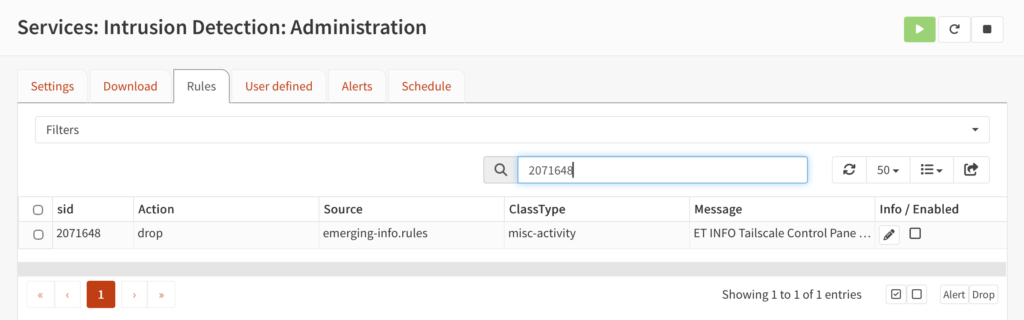
What you do is go to Service > Intrusion Detection > Administration > Then the Rules Tab. Then search for Emerging Threat (ET) SID 2071648:
Then make sure the enabled box in the lower right hand corner is unchecked.
And then, by golly, things start working again.
That’s it. Hope that is helpful for anyone else not being able to get Tailscale to work from behind an OPNSense Firewall.