
Werewolf VFLEX Adapter Review

In a world full of power bricks along comes something that provides power with far less clutter. If you are currently using a bench power supply to provide power to your gizmos the Werewolf VFLEX Adapter system may be for you. I recently bought several items from them and hope to share what I’ve learned.
But first let me give you a real world example. I’m a photography nerd. In the mid-2000’s I bought a device called a Nikon Coolwalker. It was designed for the days of low capacity Compact Flash cards. Fill up your card on a shoot and then dump the photos into the Coolwalker. Format your card. Shoot. Repeat.
That device had some crazy battery in it called the Nikon EN-EL6. It was only made for the Coolwalker. And of course after 20 years that battery is deader than dead. And there are no 3rd party EL6’s available even today.
I needed to feed it around 6 volts to start it. At first I did it with a bench power supply and some barrel connectors and bread board wires. It was ugly, messy, and probably dangerous (to the Coolwalker). Then I saw a review video from Jeff Geerling on his “Level 2 Jeff” YouTube channel showcasing the VFLEX system. If you don’t know who Jeff is, it is worth your time to check out his channel. He’s probably one of the world’s best Raspberry Pi and Kubernetes geeks and he isn’t constrained by those two things at all. His network timing and atomic clock and GPS synchronization videos are awesome to me. Especially, since I play with GPS modules and Pulses Per Second (PPS) while getting time sync from GPS satellites.
Got Me Again, Jeff
As soon as I saw his video I ran to the Werewolf website and ordered all the things I saw on his video. And after receiving my order I immediately set out to hook that Coolwalker up and retrieve a thousand or so pictures that were stored on it. Recovering those long lost photos made this purchase worth it to me.
Along the way I accidentally learned a few things and I hope to impart some of that knowledge on you here in this blog.
What I Ordered
Click pics to enlarge
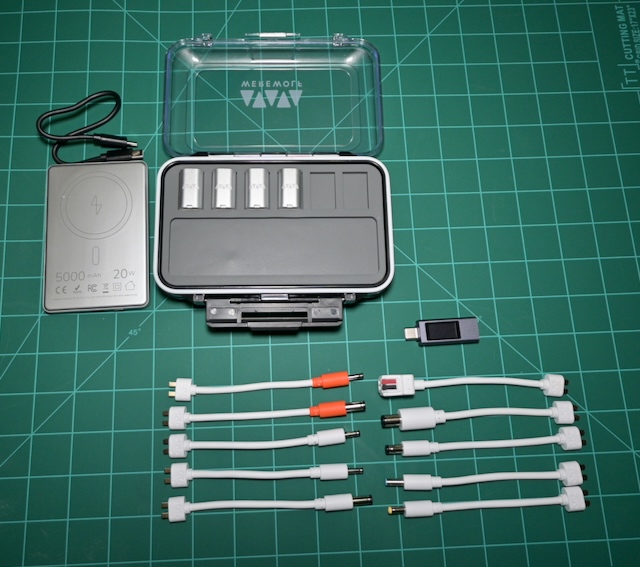
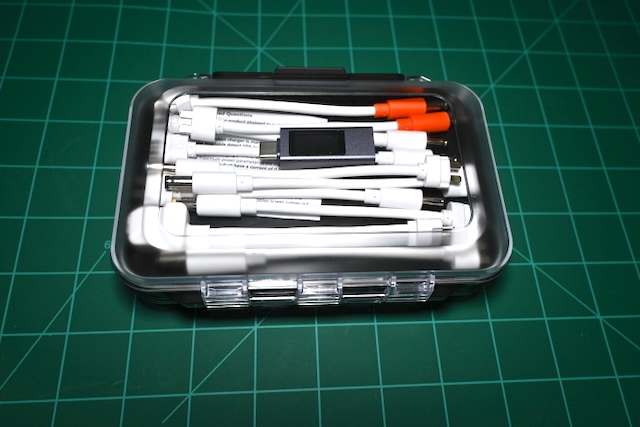
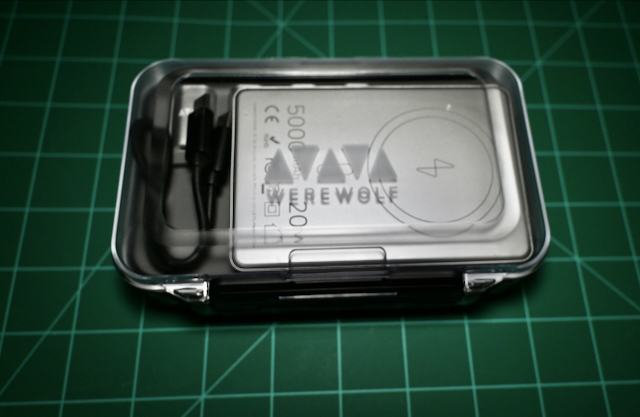
Before I list them I want to point something out. The adapters that are terminated with orange connectors are center pole negative and outer barrel positive. That is quite different from most of the world however, I have a Brother Label Maker that has this dirty configuration trick up its sleeve. They only sell you the label maker, and guess what? The reverse polarity brick they want to sell you is EXPENSIVE. I wrote a blog about this issue here.
The List – Click pics to enlarge
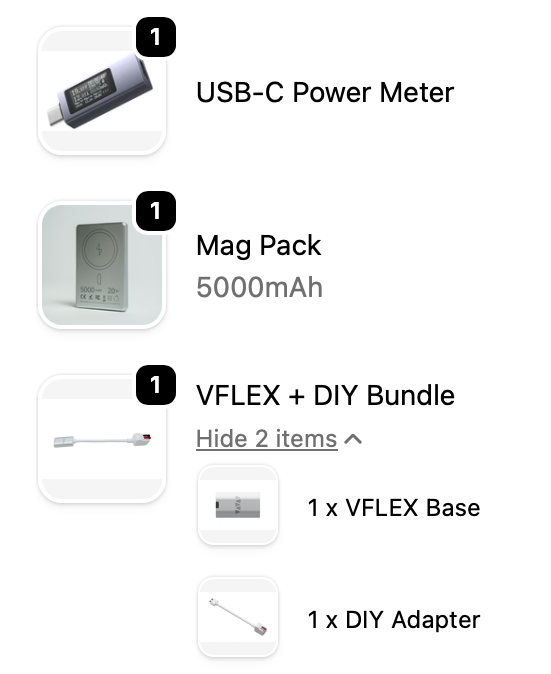
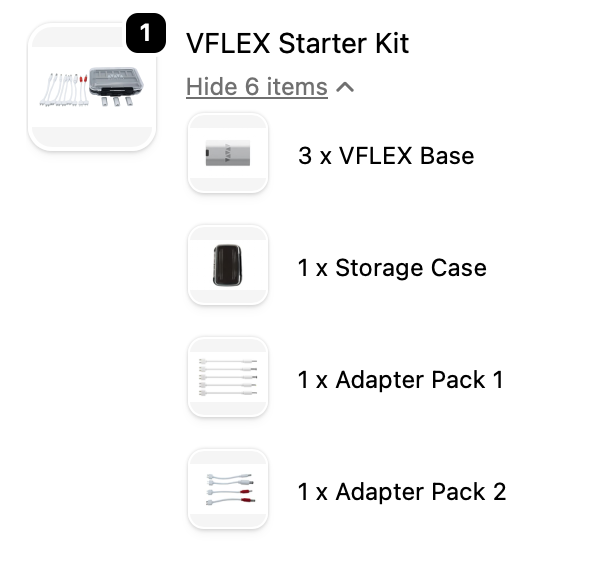
VFLEX DIY Adapter Is Programmable
Just some things off the top of my head that I will use this for:
- Nikon Coolwalker – 6 volts
- Brother Label Maker PT-210 – 9 volts reverse polarity
- Ham Radio – DC input 8-12 volts
- Old Laptops With Dead Batteries – (I use them for testing various Linux distributions)
- Audiophile Stuff – I own a bunch of gear from a company called Schitt (yes, you heard that right) which uses 8 volt bricks.
That is just five of many possible examples. And I’m sure you can think of some too. Regarding the AudioPhool stuff…….Schitt had audio DAC’s and headphone amps, and USB signal cleaners that run on 8 volts. Us AudioPhools love batteries and hate AC ripple. Realistically, the difference is not discernible but I dare you to tell an audiophile that 😆.
Setting Voltages
To program the device you plug it into your computer or phone. Use a Chrome based browser or iPhone with VFLEX app from the app store
On the browser navigate to https://vflex.app
I actually had to whitelist this site in my OPNSense Firewall.
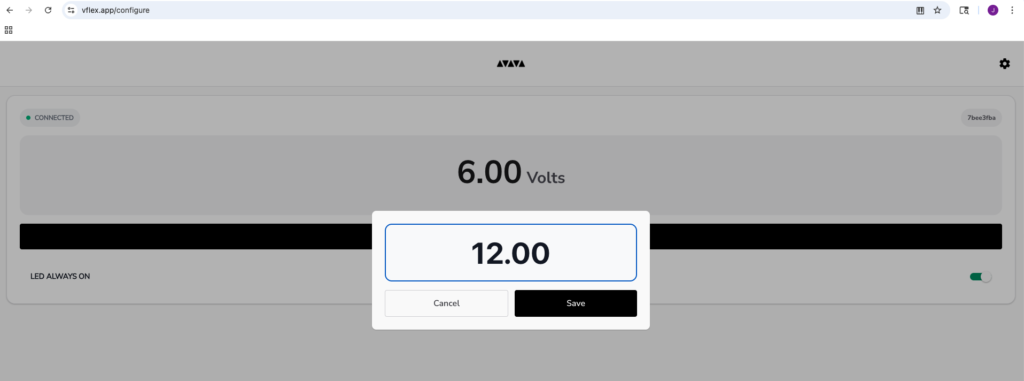
When it is connected (note near top left) it will show the voltage it is set at and below the 12.00 on the black bar is a clickable link that says “Modify”. Change it to whatever voltage you want.
NOTE AND SUPER BIG GOTCHA: The USB-C PD spec varies from device to device. My Jackery with a 60 watt PD USB-C port will only negotiate common voltages (e.g., 5V, 9V, 12V, 15V, 20V. The Mag Pack portable charger I bought from Werewolf will negotiate almost any voltage I think up to 11 volts as it only has a 20 watt output.
Oh and by the way, PD stands for Power Delivery specification.
Programming VFLEX From An iPhone 13
Workflow
- Connect the VFLEX device to your computer
- Navigate to https://vflex.app
- Set VFLEX to desired output voltage
- Disconnect VFLEX from computer
- Plug VFLEX into a device with a USB-C PD port
- Connect appropriate adapter to device
- Profit
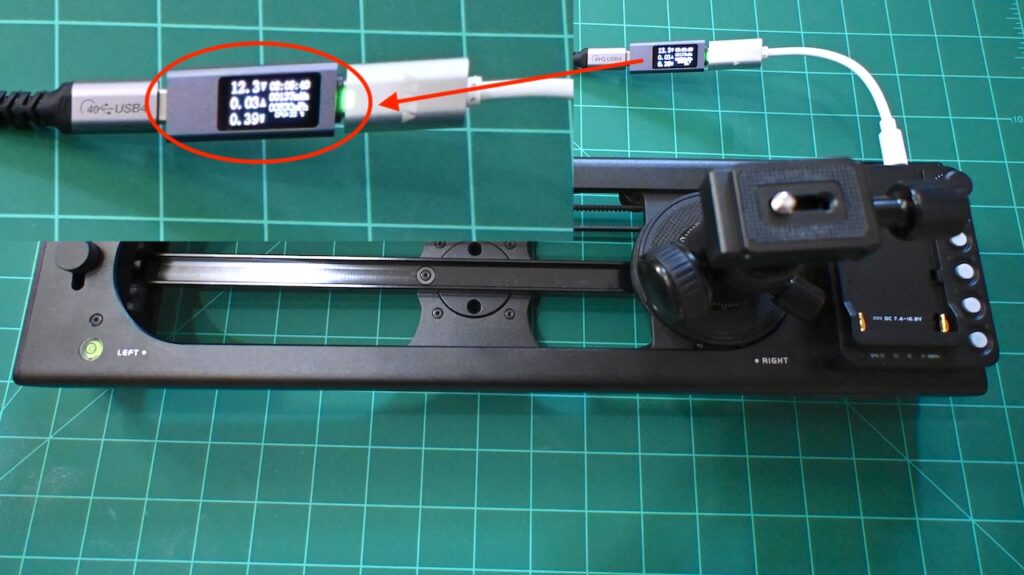
Powering My Accsoon S40 Camera Slider
The Accsoon TopRig S40 Camera Slider comes without a brick or a power supply. Guess what works until you can buy a power source?
Final Thoughts
I’ve been staring at the (now) 6 VFLEX adapters in the case and realizing that I could just preset them and slap a label on them. I thought about laser engraving the voltage value on 3 of them and keeping number 4 as a program as needed adapter. Let’s face it, most things I may hook up in the future are probably going to be 5 and 12 volts. And of course my label maker is 9 volts.
Labeling them could create a significant savings in time if the programming step could be circumvented, and I could just grab a VFLEX and start working.
Yes, this system costs a few bucks. It sure did. But at least a couple times a week I need to power up something quickly and more importantly SAFELY. With just the couple of examples I used in my video above I am so glad I bought the Werewolf VFLEX system.
Reducing clutter in hardware setups must be considered because simpler power systems often improve reliability and ease of use.
I recently tested a similar idea and it worked well for me when I optimized system performance using mem reduct download windows.
A practical takeaway is to keep setups minimal so maintenance and troubleshooting become easier over time.
Great review on the Werewolf VFlex adapter! Hardware configurations like these are fantastic for streaming setups and high-end peripheral management, but keeping multiple hardware feeds, trackers, and processing apps open simultaneously can take a major toll on your computer.
When testing complex adapters or running extensive logging scripts, Windows tends to hoard passive data within the standby memory list, which quickly leads to micro-stutters. To keep your workflow snappy without forcing constant reboots, you can keep a minimal utility active from TheMemReduct.com. It targets and safely flushes unreleased background cache via native APIs, maintaining solid overall performance.
https://thememreduct.com/