
Mobile Pixels Duex Plus DS Review
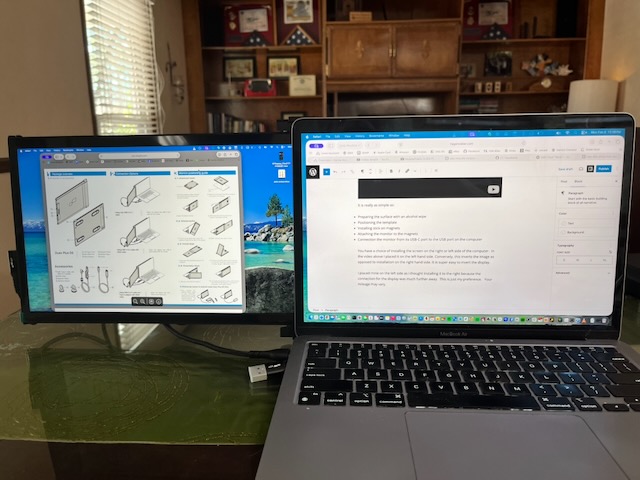
I was contacted recently by the CEO of Mobile Pixels to review the Mobile Pixels Duex Plus DS portable monitor ($169.99 on Amazon)
Additionally, I was provided the 13.3″ screen since I indicated I had a 13″ MacBookAir. Man, I sure wish that I had one of these during my working years. This is great for blogging.
I’m able to view my web design portal in my browser on one screen while reading the product manual and various other technical documents and also reviews on the other screen. I’m one of those weirdos that has 10 open tabs in a browser at any given time.
This really does improve my workflow. I simply cannot deny that. Also, the screen can be set as a main display, extended display, or mirrored display. I personally like the extended display the most.
Installation And Configuration Video
Videos tell the tale much better than text most of the time.
It is really as simple as:
- Preparing the surface with an alcohol wipe
- Positioning the template
- Installing stick on magnets
- Attaching the monitor to the magnets
- Connection the monitor from its USB-C port to the USB port on the computer
You have a choice of installing the screen on the right or left side of the computer. In the video above I placed it on the left hand side. Conversely, this inverts the image as opposed to installation on the right hand side. It is super easy to invert the display.
I placed mine on the left side as i thought installing it to the right made sense because the connection for the display was much further away. This is just my preference. Your mileage may vary. The provided cable is plenty long enough to install on either side.
What It Looks Like
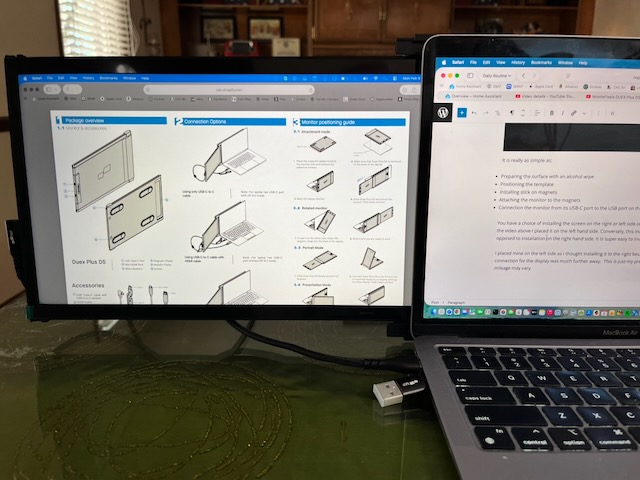
And here is a quick video of me using OBS to record the screen capture of both displays.
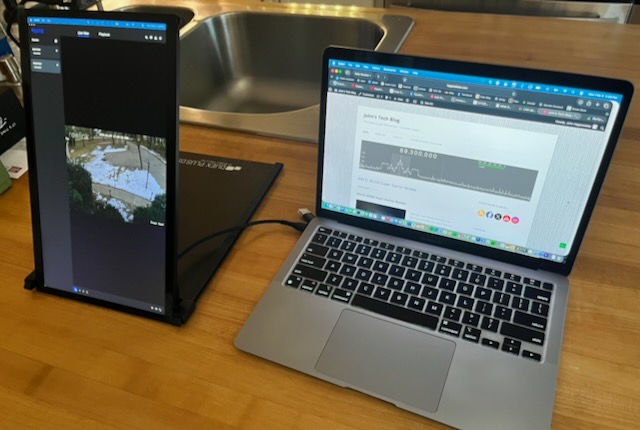
Also Acts As A Stand in Portrait Mode
You don’t have to attach it at all to the computer if you prefer a portrait layout such as depicted below. Again, you need to rotate the screen to the correct orientation.
Specifications
Here is a quick list of the specs I find important:
- 1920×1080 screen resolution
- 60 Hz
- 13.3″ or 14″
- Aspect Ratio 16:9
- 1 USB-C port
- 1 HDMI Mini port
- 4.5 watt power consumption
- Works in portrait or landscape mode
- Display easily rotated
- USB-C to USB-C (USB-A adapter included on the cable)
- HDMI mini to HDMI cable included
Probably the best part of this system is that its low profile allows it to easily tuck inside your laptop bag and adds almost no additional weight at 1.3 pounds.
Who Is This For?
Who is this for? Bloggers, Videographers, Road Warriors and heck, anyone who wants some unobtrusive extra screen real estate. Also where space and weight is a premium the Mobile Pixels Duex Plus DS is your huckleberry. I’d feel safe packing this in a laptop bag or between a couple of pairs of jeans in a hard sided suitcase.
This is a fully functional monitor and good looking display but don’t mistake it for a fancy, overpriced gaming laptop. I wrote this blog and did all my subsequent research using my extended screen. I’m not sure I can go back to a single screen now. I found the display to be more than adequate for my day to day tasks.
Open new window, drag it to the extended display and never miss a beat.
Be sure to check out the Duex Plus DS monitor and the other offerings from Mobile Pixels.