
Foxwell RT280 Thermal Camera
You might not know it yet, but you need a Thermal Imaging Camera. This provides you a quick and easy diagnostic tool to see if something is running above its published temperature specifications. Conversely, it can tell you if something is too cold possibly indicating it isn’t working at all. Enter the Foxwell RT280 Thermal Camera. Below is a quick promo video I made just showing its form factor.
Shipping
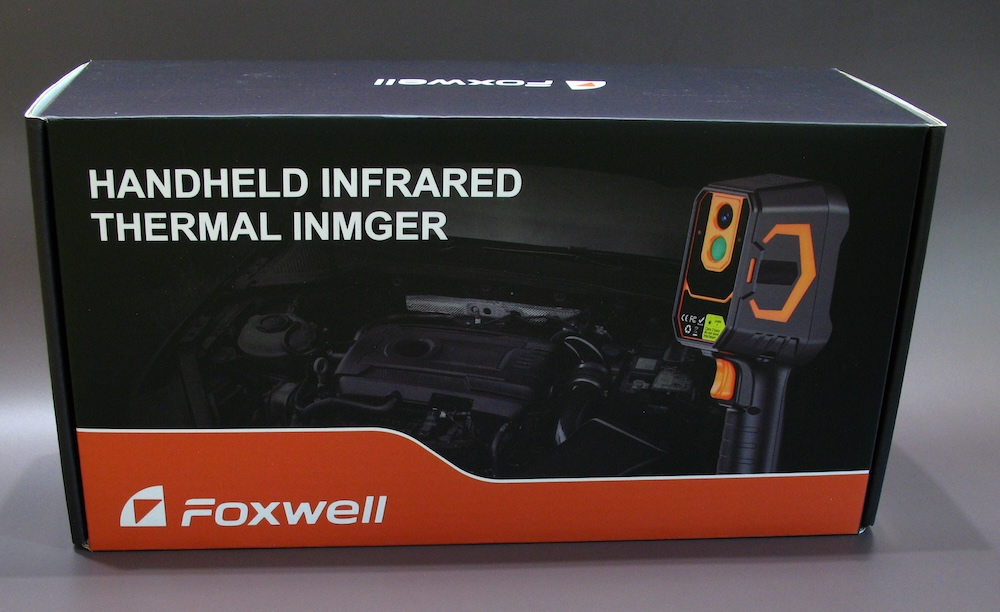
A typical box in a box situation. Mine arrived with no dents or dings and was very well packaged.
Specifications
Here is a cut and paste of the specs from Foxwell.
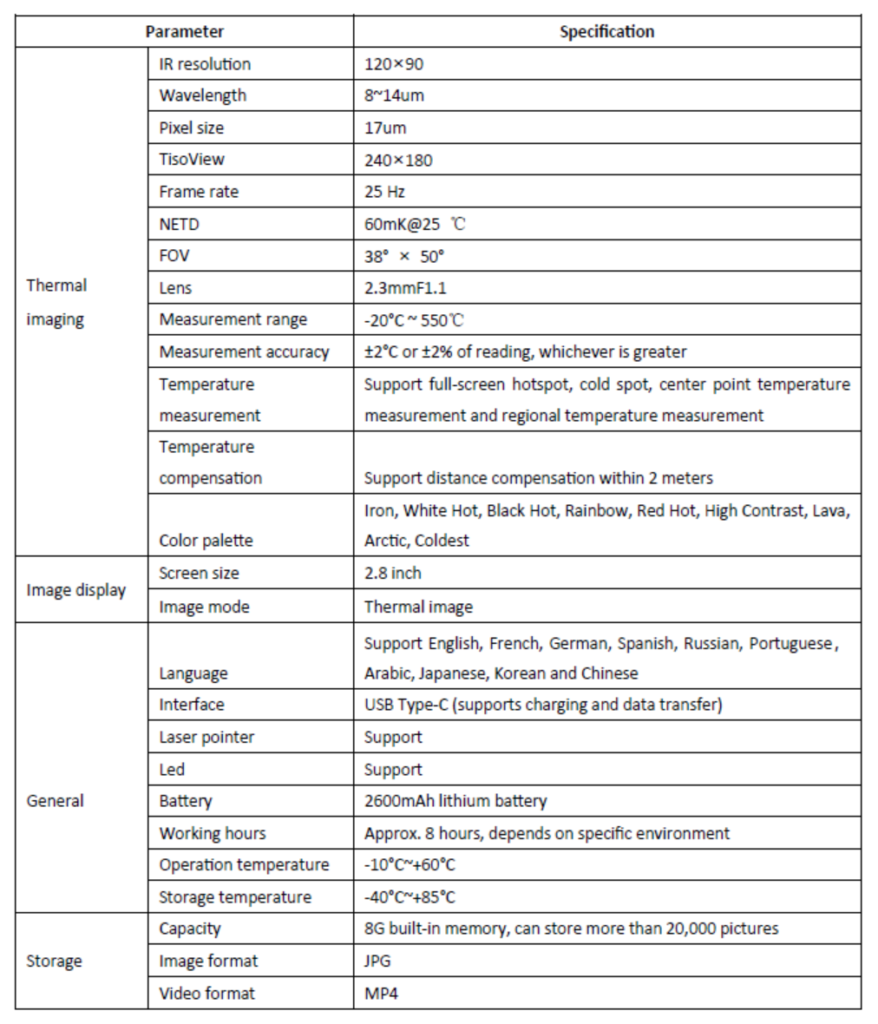
Specs here are decent however I do have to say the resolution is a bit lower than I wish it was. Having said that, Foxwell makes a Pro version of the RT280 with much higher resolution. If you know you need more going in then you should level up to the RT280 Pro.
Note: I have never tested or reviewed the Pro Version.
Real World Resolution
Ok, we have ascertained that I like crazy high resolution stuff. But let’s be real. This is a tool designed to identify hot or cold spots. Odds are you know what you are pointing it at. Additionally, we’re not going for a framed picture here to hang on the wall. We are troubleshooting something.
Case in point. My wife asks me the other night if I think the Air Conditioner is okay. It’s really hot here and we just kicked it on as we were away all day.
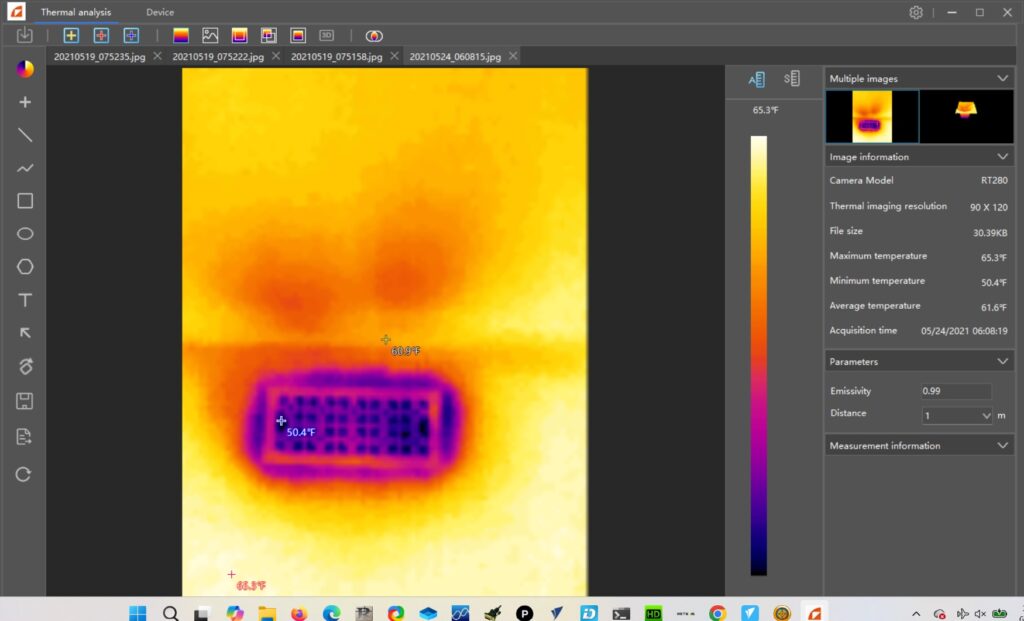
The cool spot says 54 ℉ so I am safely able to tell my wife, “Yes, the AC is fine”. Looking at the pic you can tell very clearly that is a floor vent diffuser. My point here is that even with a lower resolution you have more than enough visual information to accomplish the task and verify your results.
In the photography camera world they call people who complain about lower resolution sensors, “Pixel Peepers”. Pixel Peepers are annoying. This is a tool.
What OS Can You Use This On
Almost a trick question. If you go to the Download tab on the product page you can download the Foxwell Thermal Analysis software. This program is Windows only. However, if you just plug the RT280 into your computer via the provided USB cable it will appear as a removable drive in your Mac Finder.
Without a doubt though, you will get better quality photos if you run them through the aforementioned software.
Reporting For Duty, Sir
With the Foxwell software you can also generate a proper report in the MS Word .doc format.
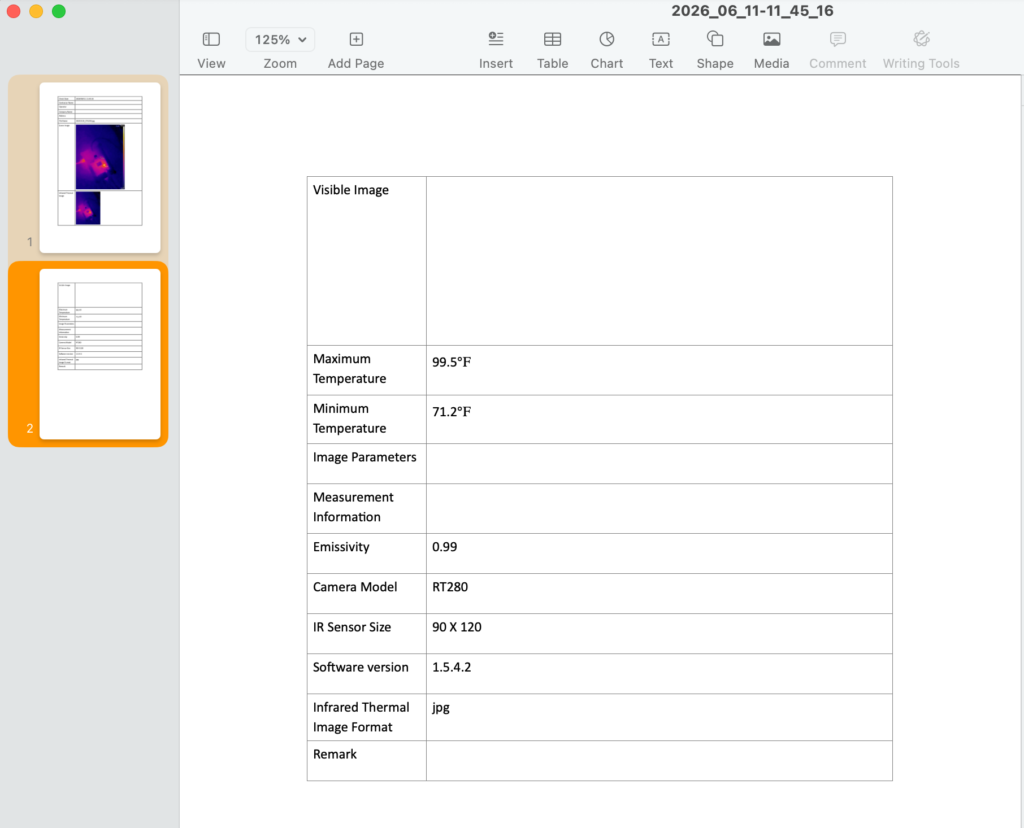
The report is two pages long and I am just showing page 2. Page one has the photos and a place to add contractor details and other information.
Let’s say you hire me to work on something. The RT280 software will generate a professional looking report suitable for handing to a customer. That’s a pretty neat trick, Foxwell. I like it.
Here’s the pic I took for that report:
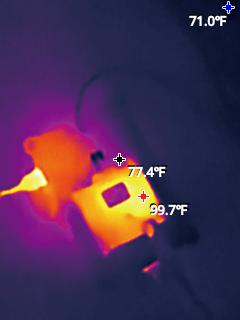
This is a picture of a Sparkfun GPS board mounted on top of a Raspberry Pi 5. The Pi 5 is beneath a piece of acrylic so you can’t really make out what it is.
But on top you can clearly see a somewhat warm square circuit board with a somewhat cool processing chip. And you can clearly read the temps.
I have Hot, Cool, and Center selected in the settings.
This pic came out of the Foxwell software. Here is the exact same pic just download from the removable drive on MacOS.
Pic From Mac
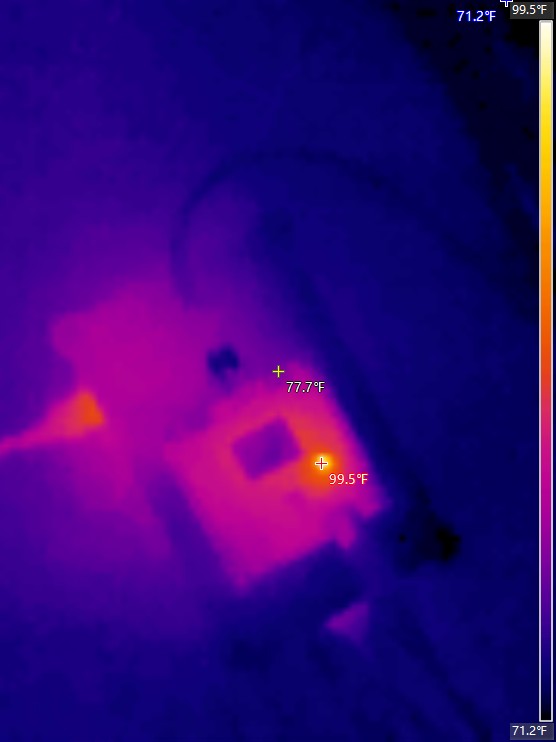
Pretty obvious that the software adds some contrast and provides more readable fonts than just downloading the image straight from the device.
The edges are more refined in the 1st photo as well.
Consequently, both pictures tell the story but the first pic tells it a bit clearer, I think. But ultimately, if you are troubleshooting either pic will work just as effectively as the other.
Foxwell RT280 Menus
Here is a trip around the menu system on the Foxwell RT280.
Closing Thoughts
This is a darn useful tool. And with Father’s Day just around the corner this would make a great gift. I know I wouldn’t be unhappy opening that box. Foxwell seems to trend around automotive repair equipment but this tool is very expansive and can be used all over.
Is your hot water heater hot? Are your AC vents blowing cold? Does your computer or server keep shutting down or locking up from heat issues? Find out EXACTLY where that heat issue is.
Plus you can point the thermal cam at your wife and say, “Damn You’re Hot!”
Seriously though, this is a tool you should own. And again if you are some kind of professional contractor who values that reporting feature in the software you might opt for the Foxwell RT280 Pro.
The only thing on my wish list for this device would be a bump in the resolution. Not even a big bump. Just a bump.
That’s a really helpful explanation. It makes a lot of sense how a thermal camera could quickly spot issues with overheating – I’ve been wondering about those kinds of tools.