
CIGMAN Laser Level CM-S04 – Keeping Things Straight
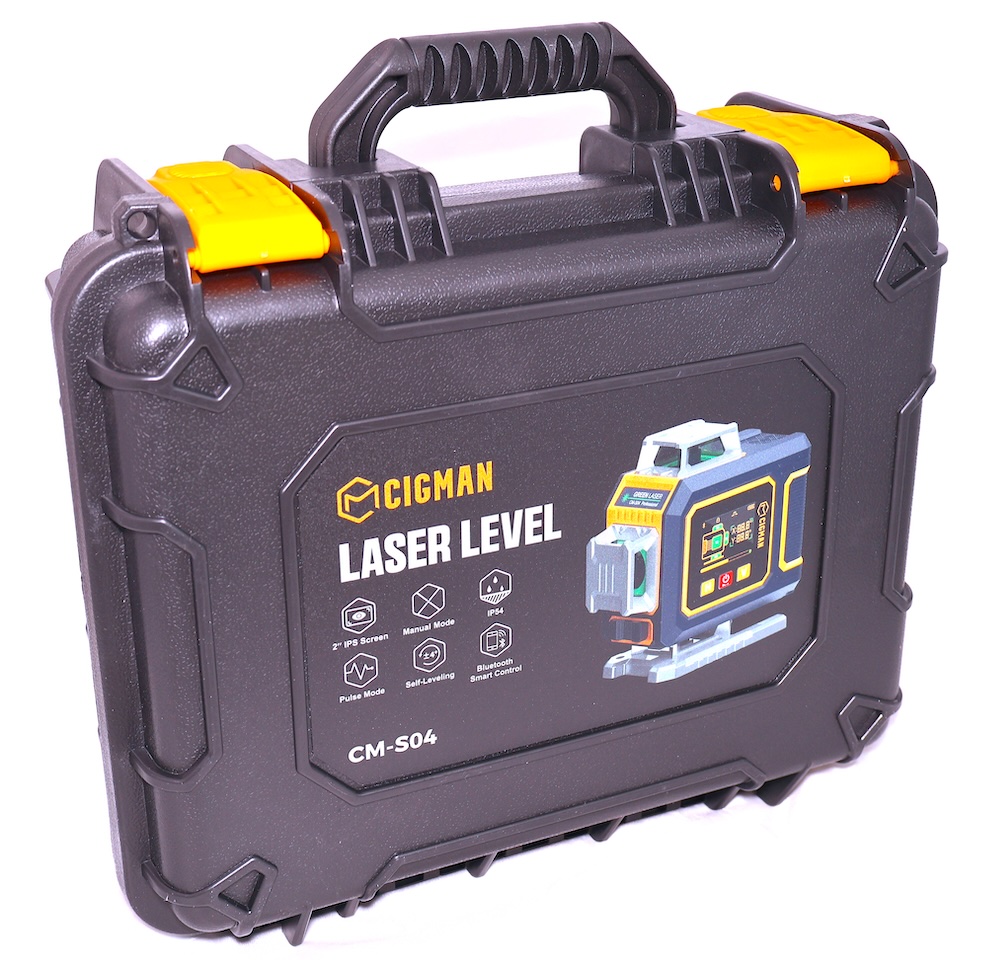
Have you ever put extra holes in the wall from hanging pictures until you got them level? Additionally, have you ever hung a crooked shelf? Have you failed miserably at trimming the bushes in an uneven manner? There is a cure for all that and more. It is the CIGMAN Laser Level CM-S04.
Hint: This is a tool. Dad loves tools. Father’s Day is coming up. You’re welcome.
Here is the Amazon link ($199 currently).
Seriously, Dad needs a tool like this for general household and yard maintenance. I can level our camper to perfection in literally seconds.
CIGMAN CM-S04 Basic Description
This is a 4 x 360° green laser which projects 16 lines across a horizontal and vertical plan. Both axises have dual lines (4² = 16). The working range is approximately 30 meters. Accuracy is 1.5 – 5 mm. The level contains a pulse mode which sends out a 10 kHz signal which extends the range significantly when using the CLD-100 Laser Receiver ($54.99, sold separately).
The unit has an LCD display, is IP54 dust and splash rated, and can be mounted on a tripod with its 1/4″ x 20 mounting point. Additionally, it has two 2600 mAh batteries which can be charged in the unit with the included USB-C cable.
Here’s a quick video of included items and mounting options. Best of all, this kit comes with a hard case. This is the way all tools ought to come.
Nice kit!
Extended Range – Pulse Mode
The Green laser is highly visible under most conditions but in strong sunlight at distance it may become considerably less visible. You can enable Pulse Mode which sends out a 10 kHz signal which a laser receiver can detect. The receiver can essentially display a “Too High”, “Too Low”, or “Centered” indication. While I do not have the CIGMAN CLD-100 laser receiver I mentioned earlier I do have a receiver from another company which works perfectly well. Any receiver that has 10 kHz Pulse Mode detection will work provided it is the correct color laser line (green).
Practical Application
As shown in the video above I used this to level my camper in a matter of minutes. There is nothing like having a slightly off level camper to mess with your mind. You can tell something is off, but you aren’t quite sure what.
Probably the best application around the home would be for keeping things like photos, and shelves level. You could use this for wallpaper seams to keep your pattern perfectly straight as well. I have bushes along my fence line which are meant to be kept level with or just below the fence line. I can use this to shoot a laser line across the bushes and then subsequently stretch a string line to keep my trimmer path straight.
If you are inclined to add lighting to your walkway this will keep those lights in a perfectly straight line.
I could probably sit here all day and dream up use cases for this laser level but I hope you are getting the idea.
Smart Leveling App
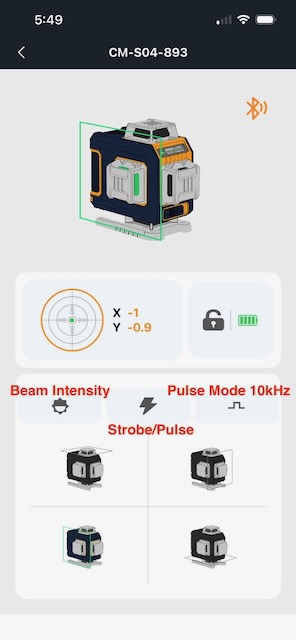
You can search for the “Smart Leveling” app at the Mac Apps Store or the Google Play Store for Android.
One thing I really like about this app is its simplicity. Everything is mostly intuitive but I had to google up what the lightning bolt was for. Strobe and Pulse is not to be confused with Pulse Mode which works with a laser receiver.
You can operate each of the 4 axises here with the icons at the bottom. They also give a good visual representation of what they do.
You can see that each control operates a plane of 4 directional beams and if you add them all up together that is where you get your 16 lines.
Your circle at the top left indicates the actual level of the entire device. X = front to back and Y indicates the side to side roll.
When the device is unlocked the Pendulum self levels but it does report how much it had to move to provide level lines.
Obviously, in a perfect world you’d want these numbers to be as perfect as possible, however, the pendulum can self level to anything below 3° off of X and Y flat.
Remote
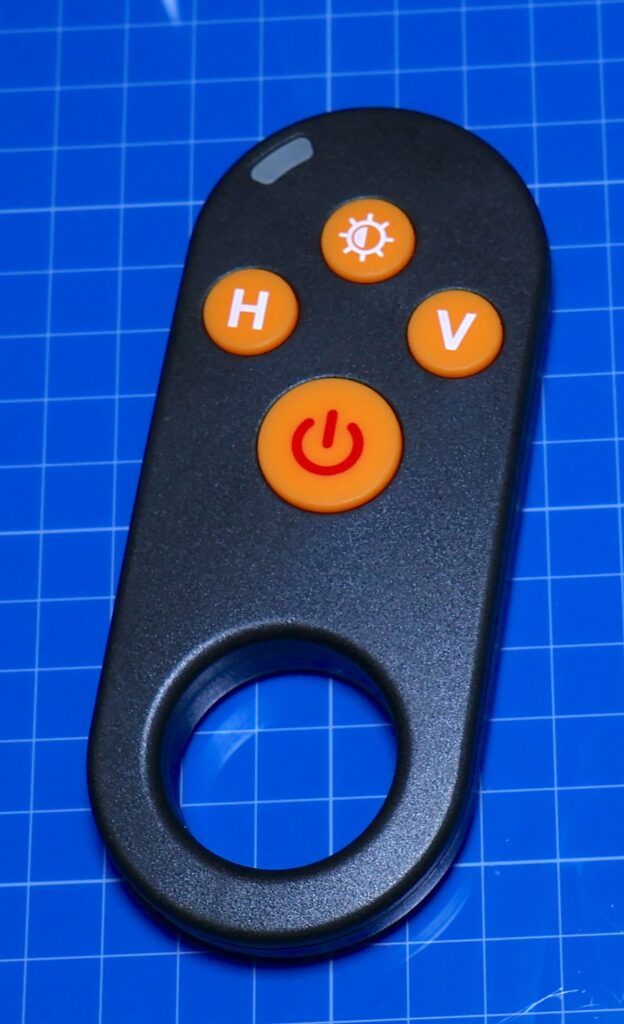
Nothing is perfect. I absolutely love the Cigman CM-S04 but the remote has me scratching my head a bit.
First of all, the power button on the remote doesn’t turn on the laser level. It turns on itself.
If you don’t use it in 1 minute it turns off. Then of course you need to press the power button.
The other buttons work exactly as intended. H controls the horizontal laser lines, and V controls the vertical laser lines.
The brightness button at the top cycles through the brightness levels of the laser lines and even includes the strobe mode as one setting.
But nowhere on the remote can you enable the Pulse Mode (10 kHz pulse for the optional laser receiver).
I find that to be an omission and hopefully a feature that can be included further down the line.
While it is a head scratcher for me, all is not lost because you can still turn on Pulse Mode by holding the power button on the CM-S04 for a couple of seconds. Additionally, you can enable or disable it from the Smart Leveling App as I indicated in the section above. I just wonder why they didn’t add that feature on the remote control.
I should also state that this isn’t a deal breaker of any kind. Since the CM-S04 ships without a laser receiver you may never notice this being a missing feature. I think I only caught it because when I review things I try to be as thorough as possible. I push every button, even ones I shouldn’t be pushing just to see what happens.
Does It Have To Be Level?
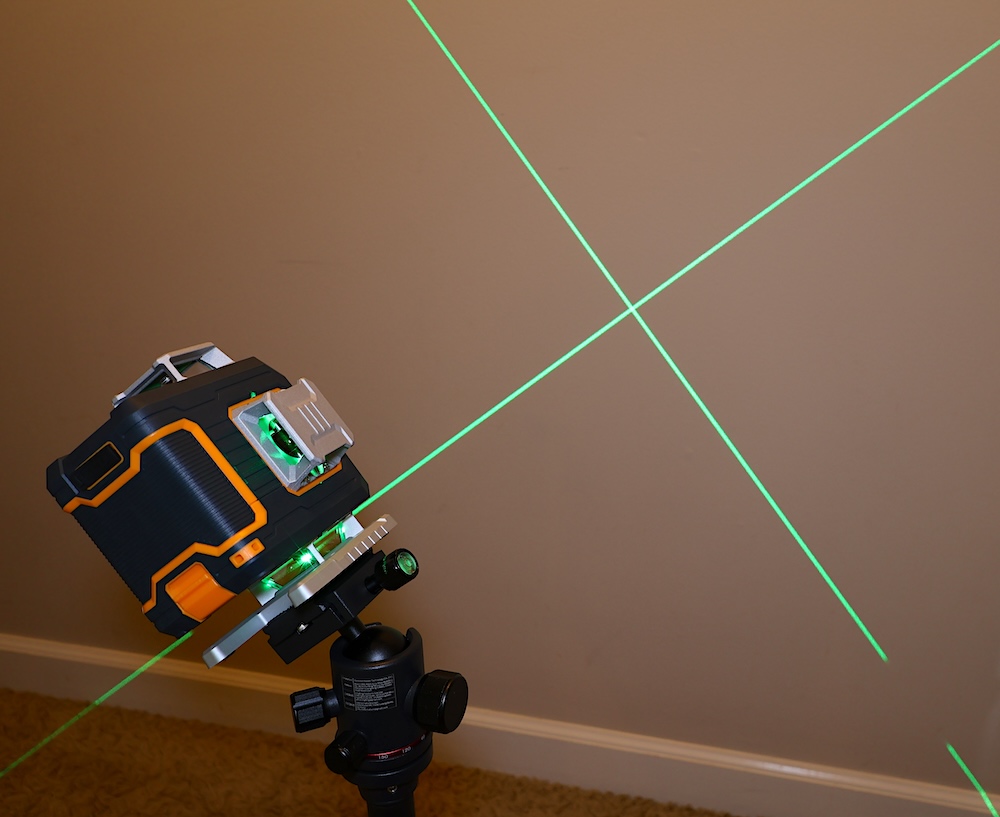
No. It does not. If you lock the pendulum and turn the level on manually you can tilt it in any manner that you wish. An X across the wall? No problem. You can project any angle you want. It will flash every few seconds though.
Conclusion
Laser levels have come a long way over the past few years. They can be used for huge projects all the way down to hanging the smallest of pictures on the wall. If you are STUMPED at what to get your Dad on Father’s Day I can promise you that he won’t be sad be when he opens the box and sees this.