
GhostBSD – A Linux Alternative

I’ve always loved trying various operating systems. So it is with GhostBSD. Most of the time I put these OS’s on a virtual machine which is fun, but you can’t take a virtual machine with you.
I have a whole bunch of laptops around here and one that I routinely try with various Linux distributions. Once upon a time I had installed FreeBSD on something and was proud as punch when it worked. Not too long ago I tried it again and borked the Desktop GUI installation somehow or another and then bounced directly to KDE Neon. Ultimately, I decided to do another BSD variant and GhostBSD comes with a Desktop Environment. In fact just like Linux you can configure a bunch of different environments for it. I got the version with MATE Desktop.
GhostBSD describes themselves are being “Unix like”. While being based on FreeBSD, you seldom see the word Unix pop up. FreeBSD is an open source derivative of AT&T’s Unix which was not open source. A bit confusing, but let’s just call it an operating system and move on.
Goals
I was looking for a computer for the front room that I could use to check email, browse the net, and also be able to use it as a makeshift photo studio. I was super happy to see that GhostBSD’s package manager had programs like Entangle, and Darktable for just that purpose.
That somehow evolved into me using this as my full time camper laptop. That ends up requiring certain capabilities which you’ll read about below.
Entangle
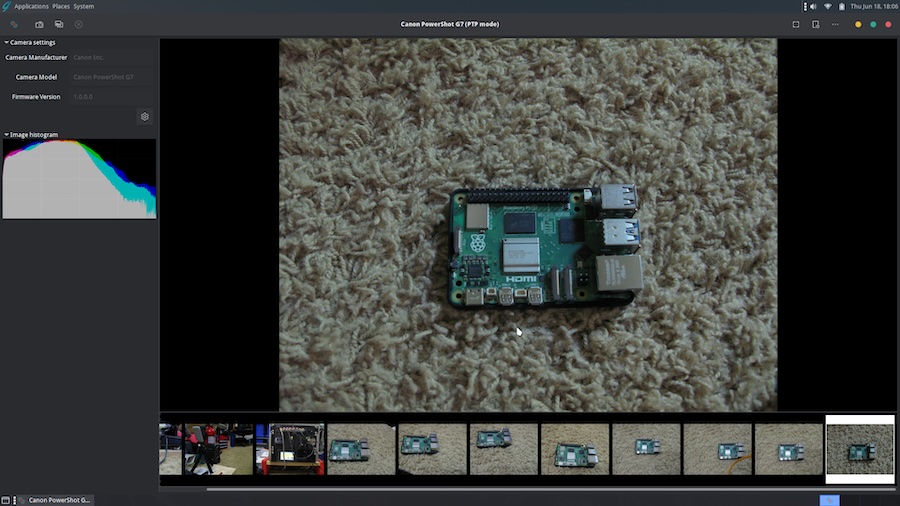
This worked like a champ with my old Canon G7. And here is my faux studio that I took the pic with.
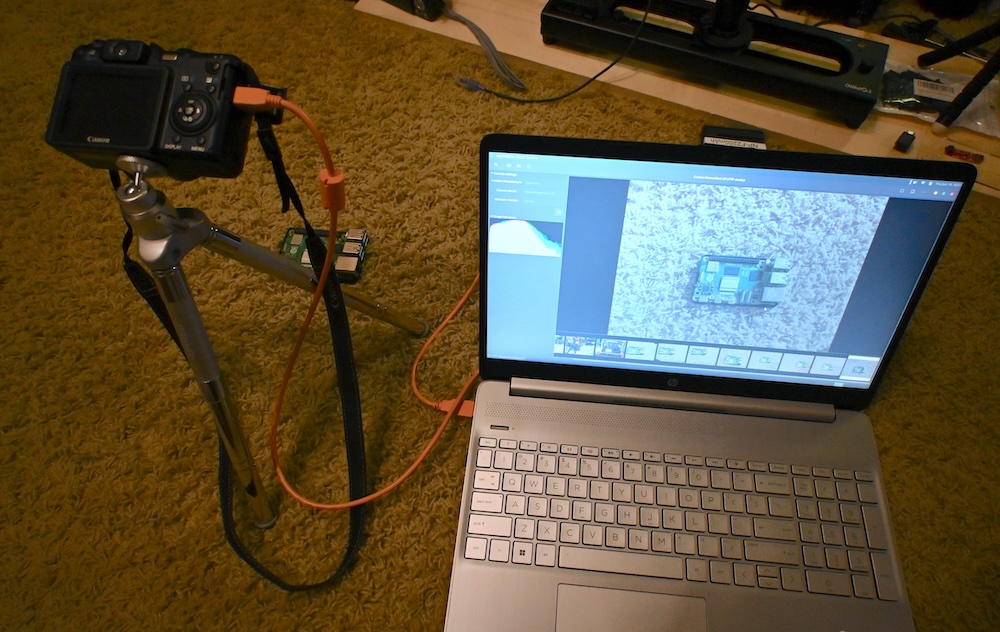
This was me just staging a super quick photo for this blog. Slap your subject on a solid background or throw a sheet up and you have a quick “studio”.
One thing of note is that Entangle typically allows you to control shutter speed, ISO, aperture, etc. on Linux builds, even on older cameras. Because of the old PTP modes on these old Canon Powershots you can pretty much just release the shutter. I hooked up a Canon EOS M50 and every control magically appeared. It seems like this works best with new-ish hardware.
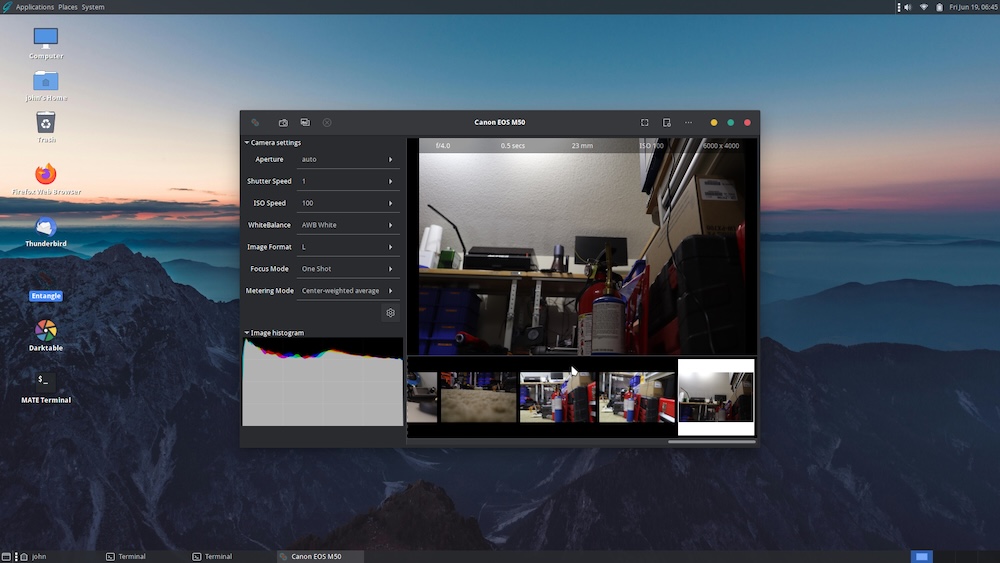
Anyway, GhostBSD does support tethered photography with newer cameras.
And of course I was able to transfer the screenshot above via Samba which installs and configures pretty much the same way as it does under Linux.
Darktable works also but seemed a little more finicky. Usually it is the other way around.
I like putting my old cameras to good use and tethering them is one way to still keep them in play.
To be honest, hooking MacOS up to a camera and using software like Nikon NX, or CaptureOne is always going to net you better results. But in a pinch, for a simple blog photo, without having to go upstairs and set up backdrops and lights and such……..this will do nicely.
Installation
Just about like any OS. Write your downloaded ISO file with Balena Etcher (or similar) and boot to the Live Version. Once booted to a desktop there is an icon that says “Install GhostBSD”. Installation is quick but I did notice a couple of things. I have an HP laptop with a Ryzen 5000 series chip and a Realtek RTK8122 ethernet chip. After I booted up wifi was about as unstable as it gets. I hooked the laptop to ethernet and ran the Update Station. I had 380+ packages that needed updated and RTK firmware was among them. After my update WiFi settled down and began working.
Recommendation – Post Installation updates should be done via ethernet for the 1st time. Unless you have crazy totally compatible hardware from the get go.
Email And Internet
Thunderbird is my weapon of choice on non Mac systems for email. Firefox comes pre-installed and you can actually install real Google Chrome but within one day it told me there was an update and you can’t just update the browser in the OS. You’d have to delete it and start over and that’s only provided the update has made it to the GhostBSD repository. Finally, I installed Chromium which is just as good or better.
What Is Missing – And A DealBreaker For Me
I don’t have a TV in my camper which is the intended location of this laptop. I found that while I could install a hunk of TV software called Kaffeine, that I couldn’t get my USB TV Tuner sticks to work with it. Darn near impossible. I could have installed a Linux Virtual Machine and ran it from there but then I’m pretty much the only one in the world who can work that TV Tuner.
Put Kaffeine on the desktop, double click, and pick a channel is what needs to happen. I couldn’t make that happen so sadly, it was a deal breaker for me.
I did manage to get my Software Defined Radios (SDR, or RTL-SDR) working with a program called GQRX and CubicSDR.
Would This Affect You?
Unless you are using a Hauppauge USB Tv Tuner stick then probably not. And I would strongly recommend giving GhostBSD a fair shake. The learning curve is far less steep than I thought and in many ways it reacts just like a Linux distribution. I think at the very least maybe slap it in a Virtual Machine and give it a go.
It was so, so close to being my camper operating system were it not for the USB Tv Tuner issue.
Because of the age of these old tuners and the way GhostBSD handles these devices I don’t really expect or anticipate that they’ll go back and build this feature in. Additionally it is my opinion it will forever be crippled in this regard. Again, if you have no desire to ever run a TV Tuner stick then……..GhostBSD on!