
Offline Computing – Preparing For Uncertain Times

This is an article I write every couple of years. The more this world descends into chaos, the more I think to it wise to update the content. I’m not a Doomsday guy but it is easy to imagine a scenario where we are without things like electricity, cellular networks, and internet for extended periods of time. Having a computer capable of offline computing and receiving communications could be life saving or at the least life enhancing.
The time to prepare this computer is now because if you wake up to massive outages it will be too late. And you should make a habit of keeping it up to date and adding content to it as required.
I’m not going full prepper on you here. But I am trying to help you get past a catastrophic event such as a hurricane, or other massive weather event that could cut you off for an extended period of time. It could be as simple as the power lines are down, or as extensive as someone popped an EMP off over the Untied States.
Additionally, while I tell you I am not a hardcore prepper, I am a believer in Bible Prophecy. If you aren’t, that is cool. I am. And bits and pieces of it are unfolding now as we speak. Here is an example ripped from recent headlines. The US and Iran are tangled up. One key sticking point is that Israel withdraw all troops from Lebanon. In Genesis God promised Abram land and defined its boundaries. It is much larger than the current state of Israel. One border is the Euphrates River and you certainly have to work your way through Lebanon to get there. Currently Israel is about 30 km into Lebanon at the Litani River and wanting to move deeper north to expand their buffer zone.
Offline Computer
Don’t buy anything new and flashy for this project. It won’t matter how fast it is when there is no connectivity. Also get something rugged that can take a lick. A Toughbook is ideal for this. I don’t have any specific recommendations but I almost bet you have a laptop in a closet that you think is too old. It isn’t. It’s perfect. As long as it boots up you are good to go.
Also some consideration needs to be factored in to how you will store this and how you will charge it. If an EMP attack occurs your computer will be useless unless it is protected in an EMI shielded bag. Make sure to get something that conforms to MIL-STD-188-125-2.. Faraday bags ain’t cheap. Look to spend $100.
And then consider this: If you put your laptop in an expensive bag but don’t protect a generator or solar charging system you won’t be able to charge it. Don’t forget to get a bag large enough to fit the charging brick in as well.
Hey, I never said offline computing was a bargain.
Operating System
Because this computer will be functioning without internet for most of its existence I recommend an operating system that is STABLE. Windows is not stable. I’m sorry, it isn’t. If you want to use it, that’s fine but I recommend Linux for this project.
There are a million Linux distributions out there and I’ve tried most of them. I keep coming back to Linuxmint. It is rock solid, easy to use, and of course free.
Anyway, the assumption here is that you have a bootable computer with an operating system of your choice on it.
Things To Put On Your Offline Computer
This is of course personal. There are people out there who sell pre-configured external drives. Forget the content for a moment. If Prepper Jim is selling a disk full of prepper stuff there is a fair chance he’s buying his external drives and media on the cheap somewhere. Unless you buy an SD card, or thumb drive directly from the manufacturer or a big box authorized retailer you are getting a counterfeit. Buy from Amazon…….counterfeit mostly. Ebay, forget it. AliExpress, really forget it.
My point here is that your physical hardware prepper disk is probably counterfeit and could fail. Take some time to compile your own list. Here are some recommendations for that list:
- BIBLE – If it hits the fan you’ll be glad you have one.
- Technical manuals – Do you own a generator? Get the manual for it. Ham Radio? Get the manual for it.
- Recipies – You’re still going to have to eat.
- Gardening books
- Wildlife recognition books – no internet to tell you if that snake is poisonous or not.
- Wikipedia Download – You can download the entire site but you need a reader. Check here. Personally, I think Wikipedia is a turd that needs flushed but there is a ton of content out there that could have value.
- Medical Guides and First Aid Training
- Maps – more on this later
I could walk this list off the page and then some. Gotta stop somewhere and I hope you see where this is going. Again, your choice of content matters to you.
Hardware For Offline Computing
TV Tuner And Antenna
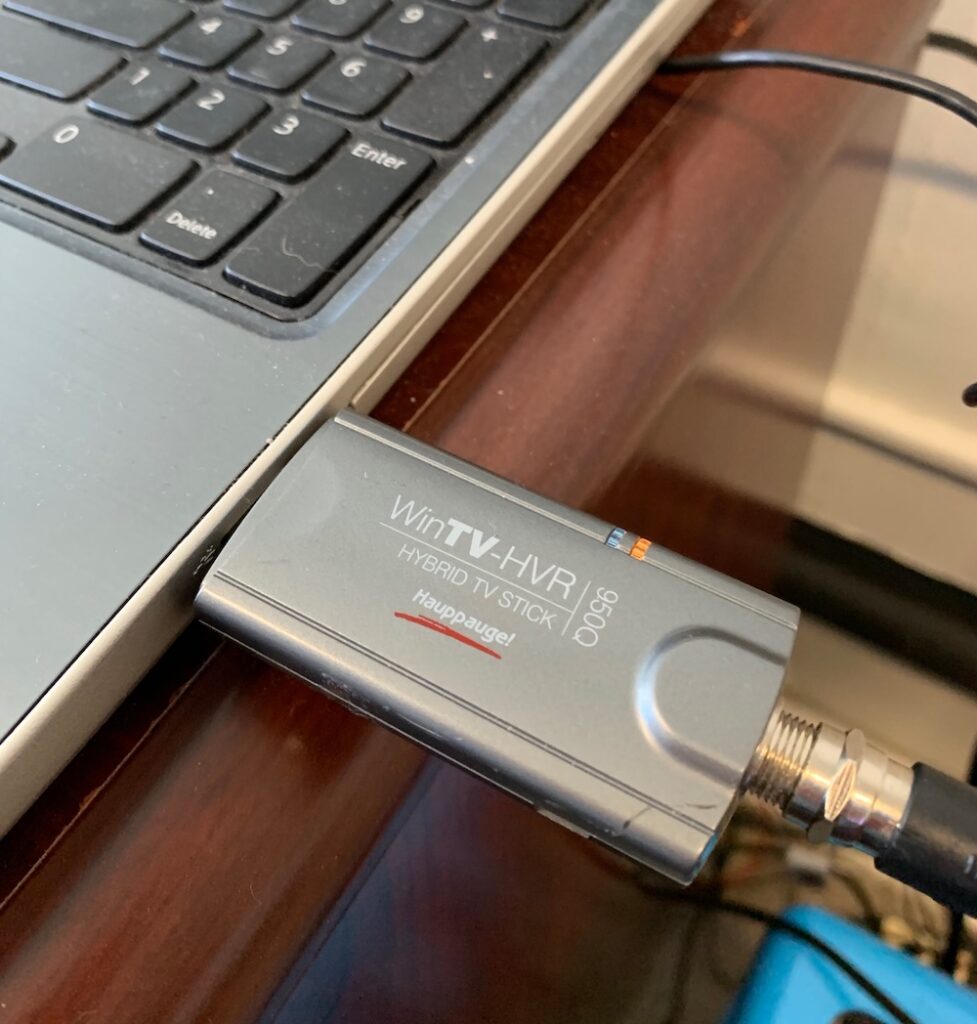
Hopefully you are just in a power out situation and there are TV stations with 50 or 60 miles of you that are not.
TV is line of sight and at best you can receive signals from 80 miles away given the right elevations and a great antenna. The best antennas are the old Yagi antennas and not only are they the best, they are the cheapest.
Pick one up at Lowes and keep it in the box until you really need it.
My USB TV Tuner is a Hauppauge 950Q.
They are about $80 new and one of the reasons I recommended a Linux OS is that this drive works far better with a Linux program called Kaffeine than it does on any Windows software. I’ve been using Kaffeine for years and it just plain old works and no drivers are required under Linux. I use this setup in my camper all the time because my tiny camper doesn’t have a built in television. Tried and tested by me.
Also recommended is a Hauppauge 955Q Tuner which is also about $80 new. I have one of these as well. You can probably pick them up on eBay cheaper. In fact I see a bunch of them in the $40 range currently.
During Hurricane Florence I was able to watch some television stations that were inland a bit and stay informed and entertained.
In the video below I quickly clicked on a few channels but didn’t linger so I didn’t pick up a copyright violation on YouTube. You’ll get the idea. It is a fully functional, over-the-air television.
Here it is in action:
Radio And Emergency Communications
RTL-SDR Software Defined Radio
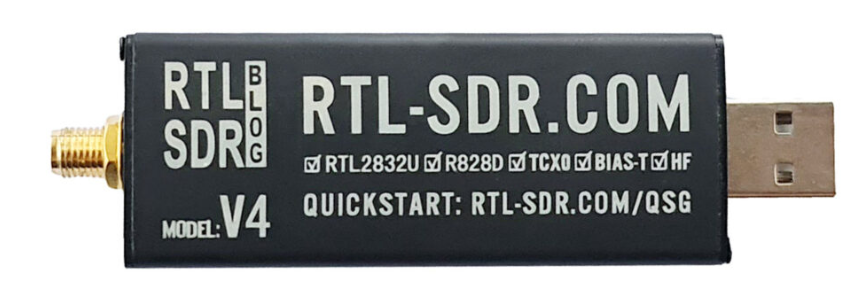
You need one of these even if a disaster isn’t looming. This is a radio that essentially allows you to hear EVERYTHING. Even things you didn’t know were out there.
Just like you might find yourself needing Television to stay informed, radio can sometimes be better. AM radio signals travel for hundreds of miles at night. I live in Eastern North Carolina and routinely listen to AM radio from Canada, New York, Boston, Atlanta, Louisville, etc. If there is a big outage you can count on AM radio, especially at night for news.
I recommend this device to start with. They are in and out of stock like crazy. Don’t buy one anywhere else or you’ll get a fake. In a pinch get one of these.
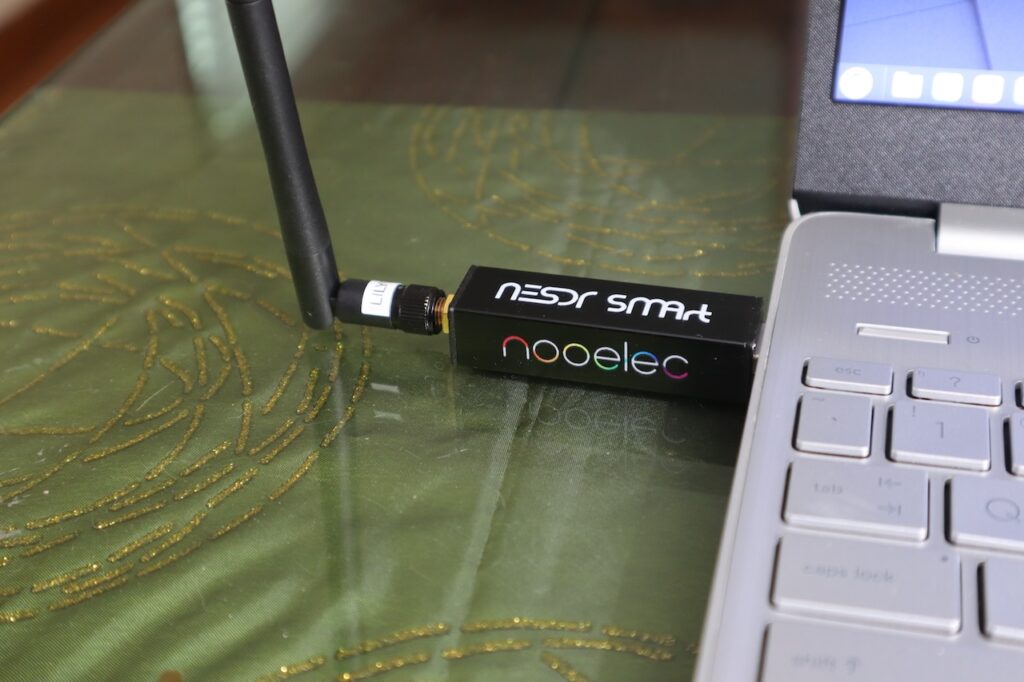
Just as good. You can get both devices with antenna bundles but by and large the antennas are crap. Get a real antenna tuned to whatever you think is most important. Magnetic Loop antennas are awesome. But they are expensive.
An RTL-SDR can do so many things it isn’t funny. I’m not even going to scrape the surface. Here’s a quick list of the things you can receive with a variety of SDR software programs:
- AM / FM / Short Wave Radio / Long Wave Radio
- Ham Radio Frequencies
- Upper and Lower Sideband
- NIST Time stations
- NOAA Weather
- Nearby GMRS or FRS radios. Sometimes I can hear the hunters talking around our area.
- Analog Police / Fire / EMS
- Digital Police / Fire / EMS (with specialized software such as OP25)
Again, that is a scratch of the surface. You can download images from weather satellites. You can track ships at sea. Trucking fleets. Additionally, you can read smart meters. There is almost no limit to these devices.
A bit of a disclaimer for the video below. I had the tiniest of antennas attached to my RTL-SDR and could really only get reception on Air Band (airport close to me), then NOAA Weather Radio, the a local FM radio station.
Anyway, this shows just some of the capabilities of how diverse an RTL-SDR is.
GNSS And GPS
GPS is what they call the US System. All the worldwide systems combined are called GNSS.
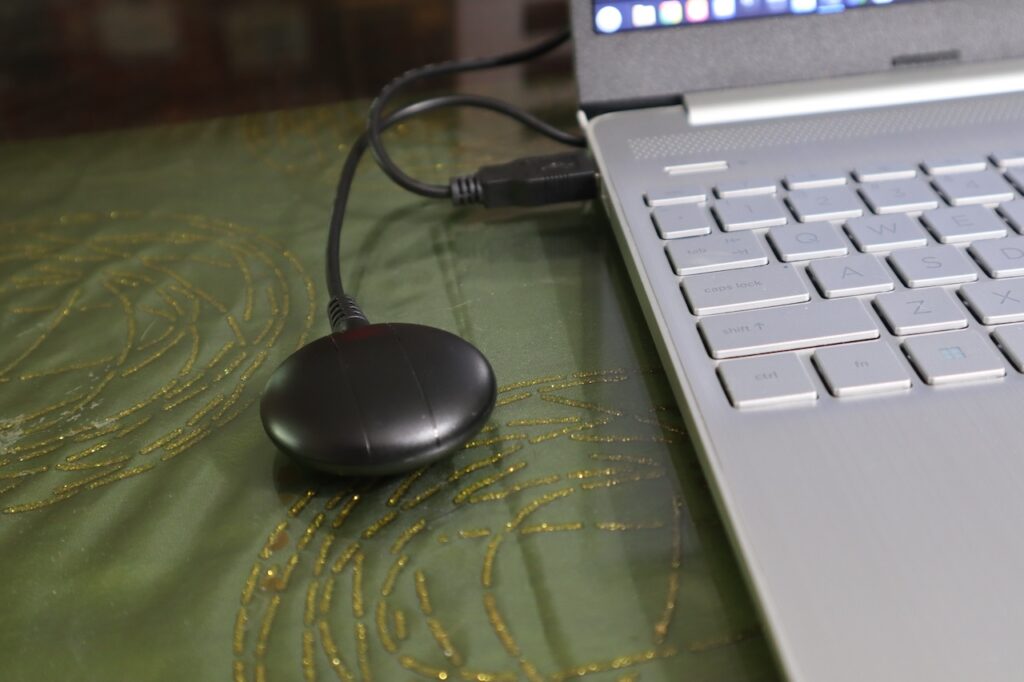
Slap a USB puck on your computer and you will always know where you are and where you are going. Good information to know when the power is out and you are on the road.
The particular puck in the photo is a GNSS200L. There are some much cheaper GPS solutions but they are bare boards with no protection from the elements.
There are plenty of GPS pucks out there and again these are items that are wildly counterfeited. Check Amazon. Many of them are actually more expensive than the one I linked. The one I linked has an authentic u-blox chipset and they are among the best.
Getting your GPS working on Linux is accomplished like this:
sudo apt get gpsd gpsd-clientsThen open this file:
sudo nano /etc/default/gpsdModify as per below but be advised your device could possibly be /dev/ttyACM0 or something else. More than likely if you have the same puck it will be /dev/ttyUSB0l
# Devices gpsd should collect to at boot time.
# They need to be read/writeable, either by user gpsd or the group dialout.
DEVICES="/dev/ttyUSB0"

# Other options you want to pass to gpsd
GPSD_OPTIONS="-G"

# Automatically hot add/remove USB GPS devices via gpsdctl
USBAUTO="true"
START_DAEMON="true"
Reboot or restart gpsd and then try this in a terminal:
cgpsIt looks like this;
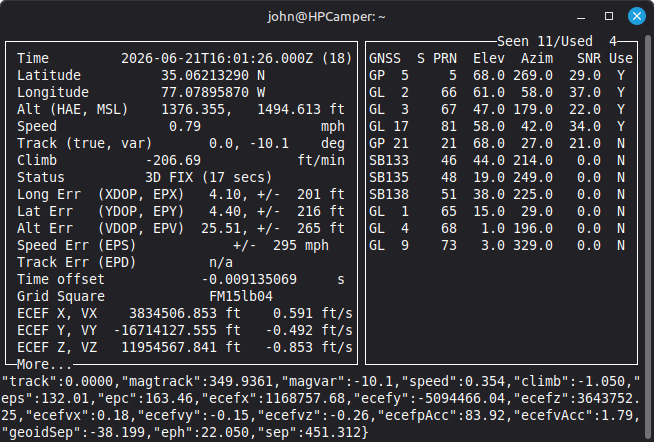
And there you go. Every GPS reading you can imagine and every satellite it is coming from.
Maps
There are plenty of programs out there that will allow you to use your GPS such as Viking GPS or FoxTrotGPS but they utilize internet maps. You need to get some map tiles so you can use them offline. Viking GPS can cache maps for offline use which is super cool.
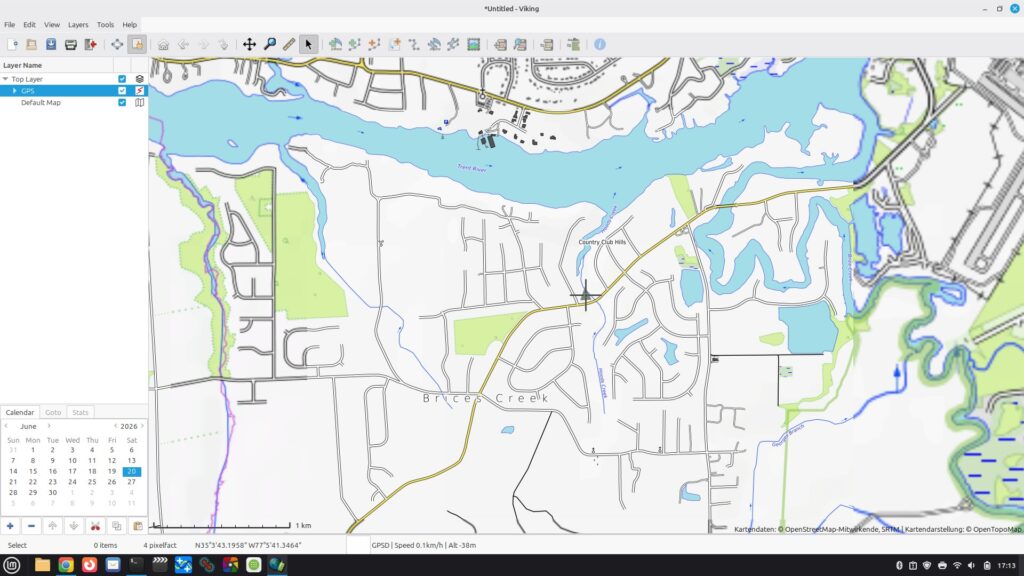
Once you pull it up on a GPS layer it gets cached.
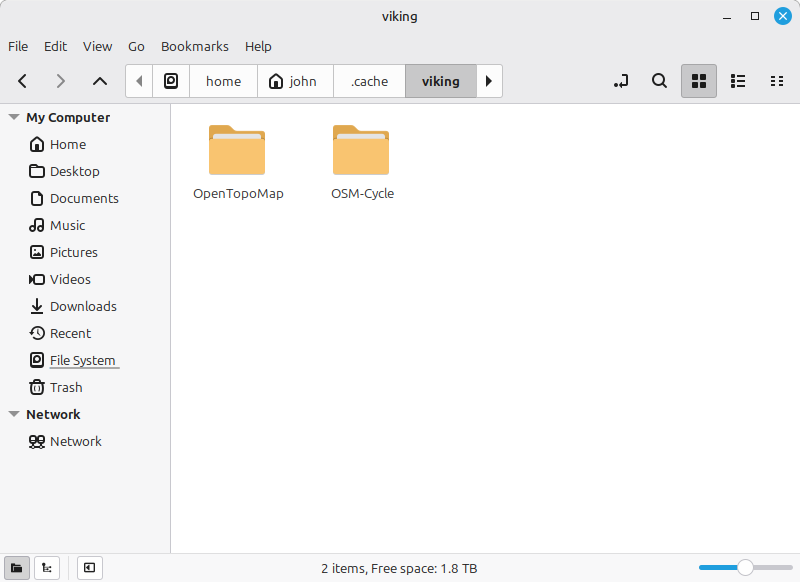
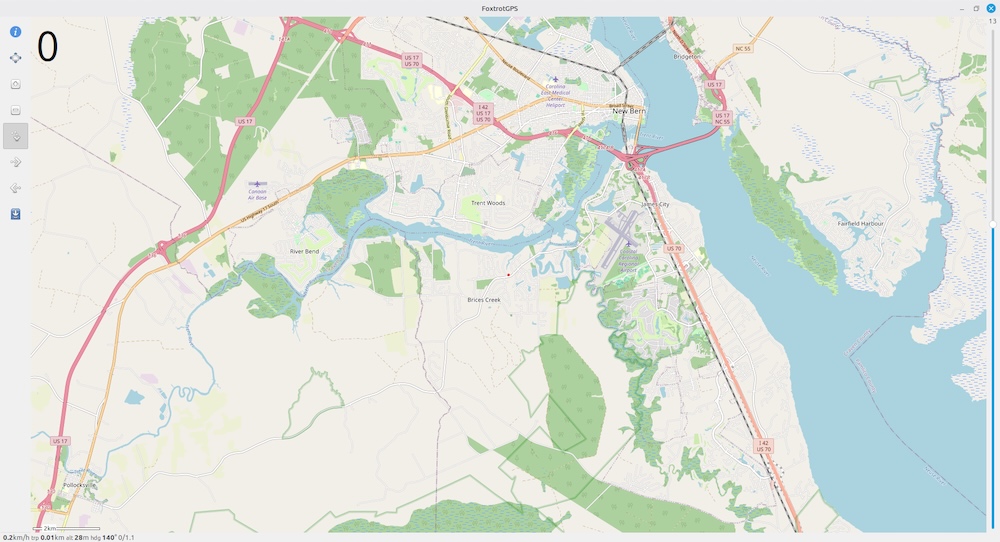
FoxtrotGPS also caches map tiles. Only you will find them in /home/YOURNAME/Maps. In both cases make sure you grab the map tiles for where you are and everywhere you think you might go. I generally go 300-400 miles outwards.
Meshtastic
Having your own communication network could be vital during a catastrophic event. Once configured a Meshtastic device will work similar to texting. Each person needs the app or software. The software connects to your Meshtastic radio however the device it connects to DOES NOT need to be connected to the internet. You only need your LoRa radio to be within Bluetooth range of your computer or phone.
You can use this during a grid down situation, provided your laptop and a phone can remain charged.
Meshtastic is Line Of Sight and will work anywhere from a couple of kilometers to considerably more. It is also a mesh network so if there are repeater nodes in between you can extend your range indefinitely.
After letting it sit awhile I see a bunch of other nodes out there. That changes your range considerably.
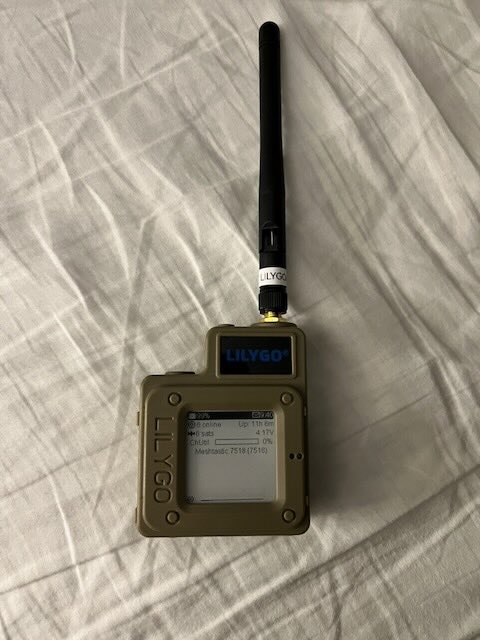
There are a ton of devices you can use. I have a couple of Heltec V3 and a Lilygo T-Echo. Just make sure you get the US version (915 MHz). You can buy the Lilygo pre flashed or you can flash any of these devices yourself on the Meshtastic Web Flasher.
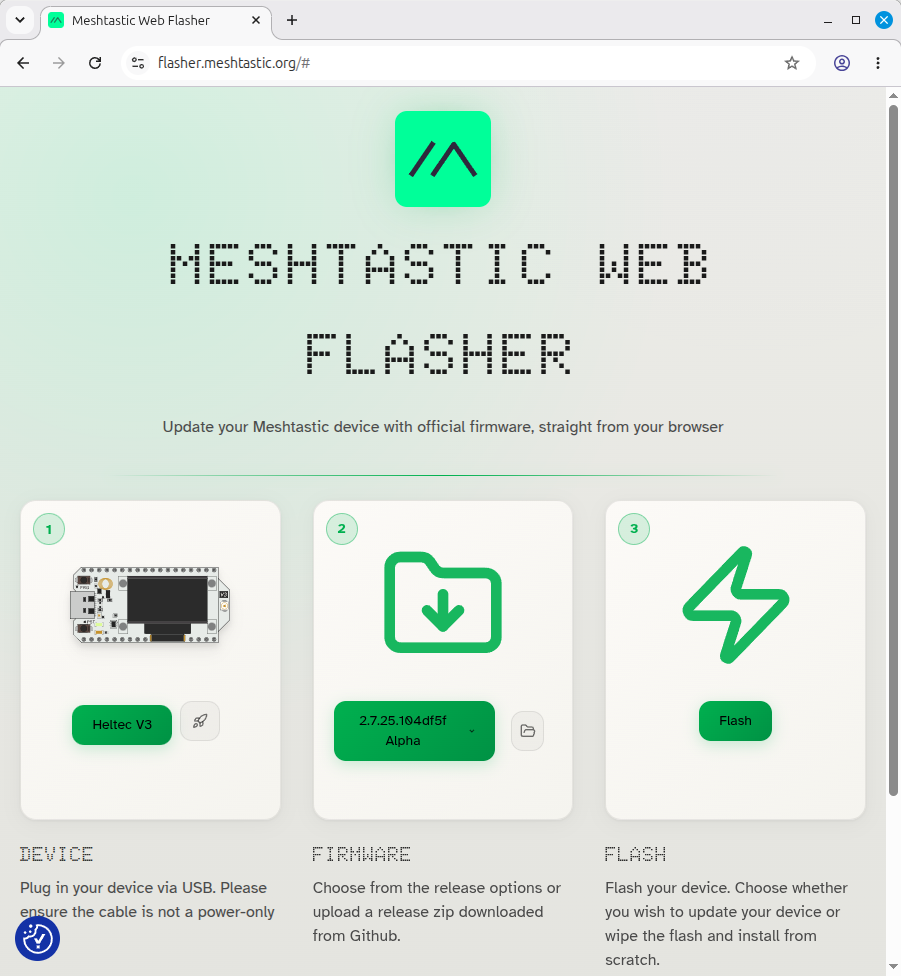
Once flashed you can add your devices to your network on the Meshtastic app. You can of course install this on Linux a variety of ways. If you use the web flasher you can create a desktop shortcut which uses a browser as an app but it only needs to be connected to the internet the very first time. The rest of the time it will work without internet.
Create the shortcut.
nano ~/.local/share/applications/meshtastic.desktopThen populate it as per below:
[Desktop Entry]
Name=Meshtastic
Comment=LoRa Mesh GUI
Exec=/usr/bin/google-chrome --app=https://client.meshtastic.org
Icon=google-chrome
Terminal=false
Type=Application
Categories=Network;Communication;
StartupNotify=true
If you are using Chromium change the “google-chrome” in red above to “chromium”. Likewise with the icon below. You can of course also just run the highlighted command in a browser but it is so much easier to make a desktop shortcut.
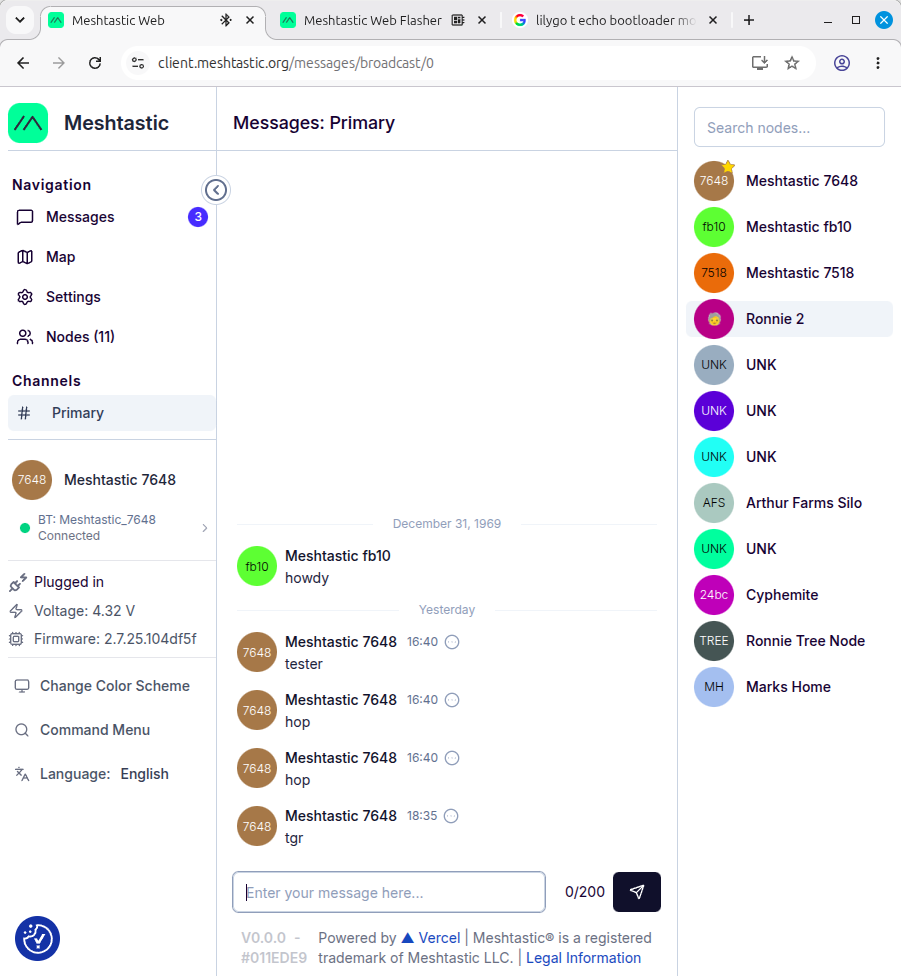
And finally, here is a pic of one of the devices. This is the Lilygo T-Echo.
Camera Studio
You can use your offline computer to photograph items by tethering a camera to your laptop. Not sure how critical this may be to you but it is a feature that you can do completely offline. Not every camera can be tethered and even of those that can may not be fully controllable under Linux software.
I use Entangle and Darktable. The camera shown here is a Canon EOS M50.
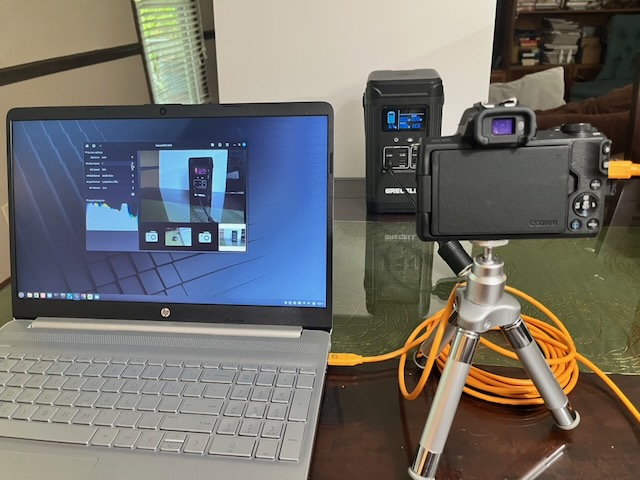
Cool offline feature, I think.
Entertainment
When times are tough a decent movie or a great album can make you forget about things for a while. Running a local media server on your computer can be a blessing. The downside is that you need a gigantic hard drive or NVME hard drive to store all that media. It might be best to keep that stuff on removable media.
Closing
Being prepared for a life altering event can make the difference between surviving and thriving. To review you can watch TV, listen to every comms out there with an RTL-SDR. Additionally, you can store important files and documents, run a media server, use GPS and GPS tracking, and set up and emergency communications network. That’s a lot for a computer with no internet.
Oh yeah, bonus feature. Camera studio.
“A practical and thought-provoking article that highlights the importance of preparedness and resilience. The guidance on offline computing is clear, informative, and encourages readers to think proactively about maintaining access to critical information during unexpected disruptions.”