
The Best Way To Install Home Assistant

I’ve been using Home Assistant for years. In my opinion it is the best platform for home automation. My hardware of choice was a Raspberry Pi hooked to ethernet.
No more.
Not because it doesn’t work but because I found an easier and more reliable way to install and maintain it.
Believe me when I say I am not knocking you if you are using a Pi, or a laptop, or a mini computer or some other hardware. My installations served me well for years.
Until something went wrong. Then I would have to erase the SD card in my Pi, and then reinstall Home Assistant. Additionally, I would have to restore a backup. All that took time. Like “drink a cup or two of coffee” time.
What if I told you there was a better way? Read on.
Let’s Get Ready
If you have a working Home Assistant instance make sure and download a backup of your current configuration. Then install Proxmox on some hardware device. I use the Zimaboard 2.
Proxmox
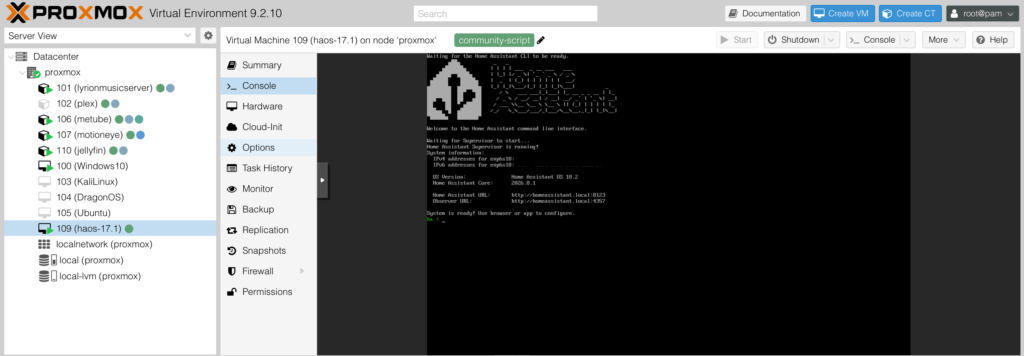
Once in Proxmox select your top level directory and open the Shell
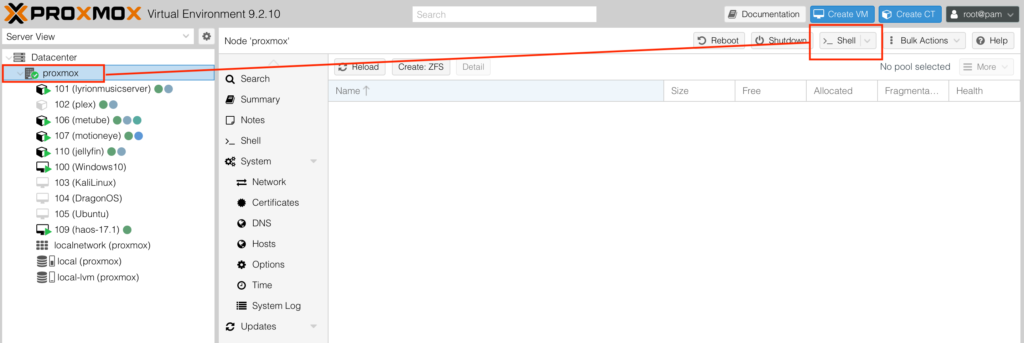
Helper Scripts
I installed Home Assistant in a Virtual Machine by using a Helper Script.
Go here and paste this into the open Shell in Proxmox I mentioned above and hit enter.
bash -c "$(curl -fsSL https://raw.githubusercontent.com/community-scripts/ProxmoxVE/main/vm/haos-vm.sh)"Proxmox will install Home Assistant and then all you need to do is to restore your backup to replicate your previous installation.
It’s really that simple.
You probably will have to pass through and zigbee or zwave controller you may have. I have an Aeotec Z-Stick 10 Pro. You’ll find these setting in your VM along the left hand side in the hardware section.
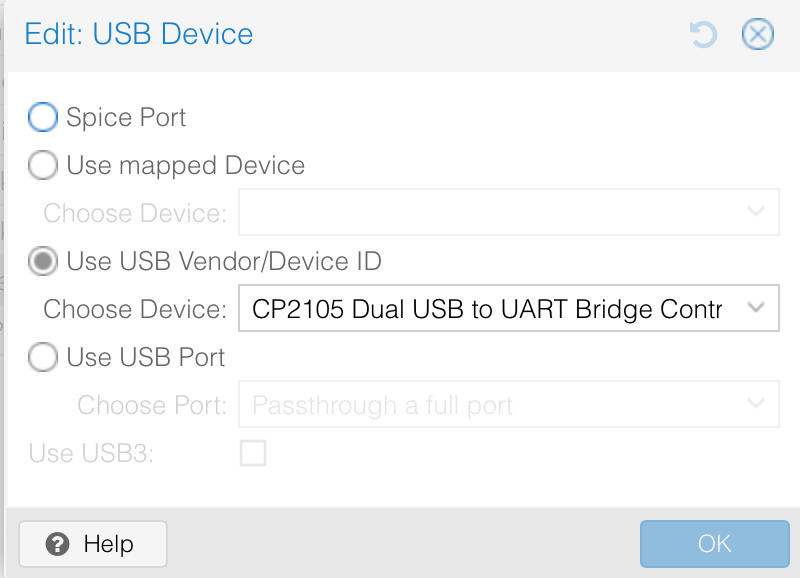
Pretty easy, huh?
Here Is The Best Part
YOU CAN TAKE A SNAPSHOT OF THE VIRTUAL MACHINE STATE AND RESTORE IT IN SECONDS IF CHANGES BREAK YOUR HOME ASSISTANT INSTANCE.
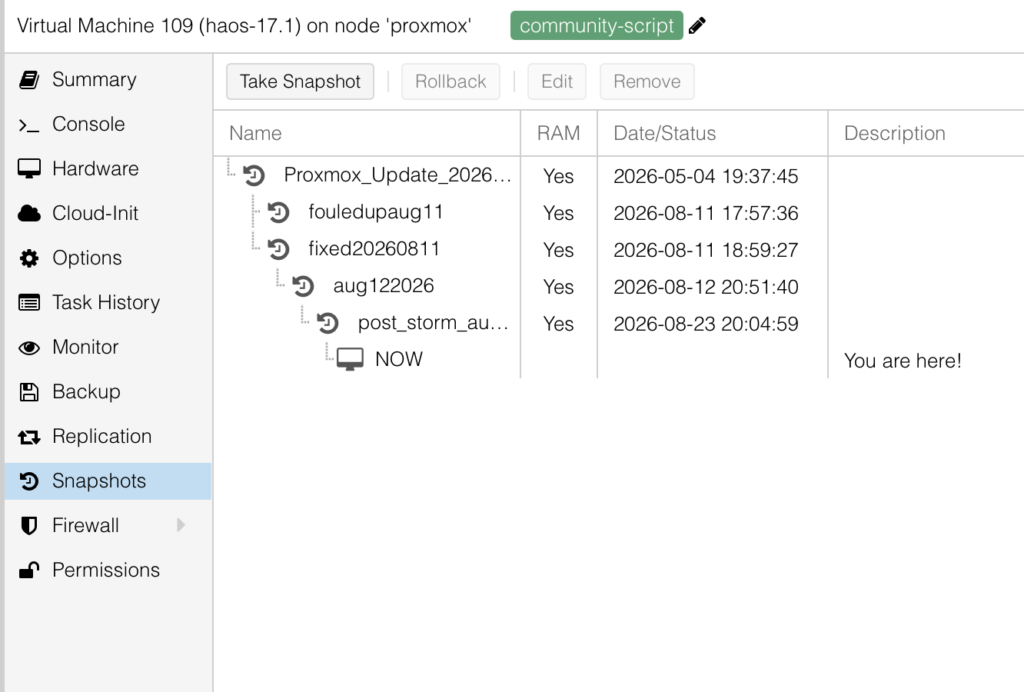
If you click on “Take Snapshot” above the next box that opens allows you to download it. Put that on a USB stick or move it to another computer or somewhere safe.
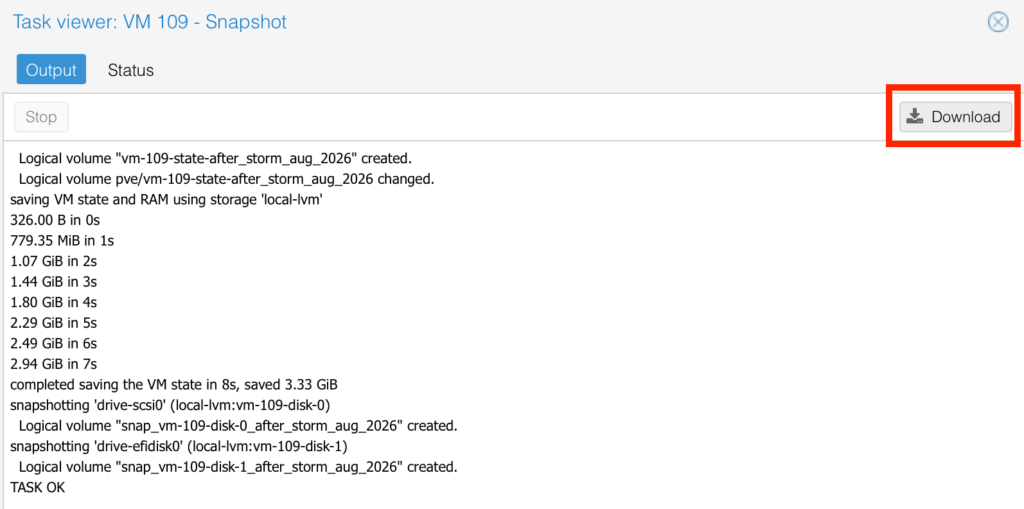
In the event of a total disaster you could create another Home Assistant VM in a couple minutes and restore your snapshot.
No more starting from scratch on a Raspberry Pi installation. Installing HA on a Pi takes a little while.