
Coospo CS600 Bicycle Computer Review
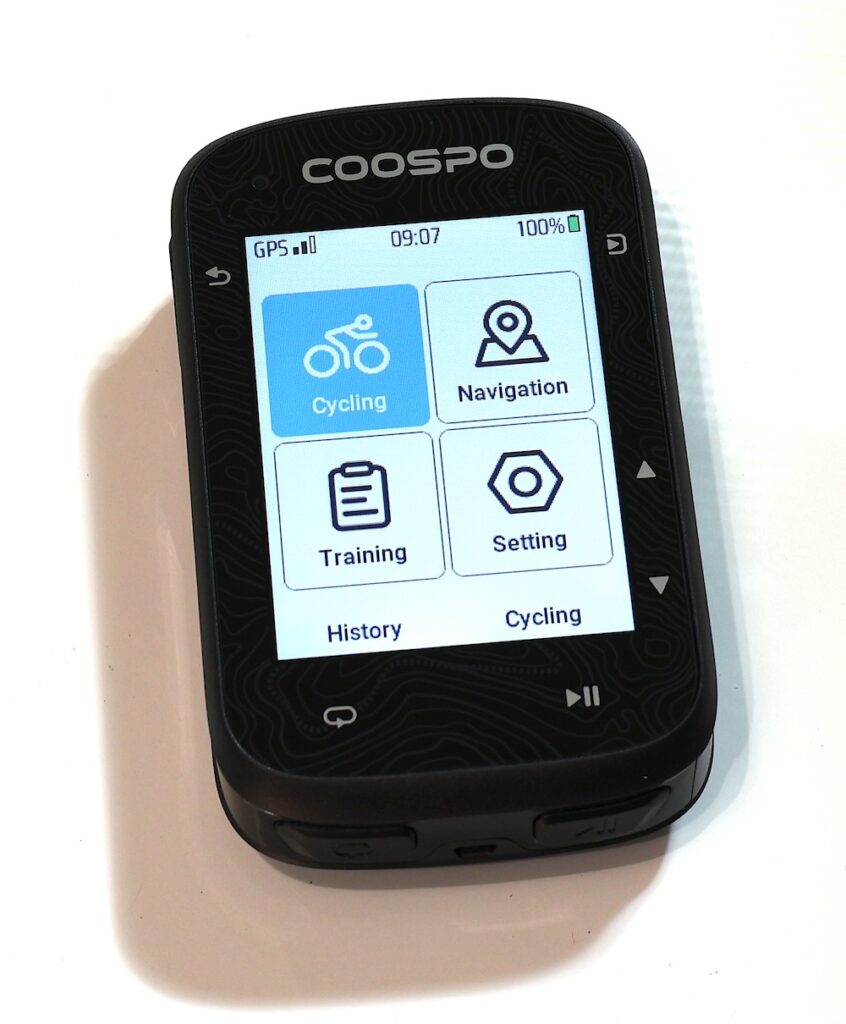
Well, I did it. I picked up the Coospo CS600 Bicycle Computer from Amazon. Allow me to get straight to it. It is very capable in the hardware department but the eco-system just isn’t quite there yet.
If they can develop that Garmin Connect or Fitbit type experience this will be a real contender for Gear Of The Year.
This actually has better hardware specs (mostly) than any Garmin I own. But Garmin has the long established and highly polished eco-system for their GPS and Bicycle Computers. Better hardware doesn’t always mean a better experience.
And I have discovered a quirk or two with the Coospo CS600 that, while not really affecting the overall experience, makes me scratch my head a little.
Quirk 1
One example: You can’t view a map on the CS600 unless you have a course uploaded to the device. Oh it is there but you can’t see it unless your course is loaded or the map options are turned on. Go to Settings > Ride Mode > Outdoor > Fields. Scroll to the bottom to find the Map option and turn it on.
Like I said, just a head scratcher.
Quirk 2
You simply cannot delete a single course you have uploaded to the device. Oddly though, “Delete All” is an option. I uploaded my regular route to the device and it uploaded as a date:time name. I wanted it to say “Ride To Pollocksville”. I couldn’t even figure out how to delete it from the app since it wasn’t showing in the app. I had to hook the CS600 to a computer via USB and then delete it from the Courses folder.
Again, just a head scratcher.
Maps
You can easily download and install Maps for your CS600 from Coopso Downloads. Some of us like maps from OpenStreetMap though as they are much more customizable to your experience.
While technically you can take OpenStreetMaps (OSM) and modify them from a .pbf file and convert it to a .map file which works on the CS600 it isn’t for the feint of heart. Remember that eco-system statement I made earlier?
I’ll try to walk you through what I did but it may not work exactly for you if you are say, doing this on a Windows Computer. I am using a Mac M1.
Map File Extension
The CS600 is looking for a .map file extension. You can actually download those however Coospo says you might have issues or blank spots with those maps. I dunno.
You can download a .pbf map from Geofabrik or BBBike. With Geofabrik you can really only download to the US State level. That makes for a LOOOONGGGG crunch time when converting the map and possibly a large file size.
BBBike allows you to select a much smaller region of a State which you can convert much more quickly and end up with a smaller file size.
Osmosis
I installed osmosis on MacOS with brew.
brew install osmosisSimple, huh?
MapsForge Map Writer
Next we need a plugin called MapsForge Map Writer.
Go to the releases page and download the Map-Writer plugin. Once you get that file it needs to be installed in osmosis. You will need to make the following folders
/home/YOURFOLDER/.openstreetmap/osmosis/plugins
Now drop your file you just downloaded into the plugins folder.
Here is where it gets fun. Remember to put the name of the file that you downloaded from Geofabrik or BBBike and put that exact name in the command below. The output map name can be anything you want.
Now run this command:
export JAVA_OPTS="-Xms1G -Xmx12G"

osmosis \
  --read-pbf file="$HOME/Downloads/north-carolina-260601.osm.pbf" \
  --mapfile-writer file="$HOME/Downloads/north-carolina.map"
This is not it. Now you need to rename the file to the naming convention that the CS600 expects. Or of course you could name the output file to reflect this in the command above. That will save you a step.
I live in NC and the default map name is US060020250528.map. Rename the map you just made to that exact name. Plug your CS600 into a computer, Find the Maps Folder in the Removable Drives and delete your NC map and upload your new one.
Let’s Stop A Second
This is ridiculous. If this even works it is WAY too technical, has way too many steps, and can frustrate the heck out of you. Unless you just have to have a custom map I recommend not going through all this pain and live with their maps. Also I think the map I custom built is probably from the same source as the Coospo Map. It sure looked the same.
My Take On The Maps
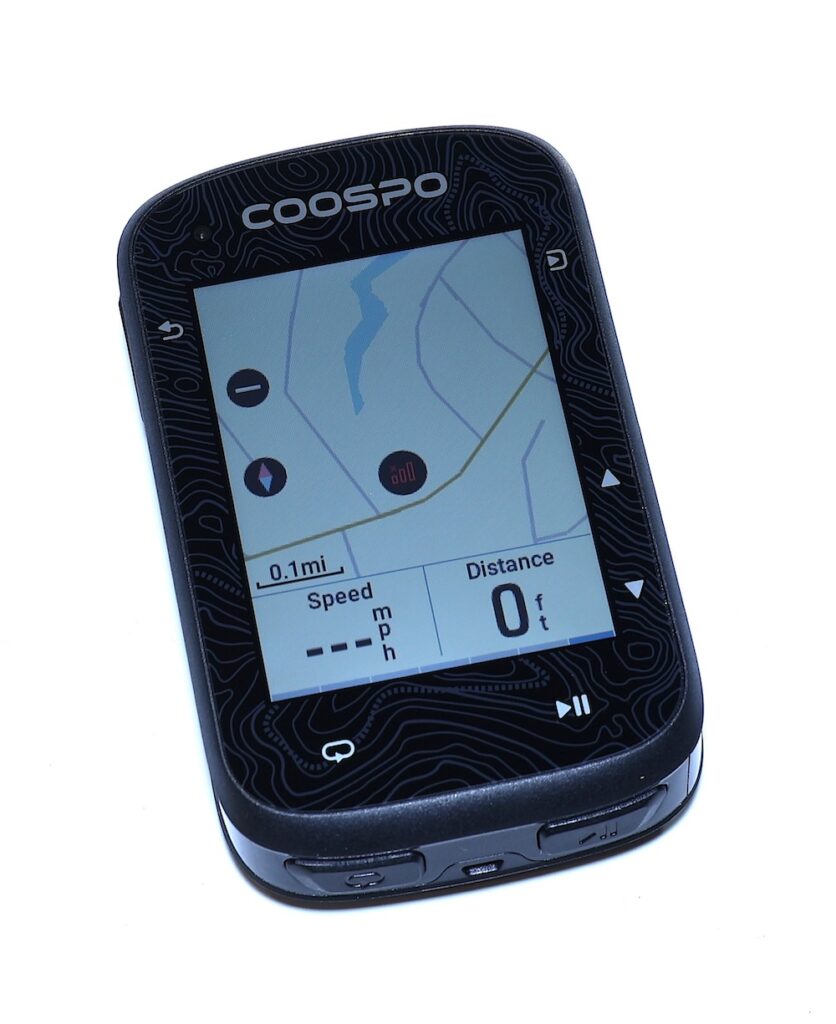
You have 8GB of storage and there are a lot of map files on the device. I’m not telling you to do this but I deleted EVERY SINGLE ONE OF THEM. Then I uploaded my singular NC OpenStreetMap.
I’m going to ride today and see how the navigation works. If it doesn’t, I’ll simply delete and upload the original NC map from Coospo.
UNLESS YOU NEED A SPECIAL MAP, OR ARE A GEEK LIKE ME, JUST USE THE COOSPO MAPS.
Since this is a fairly new bike computer I have to think that they’ll get pressure from their customers to make custom maps easier. Or someone will develop a website for making the files like in the case of BBBike or Geofabrik.
To top it all off, the map I made looks the same as the Coospo map.
Coopso CS600 Bicycle Computer General Experience
The only thing I find missing on this device is the lack of expandable storage (mini SD card). There is 8GB of on board storage which is fairly substantial. I used to think that I wanted an entire US Map on a bike computer and I just don’t think that way anymore.
Another thing I find lacking is an application for wind estimation. I use a paid app called Windfield on my road bike. If it is a bit windy I want to do the first half of my ride into the wind. Or if the wind shifts I reserve the right to alter my route. Not having access to an app like that affects the general quality of my rides.
Remember that eco-system statement I made earlier?
Navigation
While I’ve used this computer on a few short rides I need to do a few rides with Navigation to shake it down real good. If it doesn’t work well on my custom map I’ll download the Coospo North Carolina map and try again. I intend to go off my saved route and then see what happens when I get back on the right route after a detour.
I did my first navigation ride the other day and it told me it was off course in the beginning (the start point is near the road so not surprising) and then I never really figured out when it started and then it just stopped short of where I was going and threw up a screen with a trophy on it that I couldn’t navigate away from (unless I wanted to get hit by a car).
I came home and deleted my custom map and uploaded the Coospo NC map and subsequently added a Course I made on Komoot. I purposely went off course by taking a side street and it informed me I was off course. When I cut back on to the main road it picked the course up.
Turns seem to be indicated about 600 feet prior to the event. One turn I took didn’t fully complete the turn on screen until I was well past the actual place I turned. There seems to be a little lag. However, I only experienced this on one turn and not on any subsequent turns.
Post Ride Uploads
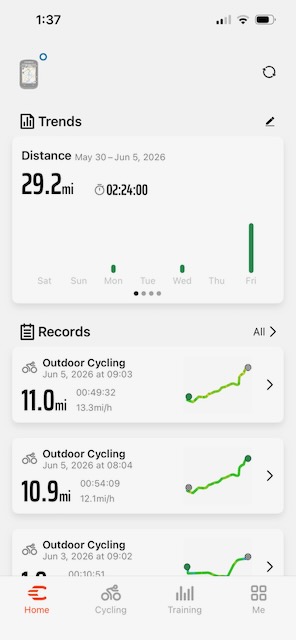
I have so many computers and smart watches that in order to keep everything in one place I sync my Garmin and Strava rides to a program called RubiTrack 6.
Following completion of a ride it must sync to the CoospoRide App which uploads it to Strava (once configured).
This is typical behavior of most every bike computer and exactly how the Garmin computers work.
Most of my Garmin’s will sync automatically and pretty sure the Coospo will too however, I don’t think I’ve ever actually opened the app before my rides which puts that failure directly on my shoulder. Pretty sure if the app is open and you stop a ride it will sync to your phone IF THE APP IS OPEN.
I’ll test that again to make sure on the next ride.
So, I have no beef with post ride uploads.
Wrap Up
I think I want what I mentioned in the beginning of this blog. Give me some plugins, especially a wind estimation one, and give me a way to do custom maps EASILY and I would be happy to scream from the rooftops that this is the best bargain computer out there and the moniker tag of, “GEAR OF THE YEAR”.
Really thorough review of the Coospo CS600! I have been looking into budget bike computers and it is helpful to see real-world testing rather than just spec sheets. The GPS accuracy comparison is especially useful. For cyclists looking to pair this with training platforms, I covered the integration options for budget bike sensors with popular cycling apps on TechTrendsReview.
Thanks! The hardware mix in this thing is pretty insane for $100. I dare say this has better hardware than 90-95% of the computers out there. I have another blog just before this one where I pulled the FCC ID report and was kind of stunned by the hardware.