
xTool X1: The Best In Class Laser Engraver Today
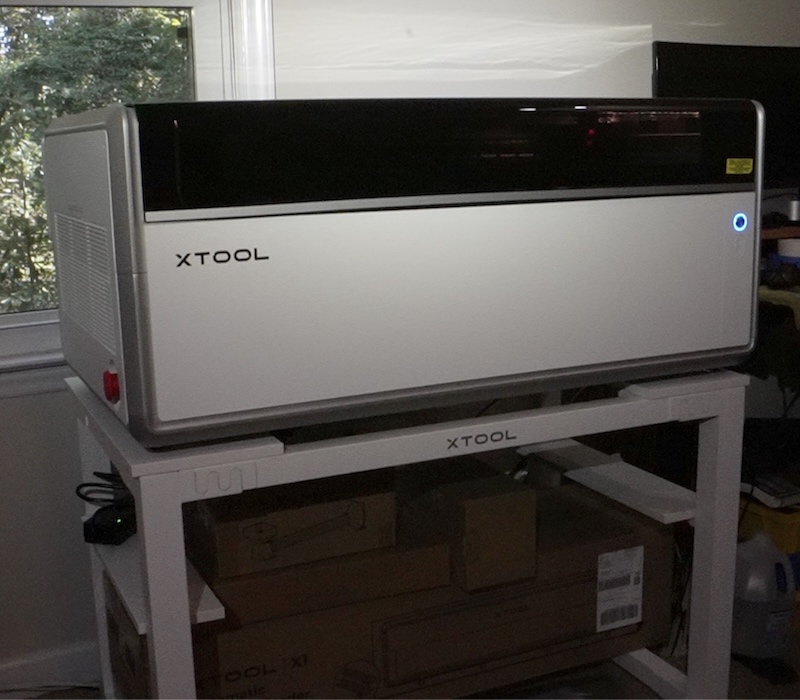
The subject line says “Best In Class” but the simple reality is that the xTool X1 stands in a class of its own.
There is currently nothing else out there like it. xTool has always led the way with innovation. They make a machine for just about every arts and crafts hobby that you can think of.
The innovation runs deep here. We’ll address some of those capabilities below. Just know, this is the one you have been waiting for.
I also should mention that xTool chose me as a Beta Tester and that the X1 and other accessories were provided to me free of cost. Having said that they have exercised no editorial control on my content other than release dates for various stages of the X1 roll out.
All the readers in the xTool X1 group wondering why information was trickling out………well, now you know. This was all part of their pre-release roll out. Not only are their engineers brilliant so are the marketing folks. While people might have been wanting answers, this also built excitement.
Let’s get to it now, shall we?
Release Date
October 28th, 2026 is the official release date. Here is the official press release link. And here is the official launch link video from xTool. Great information there. Be sure to check it out.
A Different Review Beginning
Because xTool shook things up a bit with the X1, so will I with this review. I want to start with the things that are amazing and then transition into a couple of “Wish List” items. You wouldn’t think a machine like this would have a reviewer adding to it but I did stumble across a thing or two that could make life easier.
Things That Are Genius
Straight out of the chute the things that make the X1 shine the brightest is the fact that you can configure the X1 to use 3 separate lasers on the same project without ever lifting the lid. My machine is configured with a 20 watt blue diode laser, a 55 watt CO² laser, and a 5 watt UV laser. The UV laser comes in a “backpack”.
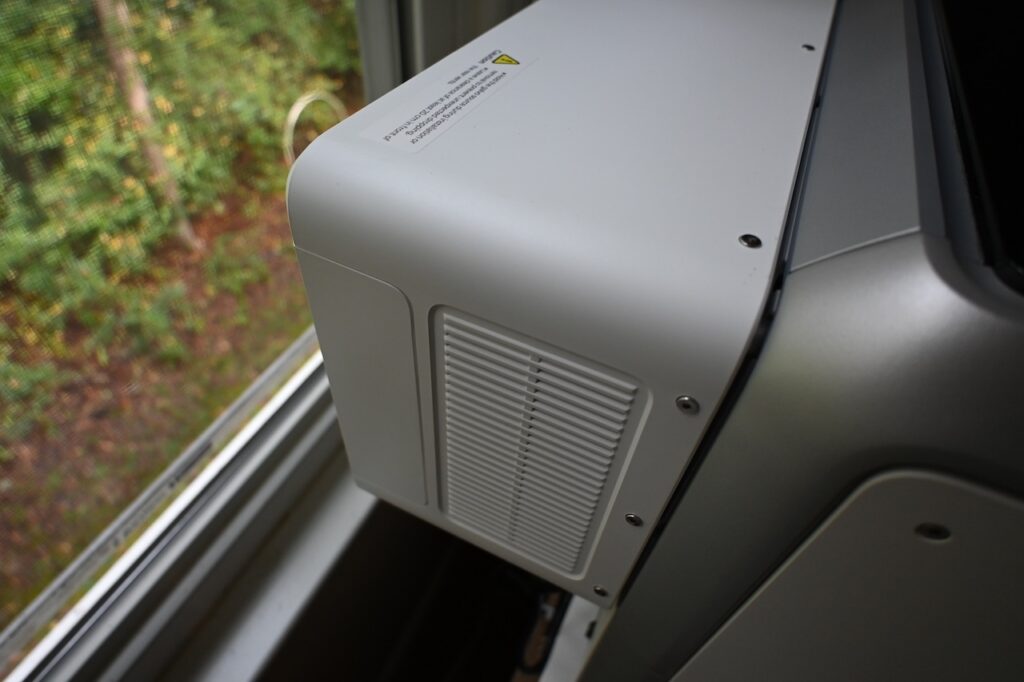
Additionally, you can purchase a 60 watt MOPA fiber laser backpack or a 30 watt fiber backpack. This allows you to potentially use 5 different lasers IN ONE MACHINE. Only one backpack can be installed at one time though.
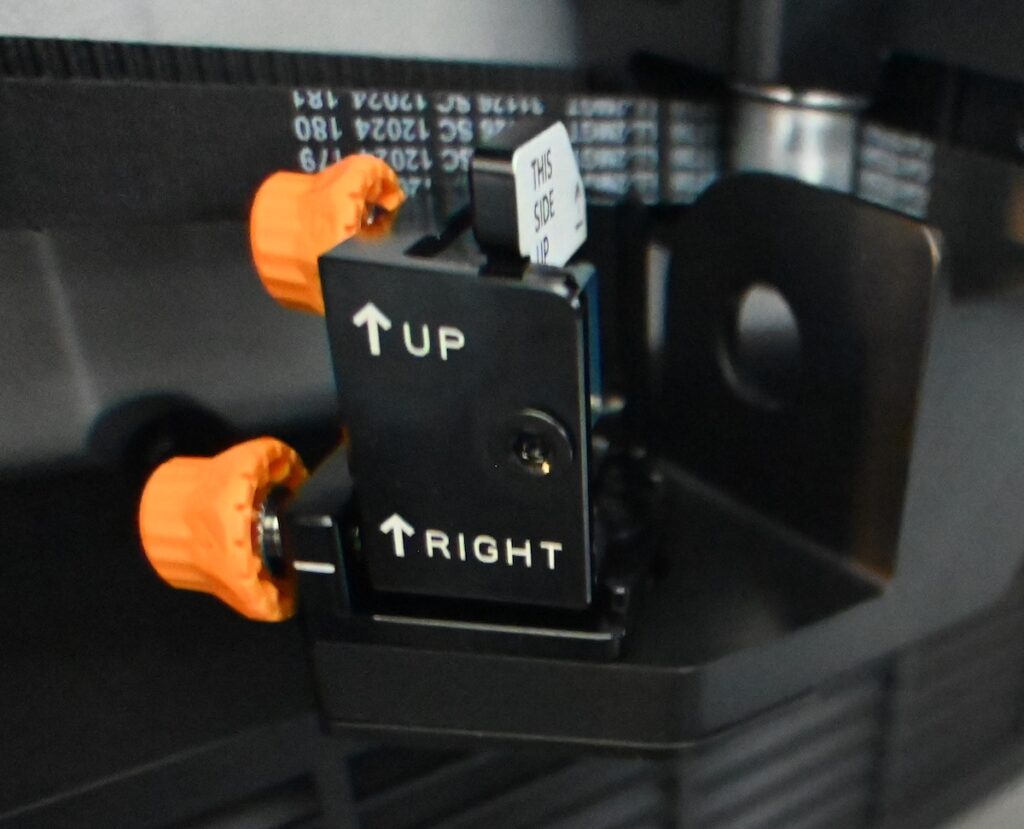
The next innovation that I categorize as genius is that the mirrors which direct the backpack or the CO² light path are magnetic mounted and REMOVABLE. I have owned a couple of CO² lasers previously and mirror cleaning is usually difficult and the possibility exists to throw you out of alignment if you aren’t really careful.
Speaking of alignment the xTool X1 is the easiest laser I have ever seen to align the optical path on. Below you can see the removable mirror and it even tells you which way to install it. The big orange alignment knobs have no play in them making them solid and secure and this makes alignment a snap.
Also, having the mirrors in your hand allows you to visually inspect your cleaning operation.
The next innovation is that the bed moves along lead screws. Lead screws are way more accurate when used in connection with stepper motors than a belt driven system. Brilliant. The bed can be raised manually or automatically. The excellent autofocus system makes your life easy as well. No more guessing and no more manual focusing (unless you want to). The software (xTool Studio) also gives you a defocus setting.
Let me say that one more time. The software allows you to defocus. No more flip down focus bars with tiny, unreadable millimeter gauges on them. xTool engineers are really pushing all the limits here.
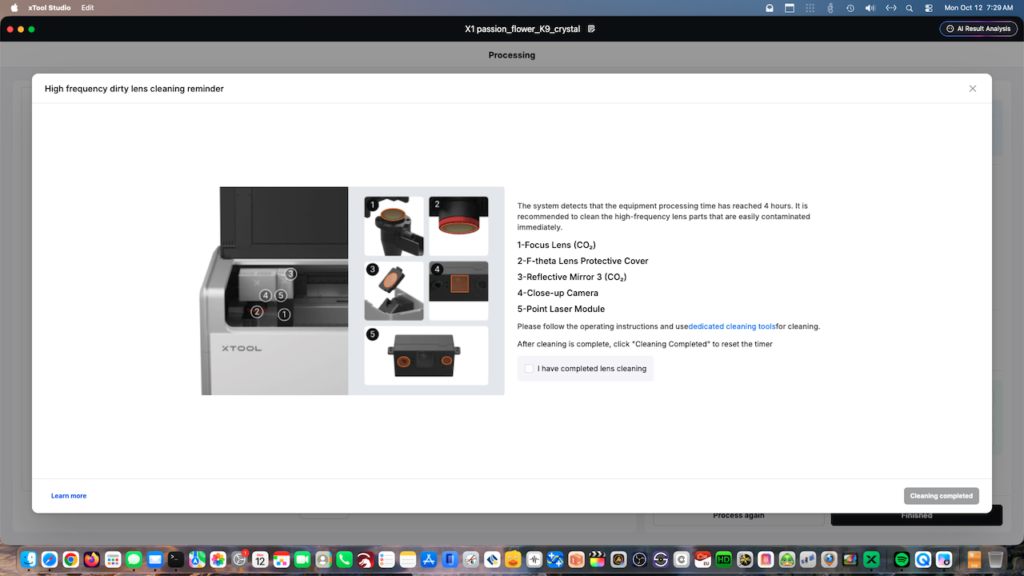
Next up is that the xTool Studio software prompts you when to clean and what to clean. I simply cannot count how many people have posted photos of their cracked lenses in laser forums over the years from not performing simple maintenance. xTool…….I am loving all these features.
Lastly the addition of triple cameras is great. If you can’t see it with one camera, you can see it with the others. Thanks xTool!
I could probably go on here with brilliant items but this blog would turn into War And Peace.
My Wish List
Yep, I have one really strong recommendation. I discovered this after performing a nearly 3 hour engraving using the conveyor feeder. Upon reflection I should have mentioned the optional conveyor feeder above. It is awesome.
Anyway, after a long engraving I noticed my exhaust fan was loaded up with debris. No problem. I got my battery powered air blower out and I don’t think hardly any of that debris dislodged. I had to search my house for a brush that was small enough and had long enough bristles to knock some of that stuff loose.
My recommendation: Make the grill on the exhaust fan removable just like the mirrors.
Here is another minor recommendation. Make a piece of metal similar to what everyone ships with their honeycomb panels for the bottom of the bed. On my first engraving operation cutting black acrylic I made some marks on the bed. While this is common and unavoidable, it made me sad to see a mark on my beautiful X1 bed.
The next recommendation is pure pipe dream and possibly not even practical but I’m going to say it anyway. With the conveyor feeder installed it would be so awesome to have the linear rails fold down and slide. My brain can’t comprehend how to pull that off but while setting up the conveyor that thought popped into my mind. Having said that, the linear rail installation and placement is not difficult or terribly time consuming as it currently is.
The Workstand
I was provided a work stand with my X1 and it is just the perfect size. While I have some of those Home Depot Husky workbenches (highly recommended), I think that if you intend to reconfigure your machine frequently with different lasers or accessories the X1 stand is the way to go. It rolls easily. Is strong and has interlocking fingers with lots of fasteners. I find it easy to work with and the open bottom allows me to store X1 related items under the stand.
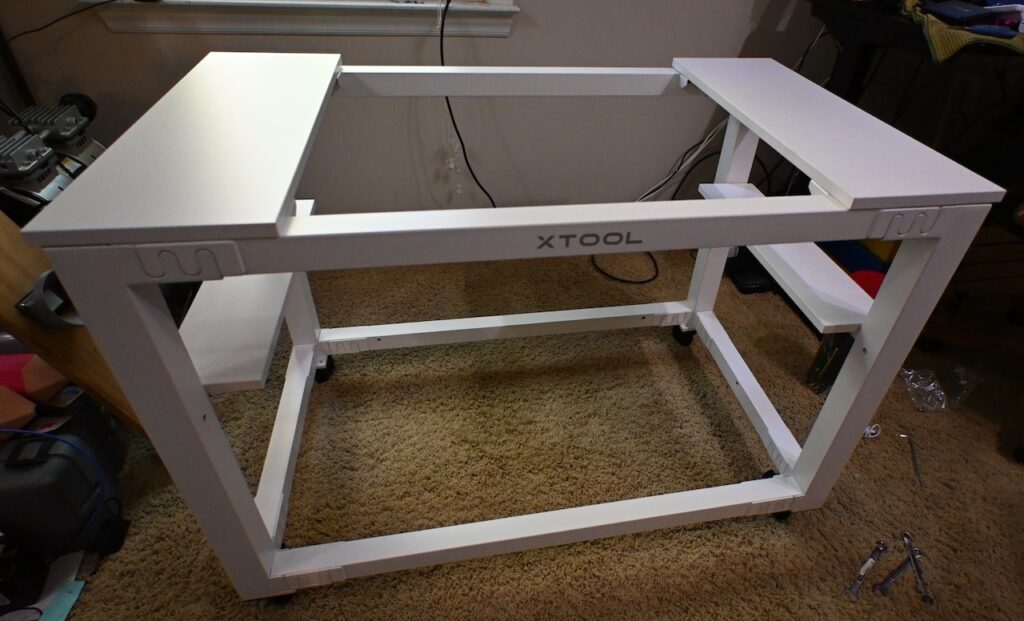
Get someone to help you lift the X1 though. It comes fully assembled and is a 3 piece, die-cast aluminum structure they refer to as Uniccast. It is solid and heavy and built to handle vibration. In fact during initial setup there is a vibration calibration that runs for 3-5 minutes. These guys are thinking of EVERYTHING.
Initial Setup
Setup takes a bit but xTool Studio walks you through every step with crystal clear instructions. Take the time to do it right.
Specifications
Man oh man I could list them forever. You are best advised to go here and see them for yourself. As I have mentioned earlier they have pushed the limits of literally everything.
Hybrid Motion
Here is a cut and paste of how xTool describes it:
xTool X1 is powered by Hybrid Motion™, a 4-axis flying galvo system that synchronizes the gantry’s X-Y motion with dual galvo mirrors, delivering speeds of up to 6,000 mm/s across a large-format workspace.
Here is how I describe it. This is nothing like anything I have ever seen before. Before we had simple X and Y plotters with manual Z height focus. Then we moved to a mirrored galvo system which speeded things up but was contained to smaller sized areas. Somehow xTool engineers have merged the two. I’m blown away.
We could always do large areas with diode lasers and CO² lasers but not with fiber or UV diodes. You’re lucky if you have a stand alone machine that does anything bigger than 300mm x 300mm. Those days are gone. Hybrid Motion over large areas, baby.
Automated Creation System (ACS) – Batch Processing
This is essentially an autopilot system. Place your materials. Hit auto and watch the machine do its thing with minimal intervention. Once it is set you can keep running batch operations. I made a video to walk through the process. It was my first time so bear with me while we learn together.
Very cool. I have a bit more to figure out and of course practice makes perfect. Anyway, this is an advanced technique and I had it figured out mostly in short order. The process is fairly intuitive and the software guides you through it.
Multi Laser Operations
I do lots of work with black acrylic. I make Raspberry Pi cases with MMDVM boards and engrave the tops of the dog bone cases I make. MMDVM is a board that sits on the Pi and allows a ham radio operator to create a hotspot for talking on Digital Mobile Radio (DMR).
I also make cases for GPS modules. GPS time accuracy is insane. Far better than any clock, or computer in your house. Also critical for some digital modes of ham radio operations.
Engrave with the UV laser and then immediately cut with your CO² laser. What a concept. And a concept that I love.
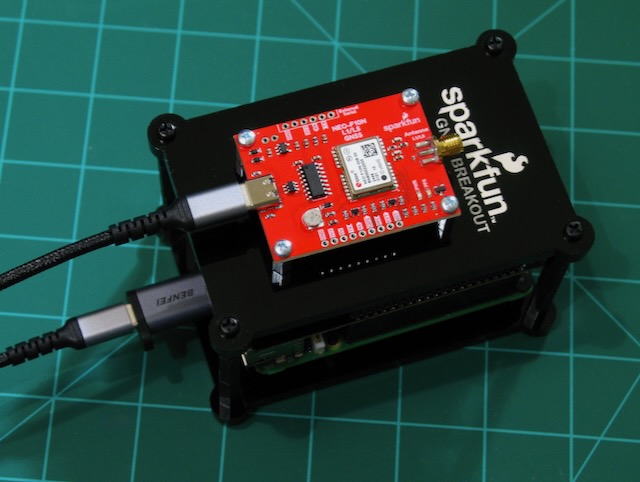
And I also use it to create signage. This video applies.
Regarding the making of plaques……..Imagine being able to mount your brass plate on your wood template and then engraving the wood and then the metal plate in one operation. Previously you would need two machines, possibly two software programs, two alignments, etc. Think of the time savings by using multiple lasers with the xTool X1.
UV Inner Engraving On K9 Crystal Blocks Or Keychains
I haven’t edited a proper video this process yet but I have made several inner engraving projects. Check these out.
Inner Engraving With UV – (click pics to enlarge)
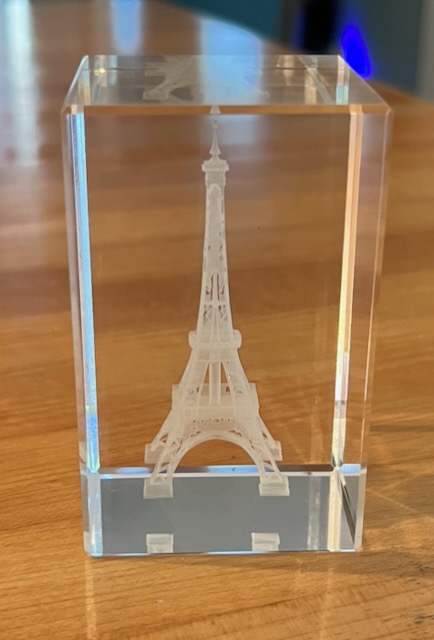
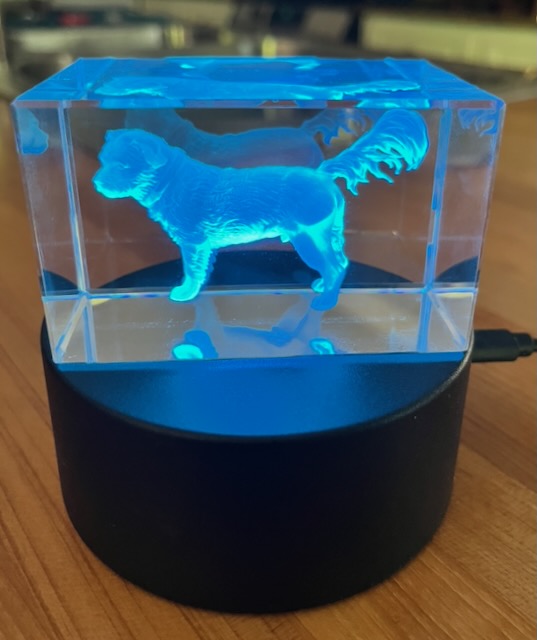
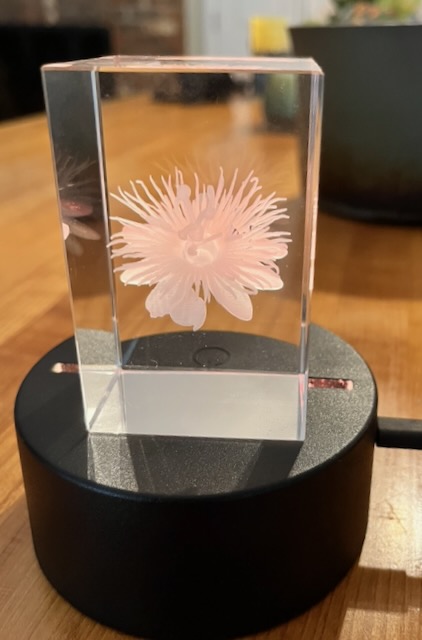
This is going to be my bread and butter. I don’t sell as much stuff as I used to since I mostly review stuff these days but I’ve sparked all kinds of interest with these K9 Crystal Inner Engravings. These are done exclusively with the 5 watt UV backpack.
You can’t look at these and not think they are cool! Most of them take about an hour or an hour and a half and the results are stunning especially when placed on a lighted base.
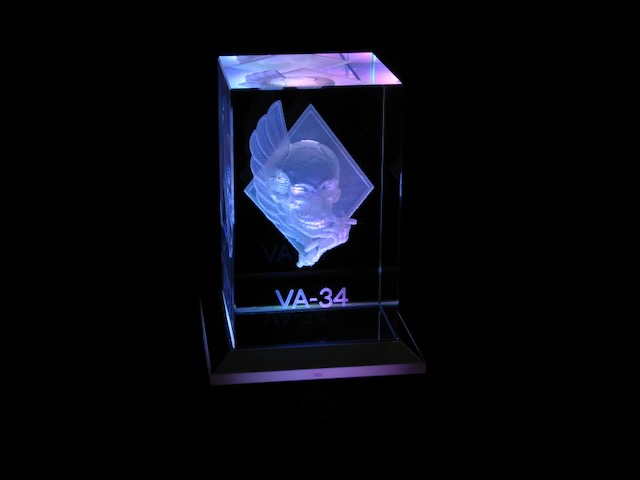
VA-34 was my last squadron in the Navy, in case you were wondering. Say hello to the VA-34 Blue Blaster!
Conveyor Feeder
Again, I will let the videos do the talking for me. Here is me making a 4 foot sign for my daughter’s house. The video shows the set up and processing of the conveyor feeder.
ATOMM
In addition to the X1 being great hardware, and xTool Studio being great software they also have a creator space where you can download or upload projects to enhance your abilities and reach. ATOMM is created by xTool and has tons of projects that drop directly into xTool Studio or they have AI features available to design your own.
ATOMM is community driven and is a great place to showcase and share your designs. If you are new to the laser game and maybe not totally up to speed on such an advanced piece of hardware as the X1 you can simply download projects from there. Most projects are ready to roll and even have the settings pre-populated for ease.
What are you waiting for? Run, do not walk, to the ATOMM website if you own xTool hardware.
My Thoughts
I’ve been reviewing lasers since before it was cool to review lasers. When xTool dropped the F1 after the successful D1 and D1 Pro series I thought it was the most amazing thing ever. I still have and still use my F1 frequently. Even though I have the X1 now, the F1 stays.
The X1 is quite simply a marvel of engineering. And what is scary is that you know they are working on improvements and probably the next generation laser following the X1. Who has ever heard of a hobbyist machine that has 5 different lasers? Conversely, it works with a Rotary (RA3 only) and also has an optional conveyor feeder.
I haven’t even mentioned the Fire Safety Set 2 that is also an accessory. Every other laser fire extinguisher I have seen uses tiny cartridges like you use to fill a bike tire. The Fire Safety Set 2 has a substantially larger bottle that can suppress several fires. It is not a “one and done” system.
Oh yeah, and they gave me a honeycomb panel as well.
Any Gotchas?
There was one head scratcher regarding the conveyor feeder (optional accessory). When mounting the feeder 4 screws are to be installed on the interior front of the X1. My actual hardware was missing one of the holes (circled in red).
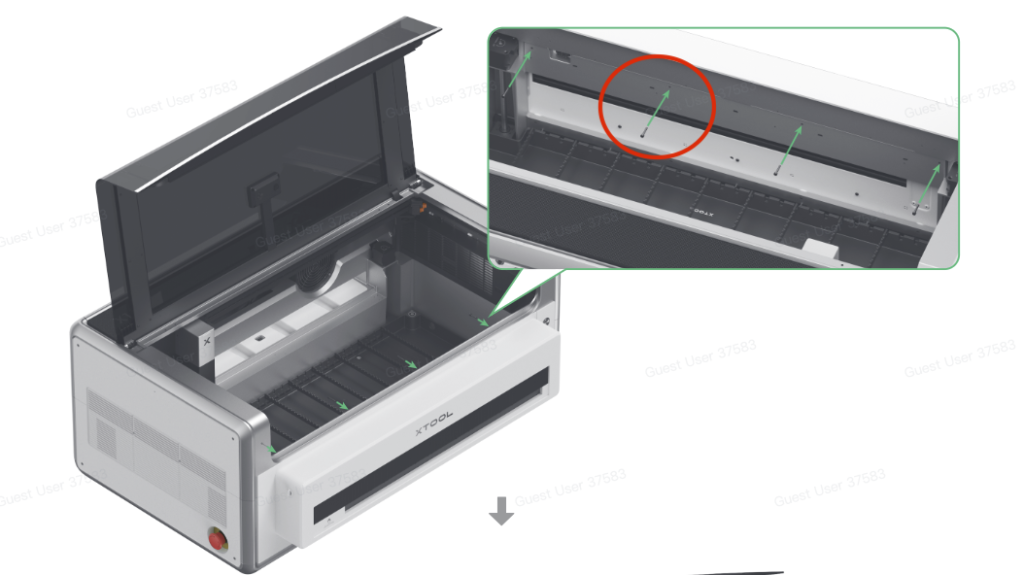
My xTool point of contact checked with engineering and we seemed to think it was just a one off situation. The conveyor fits fine and there is no gap or anything from the missing screw. I could absolutely locate and drill that hole myself but it simply was not necessary. That is the only deficiency from the manual that I found.
This is why manufacturers have Beta Testers. Betcha lunch it never happens again in the next production batch moving forward.
Closing Thoughts
Every year I do a “Best Laser Engraver for 202x” blog. You can better believe the xTool X1 will be prominent in that blog.
Again, I have been reviewing lasers since around 2019 when they first hit the consumer market. The X1 should be categorized as being in the Prosumer market.
Oh, and look for a YouTube video in the near future on the UV inner engraving. My YouTube Channel is here.