
SparkFun LG290P Quadband GNSS RTK
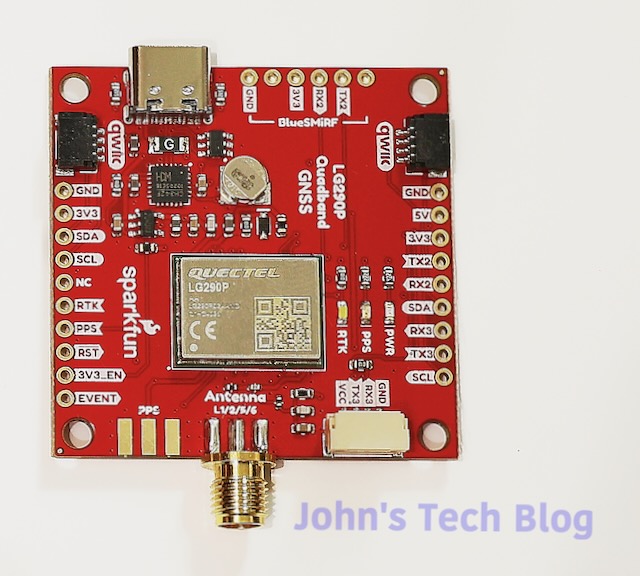
I’ve been messing with GPS modules for a while now. I’m always on the hunt for the best bang for the buck or the best learning tool. I recently stumbled across the Sparkfun LG290P Real Time Kinematic (RTK) GNSS board.
RTK has the ability to geo locate you to within 1 CENTIMETER of your location. Most GNSS modules net you about a 3 meter tolerance.
That is crazy accurate. Many of these RTK engines cost big $$$. This module is based on the Quectel LG290P engine. The good news is that it is lighter, cheaper, and runs cooler than most other RTK modules. Sparkfun sets the cost at $189 which is amazing.
Software – Quectel QGNSS
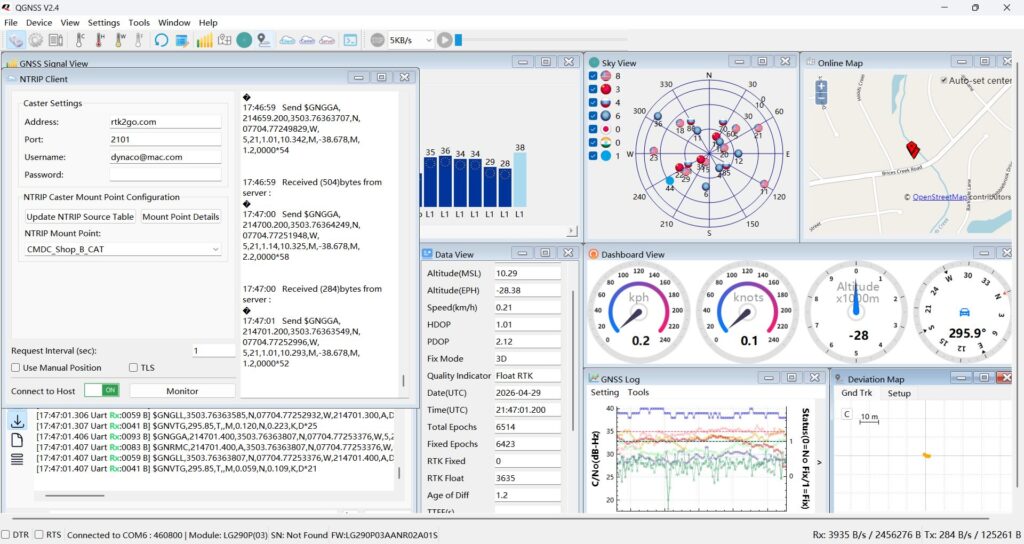
In order to set this bad boy up you need to download a Windows only program called QGNSS. As I write this the current version is 2.4 and you need to create a login with Quectel to get at the download button. Once you open the program and get it running it looks like this:
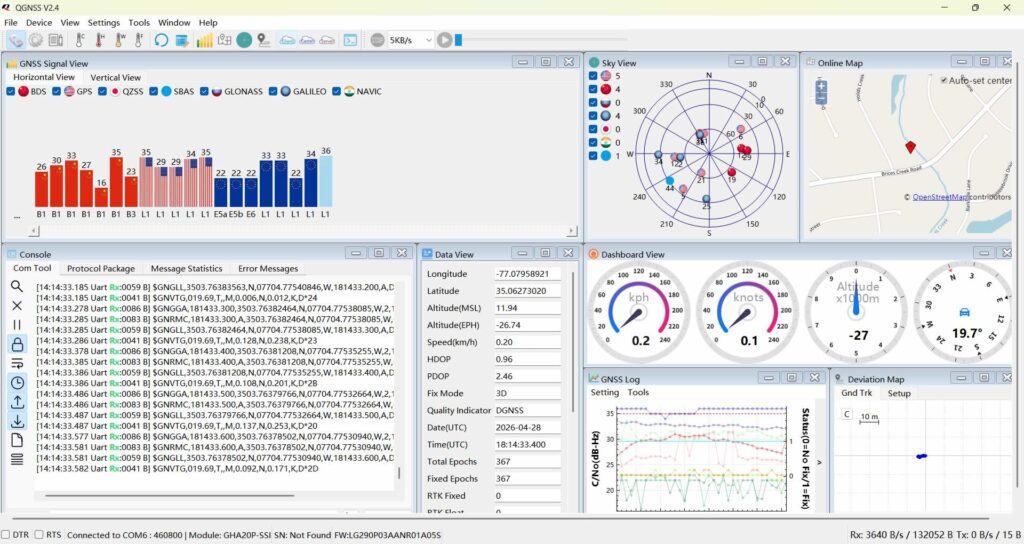
The default baud rate for the COM port it lands on is 460800 and it appears as an “Enhanced COM Port” in the Windows Device Manager.
Quadband
The receiver tracks the following systems: GPS, GLONASS, Galileo, BDS, QZSS, and NavIC GNSS. It also supports SBAS augmentation systems (WAAS, EGNOS, BDSBAS, MSAS, GAGAN, and SDCM), PPP services* (BDS PPP-B2b, QZSS CLAS, MADOCA-PPP, and Galileo HAS), RTCM, and RTK.
It also covers L1, L2, L5 and E6 frequencies. So by my estimation this is a very capable receiver with tons of capabilities for not a lot of money.
Firmware
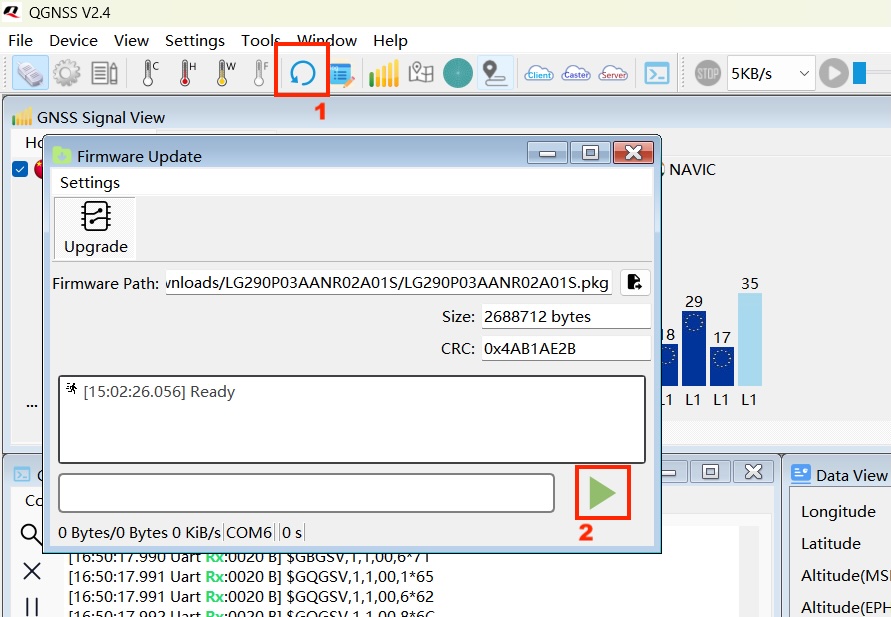
After playing with the module for a while I realized it needed a firmware update. The shipped version was FW:LG290P03AANR01A055. The update was found here and was version FW:LG290P03AANR02A01S. The Quectel instructions and Sparkfun instructions were pretty different. A lot different. In fact I tried following the instructions and it kept failing. Maybe tried it 10 times. I wish I remembered what I did to make it work but it eventually started loading and took successfully. The update process took maybe a minute or so once it got started.
I think you have to have it on enhanced COM port A and set the baud rate to 460800. Then at the top where it says “Settings” that is a drop down box that allows you to reset the module. Reset and then push the icon labelled 1 which reboots the board and then push 2 (quickly) to begin the process.
Software QGNSS Bugs
Everything seems to be working okay but the OpenStreetMap depiction shows a 403r error on each map tile which means the headers are not being sent correctly to the OpenStreetMap server according to Dr. Google. I emailed their Support department and am waiting to see if and how they respond. Not a big deal but hey, I’d like it to work.
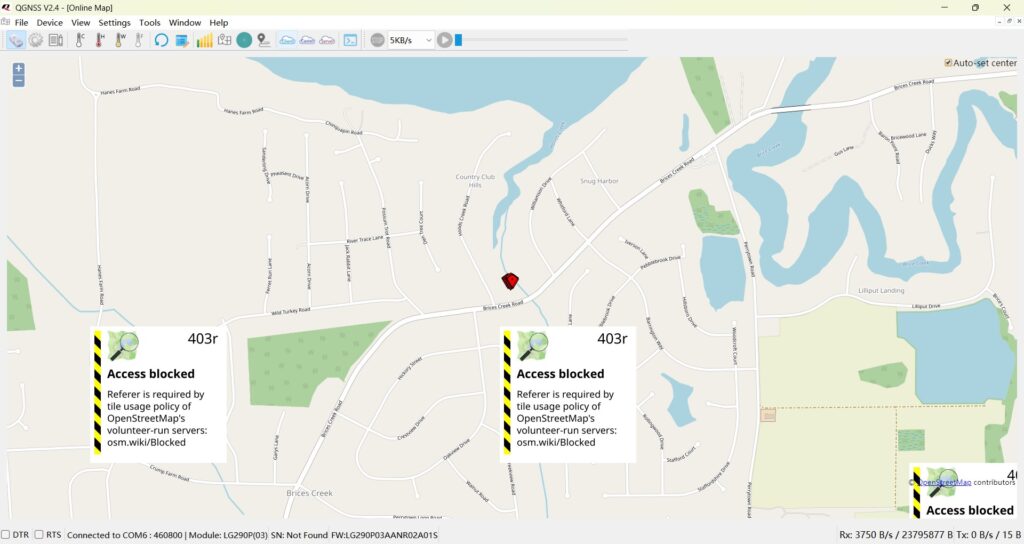
UPDATE: I received a reply to my email requesting that I post the question on their Forum. I did, and awaiting a response to that.
Sparkfun LG290P RTK
What wasn’t crystal clear to me when I bought this (or any) RTK board was that in order to achieve that incredible accuracy you need to supply correction data to the module.
That comes in the form of either a separate physical base station or via an NTRIP Caster service. There are some free ones, but none close enough to me to nail the accuracy and most are paid services. Suffice to say they cost a bit of money. The local gov site here has a one time $500 cost. Many other NTRIP Casters cost several hundred dollars a year as a subscription service.
On a good note many of those casters offer 30 days free. I’ll discuss more on this down below later.
I actually cracked the code for RTK. I had to pass a series of commands to the LG290P chip.
$PQTMCFGPORT,W,UART1,1,460800,1,3,1*5F- The
3in this command tells the module to accept both NMEA and RTCM3 on that port.
3. Save to Permanent Memory
If you don’t save, the module will revert to NMEA-only the next time it loses power. Send:
$PQTMSAVEPAR*5A4. Restart the Module
Finally, perform a software reset to initialize the new modes:
$PQTMSRR*4BThen I had to connect to a free NTRIP Server. It is about 80 miles away so the best I can pull is an RTK Float fix which gives around 20 cm of accuracy. There is a NTRIP server near me that is a government server but there is a one time fee of $500. No thank you. If I owned a surveying business, maybe. But just to see the words “RTK Fix” in a piece of software surely isn’t worth $500. Around the bottom middle you can see RTK Float in the Data View section.
RTK FIX!
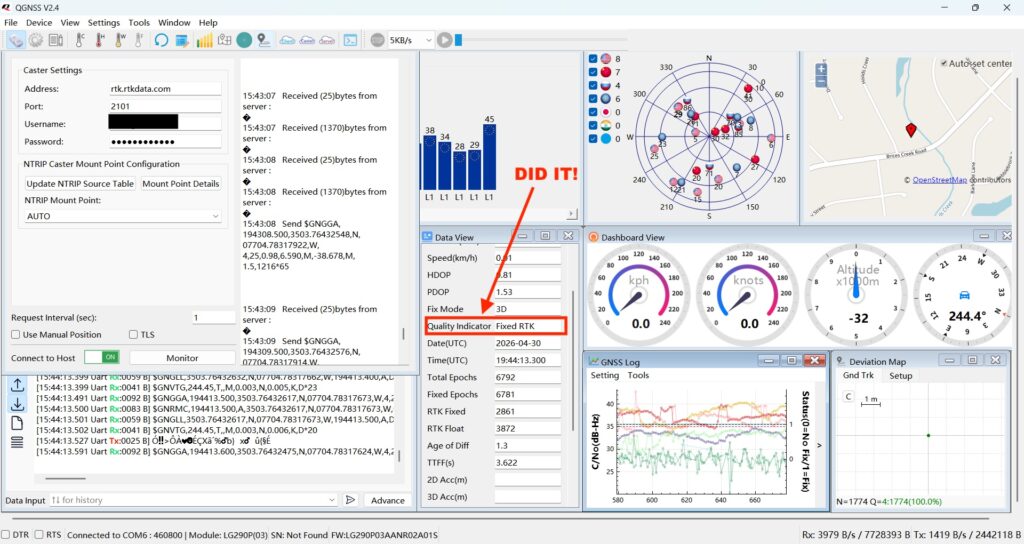
I did it. Used an NTRIP server called RTKDATA. They cover my area and have a free 30 day trial without adding a credit card. After the 30 days you pay $40 a month or $400 a year. If I had a practical use for all this I’d buy in. Their Tech guy contacted me and asked if he could help or answer any questions I might have on the RTK process.
Now how many tech places contact you and ask if you have questions? And by that I mean a real person and not some AI crafted email. If I needed this service to sustain some business or specific positioning need I STRONGLY RECOMMEND RTKDATA.
Here’s the proof! Fix RTK and the deviation map shows no movement. I zoomed in later to a 2 cm grid and I have a small lump right near the crosshairs. Well within a centimeter.
Caster
In the pic above in the top left there is a Caster setting box where you input your Caster service credentials and choose a mount point. This is how you supply the correction data to the module to obtain 1 cm of accuracy.
Heat
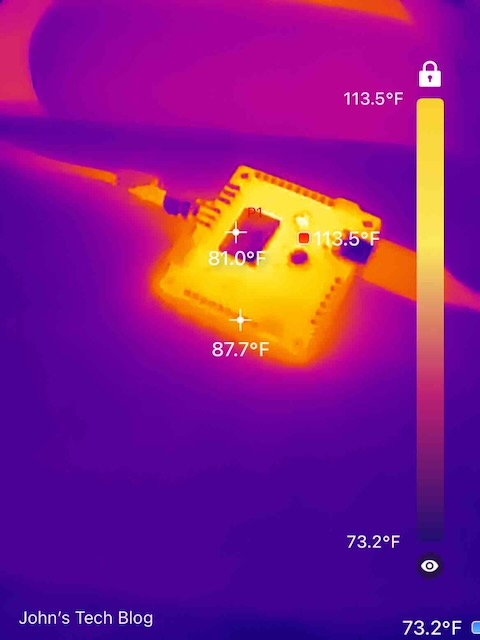
My thermal cam says the chip itself is running at a cool 81 ℉. The hottest part of the board checks in at 113.5 ℉. That seems to be the CH342F serial converter.
My Conclusions
The Sparkfun LG290P breakout board with the Quectel chipset is an amazing bargain. The software isn’t as polished as U-blox’s u-center or u-center2 software but it works. The issue with the blocked map tiles is a bit perplexing but I’m pretty sure I’ll get a resolution. I tried to download a previous version of QGNSS but couldn’t find an archive anywhere.
For the price you pay, you get a Quadband receiver that covers darn near all the GNSS goodies with the icing on the cake being 1 centimeter of accuracy. Also the refresh rate defaults to 10Hz which is pretty quick. You can bump it up from there if you need as well.
I don’t really see anything else touching the capabilities of this at this price point. If you want to get into RTK positioning, this is your Huckleberry.
That’s a really interesting board, I’ve been looking into RTK solutions too. The quadband aspect seems particularly useful for different regions.