
Garmin Basecamp And Maps – Seriously Garmin?
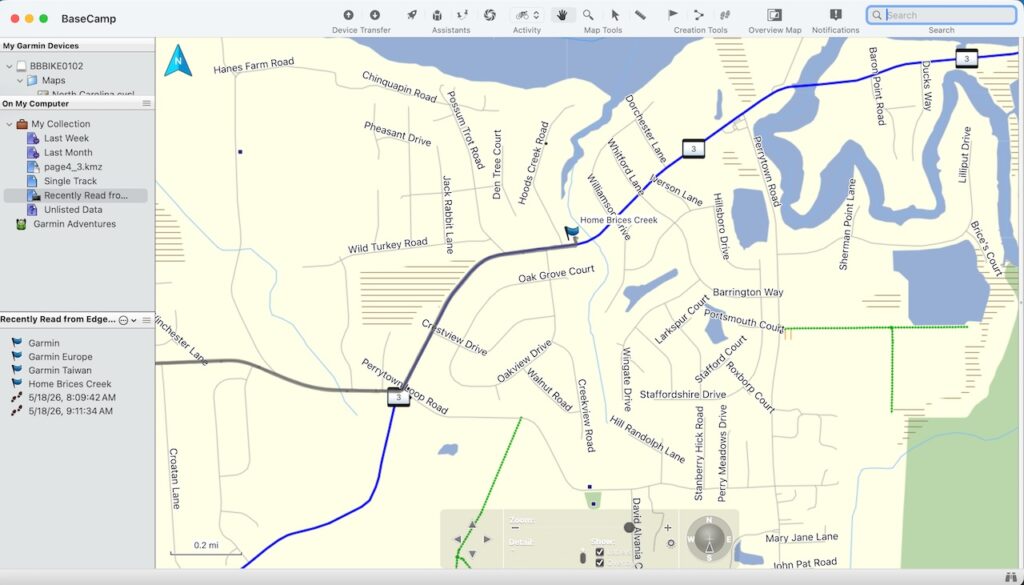
I bought my very first Garmin Bicycle computer in 2009. That same year Garmin released some mapping software called Garmin Basecamp.
It was, and is a decent hunk of software. Not great, but not bad.
And it hasn’t really changed since 2009. This is both good and bad. I imagine most of the changes are behind the scenes to keep up with modern computer operating systems. It’s great that the interface is so familiar but the flip side of that is the software looks like it is right out of the 2010’s. That’s okay, because a slick interface isn’t my thing anyway.
Garmin Edge Explore 2 Mapping
In May of 2025 Garmin transitioned from Garmin Cycle Maps to TopoActive maps. That isn’t a problem. What is a problem is that for newer devices like my Garmin Edge Explore 2 the maps cannot be downloaded to your computer.
If you plug the Edge Explore 2 into your computer via USB the device will be scanned by Basecamp and the maps will be loaded. The Edge Explore 2 comes with 3 maps. TopoActive East, Middle, and West. It takes Basecamp about 20 minutes to load those maps. Once they are loaded Basecamp becomes ridiculously slow and almost unusable.
Previous Maps
Garmin City Navigator (auto maps) and Garmin Cycle Maps could be downloaded directly to your computer where they load instantly and are super responsive. You could use a program called Garmin Express. If your device wasn’t hooked up you could manage your maps and they would install directly on your computer in the right folder where Basecamp could activate it.
TopoActive Maps
Not so with the new TopoActive Maps. They cannot be downloaded from the device. They can be uploaded from online but essentially the maps you bought are not really yours apparently.
Here is what Garmin states:
Preloaded City Navigator mapping is the only map type that can be installed using the steps below. Other mapping products such as TOPO or lake maps cannot be installed on the computer, but may be able to be viewed by Garmin BaseCamp™ when installed on a connected device.
Seriously, Garmin. Even if you buy the maps they still only work on one device and you still can’t install it to a PC. There are some cheats and workarounds but that’s just wrong. If you sell me a map I should be able to view that map anywhere I want to. I mean I bought it, and I own it, right?
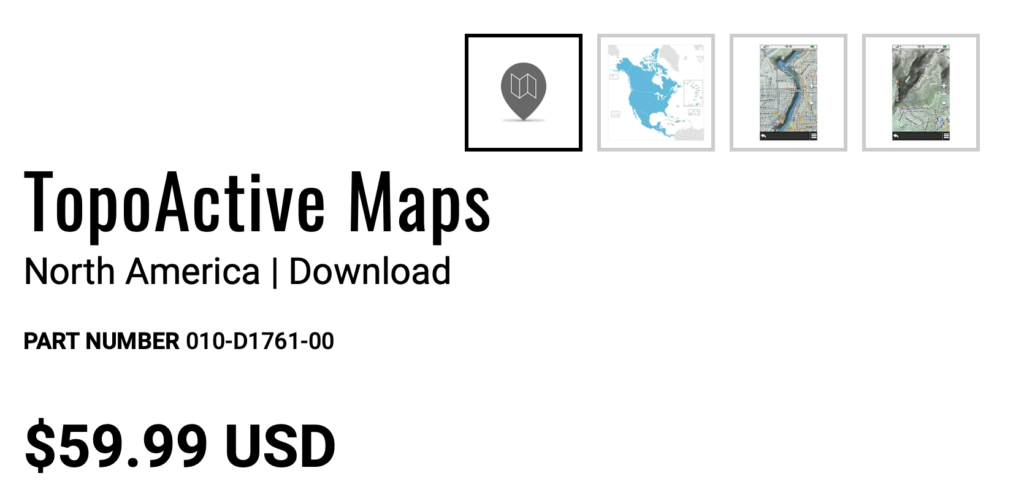
If I were lost and dying and needed this map I think I’d just go ahead and give up the ghost.
Seriously Garmin?
This is ridiculous. I bought a device with these TopoActive maps and I can’t access them on my computer? And yes, as I stated earlier you can connect your Edge device to your computer but it takes forever to load the maps and then the Basecamp software is essentially borked. Try to zoom in or out……takes forever.
Don’t tell me I need a better computer either. I have a Mac Mini M4 with 16 GB’s of RAM.
Here is a a screen recording of me trying to use Garmin Basecamp this morning with Garmin TopoActive maps on my Edge Explore 2 cycle computer.
This is not okay Garmin. It took me over an hour and half to load all your Topo Maps and then Basecamp because so bogged down and slow as to be unusable.
Things You Don’t Own
You don’t really own that map. Garmin does and they limit how you can use it. They stopped supporting BaseCamp last year and are pushing you towards web based software.
The Fix For Garmin Basecamp
You can download maps from BBike Extract. These are OpenStreetMap tiles which ARE BETTER than Garmin maps. The maps are also FREE to download. Garmin even suggests using OpenStreetMap maps.
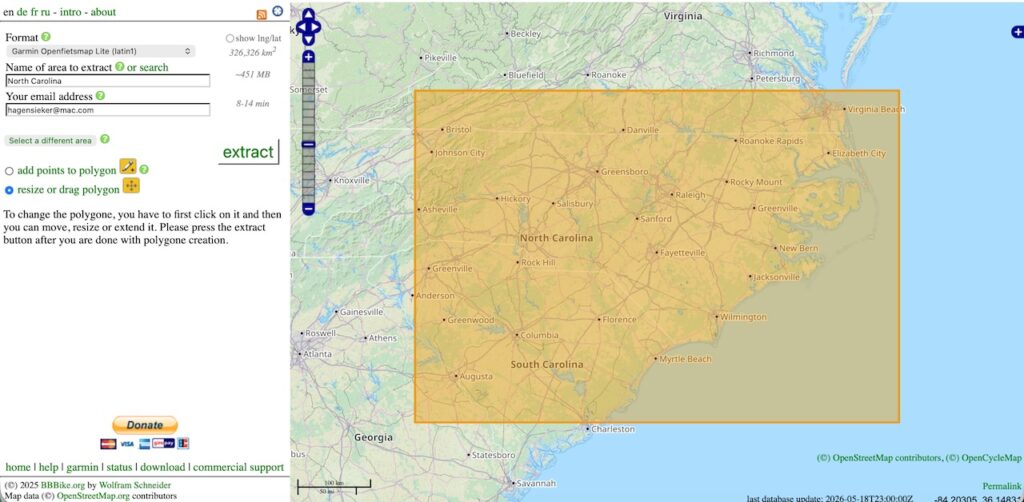
The only downside here is that the yellow bounding box which selects my download area is about as big as I can get it. There is a size limitation. That being said I can download any area in the world I want and upload it to my computer and bike computer. And check this out:
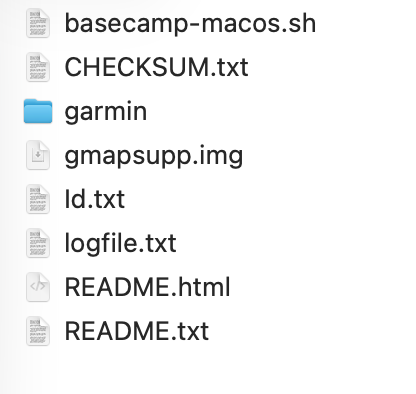
Look at the top file. If I navigate to the folder it is in and run a that as a command (in MacOS) exactly like this in a terminal
./basecamp-macos.sh
It installs the map directly to basecamp. Using another hunk of open source software called OpenMTP you can upload it to your Garmin.
Where Is My Device?
Used to be when you plugged a Garmin Edge device in you would find it loaded as a removeable drive called “Garmin”. You could just drag and drop your map into that folder.
Guess what? That doesn’t happen anymore. OpenMTP allows you to access that now hidden folder so you can upload your maps to it.
Seriously Garmin?
My Opinion
My opinion that the locking down of the device (newer Edge models) is simply a play to get you to buy those maps. And they make it just a tiny bit harder for the average cycle computer user to upload the superior OpenStreetMap files.
This is bullshit.
Okay, I figured it out using open source software. And I really only have to do it once. The only other place I’ve ridden my bike is near Charlotte with my Son in Laws father. That area is covered by my map as well. I’m set until I want to update the map to reflect road changes and such.
Hands down Garmin makes the best hardware but their software solutions are slowly entering critical non-usibility mass.
My Recommendation
Stay a generation or two back on your bike computers if you plan to use the Garmin ecosystem. My Garmin Edge 530 does not give me any of this grief.
If you do have something newer like the Edge Explore 2 download one of the OpenStreetMap variants and disable all your TopoActive maps. They are still on your device and accessible if you re-enable them. Update them once a year or so.
In Conclusion
Seriously Garmin?